IPTV Stream Player: What It Does and How to Pick One
An IPTV stream player is the app that takes a stream address and turns it into a picture on your screen. If you have ever typed "iptv stream player" into a search bar, you were probably trying to answer one simple question: which app should I use to actually watch the channels I already have access to? Maximus IPTV Player is one answer for iPhone, iPad and Android, and this guide explains what a stream player does, what separates a good one from a frustrating one, and how to pick one without wasting an evening.
One quick note before we start: "IPTV Stream Player" is also the name of a specific app. This article uses the phrase in the general sense, meaning any player that plays IPTV streams, and says nothing about that app or any other by name.
Key Takeaways
- A stream player only plays what you give it. It does not supply channels, and a legitimate one never should.
- The basics are decoding the stream (usually HLS), reading your source (M3U, M3U8 or Xtream Codes) and showing a usable TV guide.
- Maximus IPTV Player supports Xtream Codes logins and M3U/M3U8 playlists on both iPhone/iPad and Android, with no ads and no tracking.
- Test any player with your own source for a few days before you decide. Free to download means you can do exactly that.
What does an IPTV stream player actually do?
IPTV stands for Internet Protocol Television: TV delivered over an ordinary internet connection instead of a cable or satellite box. A stream player sits at the receiving end. Your provider, or your own legally obtained playlist, supplies the streams. The player fetches them, decodes the video and audio, and gives you a remote-friendly interface to move around.
Three jobs matter most.
First, it reads your source. A source is the address and credentials that describe what you can watch. The most common formats are M3U (a plain-text playlist file listing stream addresses, one after another), M3U8 (the same idea saved in UTF-8 text encoding, and also the file extension used by HLS playlists) and Xtream Codes (a login made of a server address, a username and a password that lets the player download your channel list directly).
Second, it plays the stream. Most IPTV today is delivered over HLS, short for HTTP Live Streaming, an Apple-originated format that chops video into small segments of a few seconds each and lets the player switch quality as your connection changes. A good player copes with segment hiccups instead of freezing.
Third, it organizes everything. A typical provider list holds thousands of channels. Without groups, search, favorites and a guide, that list is unusable. This is where players differ the most.
Is a stream player the same as an IPTV service?
No, and this is the most common point of confusion. A service sells or provides access to channels. A player is software that plays whatever you point it at. Maximus IPTV Player is a player: it does not include channels, and it does not sell them.
That matters for two reasons. First, you stay in control. If you change providers, you change the login inside the app and keep everything else, including your layout habits. Second, you stay on the right side of the law. Only use sources you are entitled to watch, such as a subscription you pay for, a playlist from your own provider, or openly published public lists. If you are new to playlists, our guide to loading public iptv-org playlists shows how a legal public list is added to a player.
What should a good IPTV stream player include?
Skip the feature-count marketing and look for these six things. They map directly to the problems people complain about.
- Source flexibility. Can it take Xtream Codes and M3U/M3U8? Can it hold more than one source at once, so a second household subscription does not mean a second app?
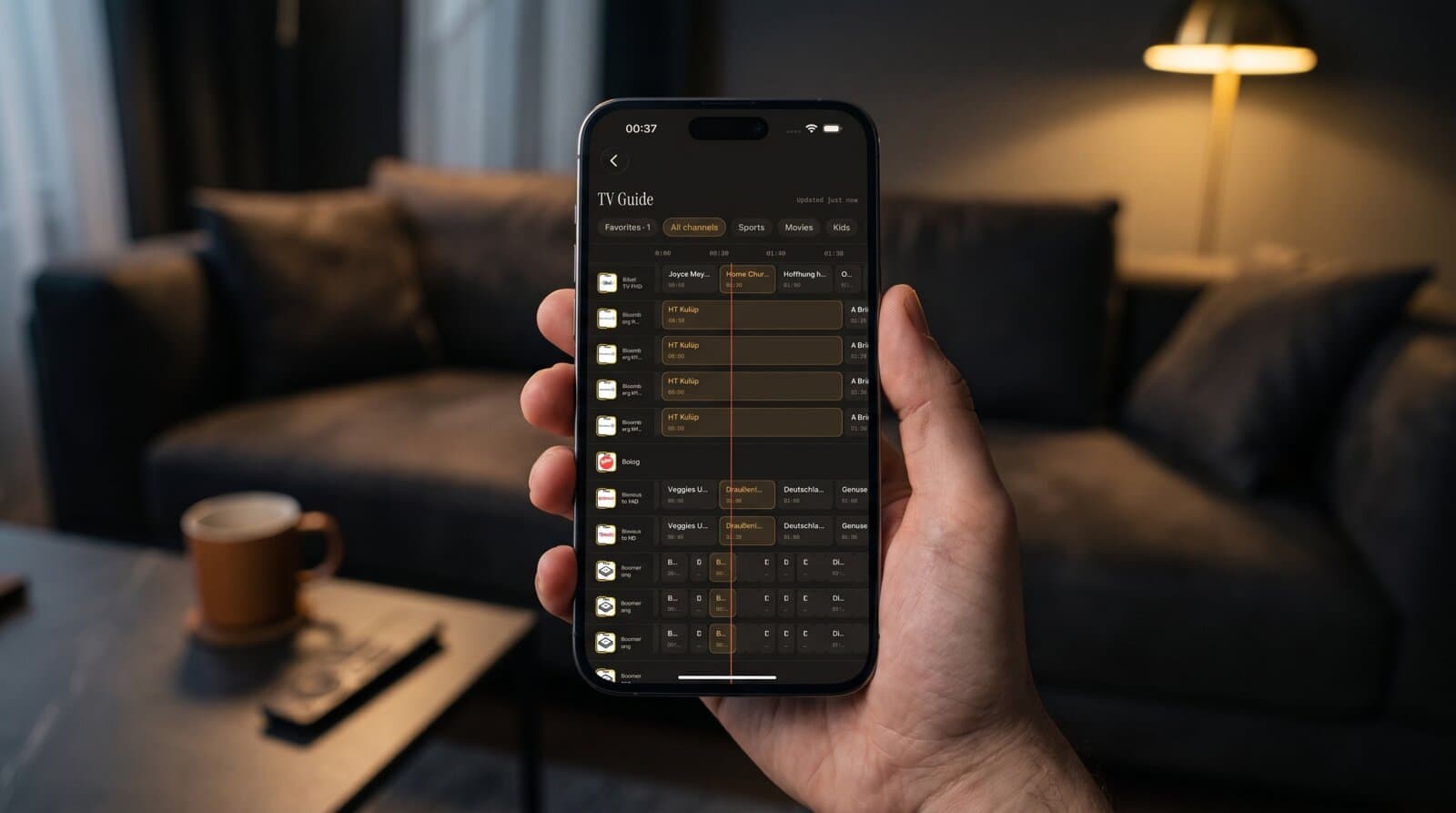
- A real TV guide. EPG stands for Electronic Program Guide, the timeline of what is on now and next. A weak guide is just a list; a good one lets you filter by Sports, Movies or Kids.
- Fast navigation. If changing channels takes ten seconds, you will give up. Grouping by country and search make a large list manageable.
- Playback controls. Subtitle and audio track selection should be one tap away, and quality should adapt to the connection.
- Resume and favorites. Pick up a movie where you stopped; pin the twelve channels you really watch.
- Respect for your data. An IPTV login is a credential. A player should store it on the device, not send it off to an analytics partner.
For a longer version of this list, see the smart player checklist in our archive.
How does Maximus IPTV Player handle each of those?
Here is what the app does today, based on what is verified in both current apps:
- Sources: Xtream Codes login and M3U/M3U8 playlists on both platforms. On iPhone and iPad you can also add a source by QR code or by file.
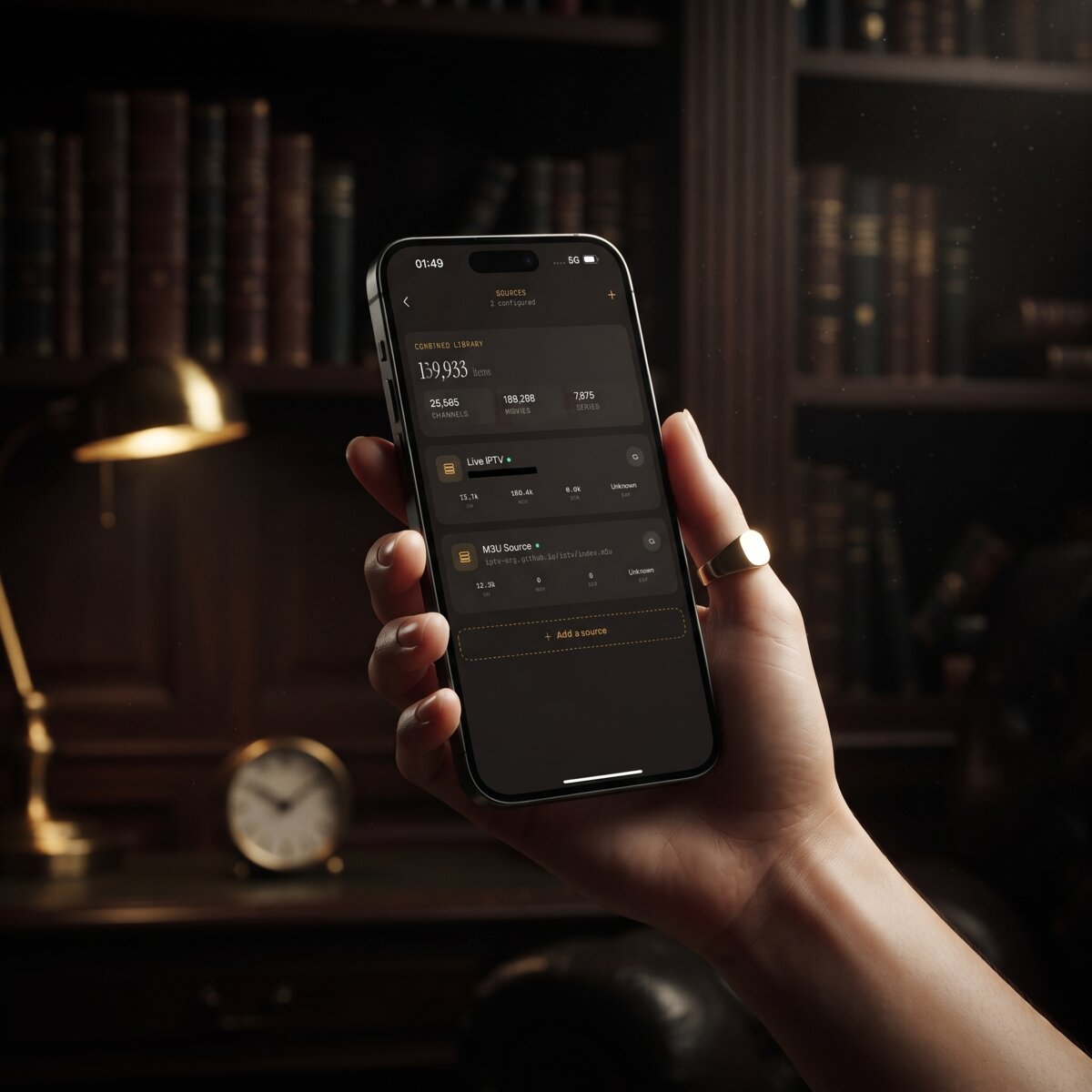
- Multiple sources: you can combine several sources in one library instead of switching accounts.
- TV guide: a real EPG timeline with Sports, Movies, Kids and Favorites filters.
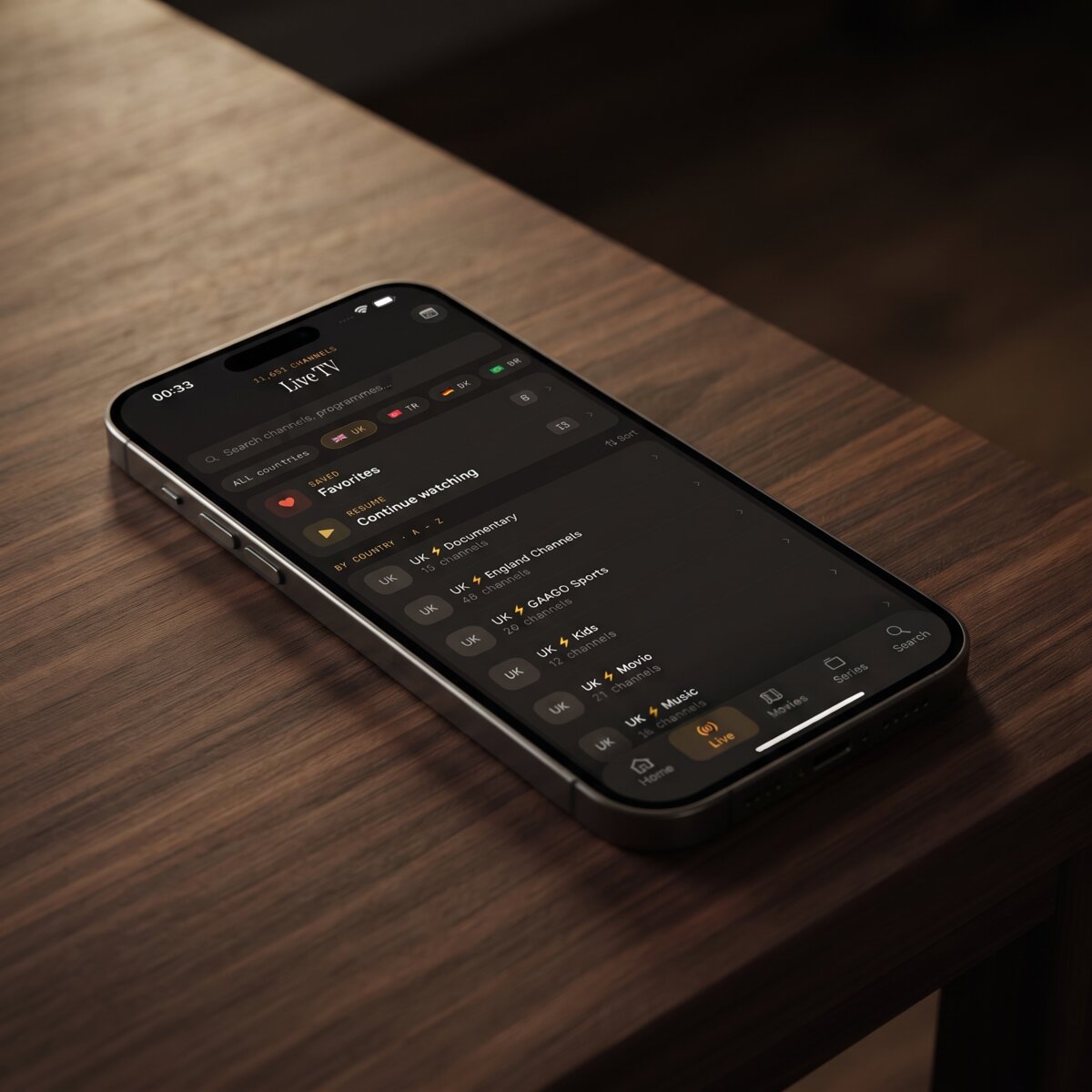
- Organization: live TV grouped by country, a movies and series library, universal search, Favorites and Continue Watching.
- Playback: subtitle and audio track selection, and 4K, HD or SD playback as your stream and device allow.
- Downloads: movies and episodes can be saved for offline viewing.
- Safety: a PIN parental lock for adult content, no ads, no tracking, and credentials that stay on the device.
The app is free to download, with an optional Premium subscription. On Android, Premium unlocks the full TV guide, offline downloads, parental lock, source refresh and multiple sources, and the monthly and annual plans include a 7-day free trial. We are not going to quote prices here because they change; the store listing always shows the current one.
Which devices can run it?
Maximus IPTV Player is built around the screens people really use.
iPhone and iPad. The App Store version runs on both, and the same app also runs on Macs with Apple silicon and on Apple Vision. Playback progress syncs between iPhone and iPad through iCloud. There is no Apple TV app. To reach a television from an iPhone or iPad, you cast with AirPlay (Apple's wireless screen-sharing technology) or Chromecast (Google's casting protocol, also called Google Cast).
Android phones and tablets. The Google Play version supports Picture-in-Picture, a small floating window that keeps the video playing while you use another app, plus background playback. Note that the Android app does not cast, so there is no Chromecast option there. Likewise, the iPhone and iPad apps do not offer Picture-in-Picture, so choose by the feature you care about.
Android TV and Google TV. The same Android app ships with a native television interface made for a remote, not a stretched phone layout. The Play listing describes it as one app and one subscription for phone, tablet and Android TV. If the living room is your main screen, read our Android TV and Google TV setup guide.
We do not claim subscription sharing between iOS and Android. Each store handles its own purchases, so treat them as separate.
How do you test a stream player in one evening?
A fair test takes about an hour and uses your own source. Do not judge a player by a screenshot or a star rating alone, because your playlist, network and device decide most of the experience.
- Add your source. Time how long it takes from opening the app to seeing channels. For a typical list of a few thousand channels, loading should take seconds to a minute or two, not many minutes. If yours is huge, our piece on slow playlist loading explains why.
- Open the guide. Check that programs line up with the right channels and the right time. Time zone mismatches are the usual culprit when they do not.
- Zap through ten channels. Note how long each switch takes and whether audio and video stay in sync.
- Try subtitles and audio tracks. Pick a program with more than one language and make sure you can change tracks without leaving the video.
- Use search. Look for one movie and one channel by name.
- Close and reopen the app. Does it remember your place, favorites and sources?
Run the same six steps on each candidate and write down a score from 1 to 5. The numbers will make the decision for you.
What causes most stream player problems?
Most "bad player" complaints are really source or network problems, so rule these out before you blame an app.
- A 403, 404 or 429 error usually comes from the provider, not the player. Our error codes explainer breaks down what each number means.
- A login that fails is most often a typo, a trailing space, or a server address missing its port. See fixing Xtream username and password errors.
- A playlist that will not load may be expired or blocked. The step-by-step fix lives in our playlist troubleshooting guide.
- A black screen or stutter can come from a weak connection. As a rough guide, SD needs a few megabits per second, HD roughly 5 to 10, and 4K around 25 or more, so a busy Wi-Fi network can be the real bottleneck.
A player cannot fix a dead stream, but a good one gives you a clear message instead of a spinning wheel.
FAQ
What is an IPTV stream player?
It is an app that plays IPTV streams from a source you provide, such as an M3U/M3U8 playlist or an Xtream Codes login. It decodes the video, shows a TV guide and organizes your channels. It does not provide channels itself.
Does Maximus IPTV Player include channels?
No. Maximus IPTV Player is a player only. You bring your own legal subscription or playlist, and the app plays it.
Is Maximus IPTV Player free?
It is free to download. An optional Premium subscription unlocks additional features, and on Android the monthly and annual plans include a 7-day free trial.
Can I use it on Android TV?
Yes. The Android app includes a native Android TV and Google TV interface, available from the same Google Play listing as the phone and tablet version.
Can I cast from an Android phone?
No. Casting through AirPlay and Chromecast is available from iPhone and iPad only. On Android, the app offers Picture-in-Picture and background playback instead.
Does it track me?
No. The app has no ads and no tracking, and your credentials stay on your device.
Pick the player that fits your own source
The best IPTV stream player is the one that opens your source quickly, shows a trustworthy guide and stays out of your way. Test two or three with the checklist above, keep the one that wins, and leave the rest.
If you want to try Maximus IPTV Player, download it from the Apple App Store for iPhone and iPad, or from Google Play for Android phones, tablets and Android TV. For a broader comparison of options, read our best IPTV player comparison.
Written by
Maximus IPTV Team