Big IPTV Playlist Loading Slow? Why It Takes So Long
Your IPTV playlist loads, but only after a long, silent wait. The spinner turns, the channel list stays empty, and you start wondering whether the link is dead. In most cases it isn't dead, it's just big. If you use Maximus IPTV Player or any other player, a slow-loading playlist is one of the most common complaints, and it has a handful of very specific causes that you can check one by one.
This guide explains what actually happens while a large playlist loads, why a list with thousands of channels takes longer than a small one, and what you can do about it on iPhone, iPad, Android and Android TV.
Key Takeaways
- A big playlist is a big download: a list with 10,000 channels can be several megabytes of plain text before your player has shown a single channel.
- The wait usually comes from three places: the provider's server, your network, and the player parsing the list. Only the last one is in the player's hands.
- The program guide (EPG) is often a separate and much larger download than the channel list itself.
- Trimming the list on the provider side, or splitting it into several sources, is the most reliable speed-up.
- A load that never finishes is a different problem from a slow one. Error codes and login failures have their own fixes.
What actually happens when a playlist loads?
When you add a source, your player does not stream anything yet. It first has to fetch the list of everything you could watch, then turn that list into the groups, logos and search index you browse.
For an M3U playlist (a plain text file where each channel is one entry with a name, a group and a stream address), the player downloads the whole file from one web address. An M3U8 file is the same format saved as UTF-8 text. Do not confuse it with HLS, the streaming technology (HTTP Live Streaming) that delivers the video itself in small chunks. The playlist is the menu, HLS is the meal.
For an Xtream Codes login (a server API where you type a server address, username and password instead of a file link), the player asks the server for categories first, then for the channels, and often for movies and series as separate requests. That is several round trips, not one.
Either way, three stages happen in order:
- Fetch. The list travels from the provider's server to your device.
- Parse. The player reads every entry and sorts it into groups.
- Index. The player builds what makes browsing and search fast afterwards.
A delay in any one stage looks identical from the outside: a spinner.
How big is a "big" playlist?
Each M3U entry is typically a few hundred characters once you count the channel name, group title, logo address and stream address. Multiply that by the size of the list:
- 500 channels is roughly 150 KB, which loads almost instantly on any connection.
- 5,000 channels is closer to 1.5 MB.
- 15,000 entries that also include movies and series can pass 4 MB.
Those are rough, order-of-magnitude figures, and real files vary. The point is that a provider bundling live TV, movies and series into one file can hand you a text file that is thirty times larger than a basic list. On a fast connection that is still only a moment of download time. The slowness comes from elsewhere.
Why is my IPTV playlist loading slowly?
Is the provider's server the bottleneck?
Very often, yes. Playlist files are frequently generated on request. When you ask for the list, the server may have to build a multi-megabyte file from a database, and busy servers do this for many customers at once. Evenings and weekends, when everyone refreshes at the same time, are the worst.
A quick way to tell: if the same slowness happens on a different device and on a different network (for example your phone on mobile data), the bottleneck is on the provider's side. Nothing in a player can make a slow server answer faster.
Is your own connection making it worse?
Wi-Fi at the edge of your router's range, a congested 2.4 GHz band, or a VPN routing your traffic through another country can all add seconds to every request. For Xtream logins this matters more, because the player makes many separate requests and each one pays that delay. If you are not sure whether a VPN is helping or hurting, read our practical guide on whether you need a VPN for IPTV.
Test it simply: switch off the VPN for one load, or move closer to the router, and compare.
Is it the program guide, not the channels?
This is the cause people miss most often. The EPG (Electronic Program Guide, the schedule of what is on now and next) usually comes as a separate file, commonly in a format called XMLTV. Guide files for thousands of channels can reach tens of megabytes uncompressed, and they have to be downloaded and matched to channels by an identifier.
If your channel list appears quickly but the guide stays empty for a while, the guide is still loading in the background. That is normal and not a sign anything is broken. If the guide finishes but shows the wrong times, that is a different issue covered in our post on fixing EPG time zone mismatches.
Is the list simply too big for the device?
Turning ten thousand entries into browsable groups takes memory and processing power. An older phone, or a TV box with limited memory, will take noticeably longer than a recent iPhone or a Mac with Apple silicon. This is also why the same list can feel instant on one device and sluggish on another.
How do you tell a slow load from a failed one?
Patience has limits. A useful rule of thumb:
- Under a minute, spinner still moving: almost certainly just a big list. Wait.
- Several minutes with no change: the request is probably stuck. Cancel and retry once.
- An error message appears: stop waiting and read the message. Codes such as 403, 404 and 429 each mean something specific, and we explain them in IPTV error codes explained.
- "Login failed" on an Xtream source: the issue is the credentials or the server address, not the size. See fixing Xtream username and password errors.
- The link has stopped working entirely: that is a dead or expired list, which is covered in what to do when your playlist is not working.
Hammering the retry button makes things worse. Many providers answer repeated rapid requests with a rate-limit response, so five impatient retries can turn a slow load into a blocked one.
How can you make a large playlist load faster?
There is no magic setting, but these steps work in roughly this order of effect.
- Ask your provider for a smaller list. Many providers can give you a playlist limited to one country, or to live TV only. Fewer entries means a smaller download and a faster parse. This is the single biggest improvement you can make.
- Split it into several sources. Instead of one giant file, load live TV from one source and movies from another. Maximus IPTV Player supports multiple sources combined into one library, so you still browse everything in one place.
- Load it once, then leave it alone. After the first successful load, your player keeps the list on the device. You should not need to reload it every time you open the app. Refresh only when your provider changes something.
- Load on a good connection. Do the first big import at home on solid Wi-Fi, not on a weak signal or while travelling.
- Avoid the busiest hours. If the provider's server is the bottleneck, a refresh at a quiet time of day is noticeably faster.
- Keep the guide separate in your head. If channels are visible, start watching. The guide can finish in the background.
What does this look like in Maximus IPTV Player?
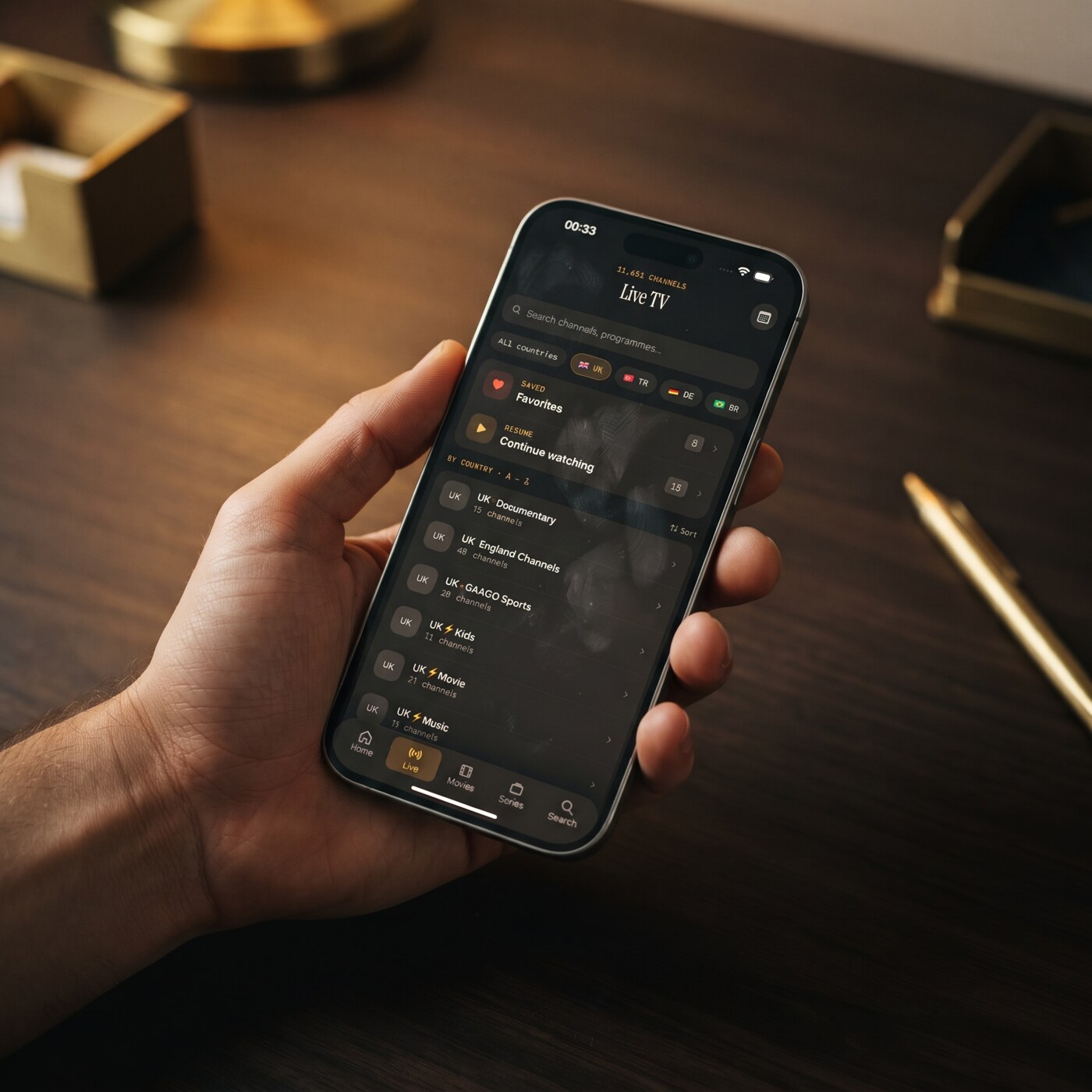
Maximus IPTV Player accepts Xtream Codes logins and M3U or M3U8 playlists on both iPhone/iPad and Android. Once a list is in, live TV is grouped by country, so you are not scrolling through one endless flat list, and universal search lets you jump straight to a channel, movie or series by name instead of browsing.
Favorites and Continue Watching sit at the top of the live screen on both platforms, so the channels you really watch are one tap away no matter how large the underlying list is. On iOS you can add a source by QR code or file as well as by link. On Android, Premium unlocks source refresh and multiple sources, and the app is free to download with a 7-day free trial on the monthly and annual plans.
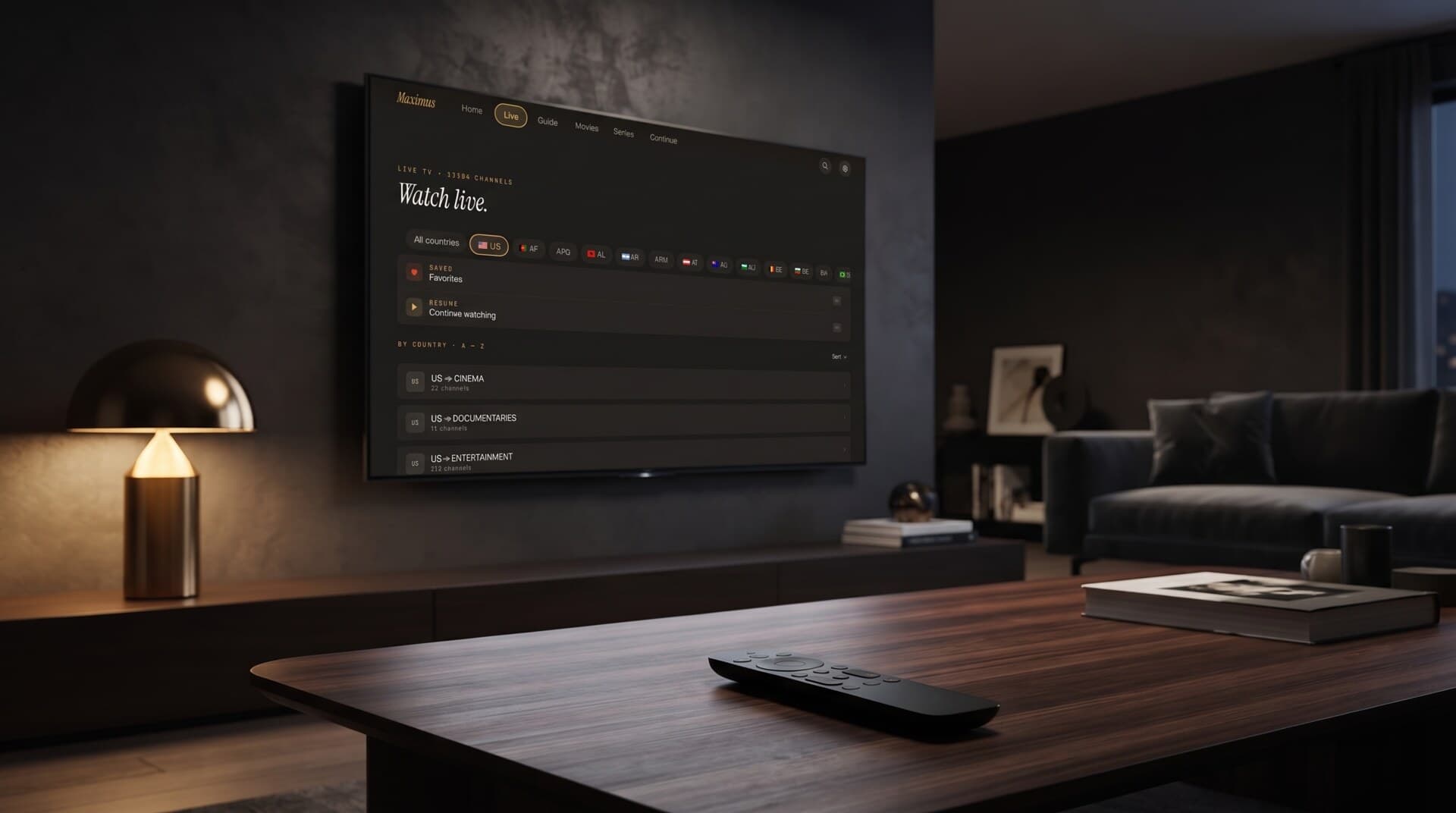
On a TV the same idea applies: Maximus runs natively on Android TV and Google TV from the same Google Play app, with an interface built for the remote rather than a stretched phone layout. If your big list lives on a TV, set it up once with the phone-style login and then browse by country with the remote.
Maximus IPTV Player is a player only. It does not provide channels, and the playlist you load is your own legal subscription or source. Its job is to make a large list of your own content easier to live with once it has loaded.
Frequently Asked Questions
How long should an IPTV playlist take to load?
For a few hundred channels, a few seconds. For a list with 10,000 or more entries, anywhere from 10 seconds to a minute or two is common, depending on the provider's server and your connection.
Why does my playlist load slower in the evening?
Provider servers are busiest when most people are watching. Generating and sending a large list to many customers at once slows every response, so evening loads are often slower than morning ones.
Does a VPN slow down playlist loading?
It can. A VPN adds distance and encryption to every request, which hurts Xtream logins in particular because they make many requests. Test with it off for one load to see the difference.
Is a slow playlist the same as a broken playlist?
No. A slow playlist eventually loads. A broken one shows an error, returns an empty list, or never finishes. Use the checklist above to tell which one you have.
Will deleting and re-adding the source speed it up?
Not by itself. It forces a fresh download, which can help if the stored copy is corrupted, but it will not make a slow server faster. Try a smaller list first.
Why is the guide empty even though the channels loaded?
The guide is usually a separate and larger download that finishes after the channel list. Give it time, and if it never fills in, check the guide address and the time zone.
Conclusion
A playlist that takes a long time to load is almost always a big file, a busy server, or a long guide download, not a broken app. Work through the list: check whether the problem follows the provider across devices, rule out your own Wi-Fi and VPN, remember the guide is a separate download, and ask for a smaller or split list if your provider offers one.
Once the first load is done, a well-organised player makes the size of the list much less important. You can get Maximus IPTV Player on the Apple App Store for iPhone and iPad, or on Google Play for Android phones, tablets and Android TV.
Written by
Maximus IPTV Team