IPTV Playlist Not Working? Fix 'Cannot Communicate' Errors
You open Maximus IPTV Player, tap into Live TV, and the channel list sits there, blank. Or the playlist that worked perfectly yesterday throws an error today. The first instinct is panic: did my provider go down? Did I get blocked? Most of the time, an IPTV playlist not working isn't a dead subscription. It's a break somewhere in the chain between your provider, your network and your player, and you can usually find it yourself in a few minutes if you check things in the right order.
If your provider gave you an Xtream Codes login, start with our free Xtream Codes checker: it tells you in seconds whether the server accepts your login and when the subscription expires.
Key Takeaways
- Most "playlist not working" problems aren't dead subscriptions. They're a broken link between your provider, your network and your player.
- The fastest test: open your M3U URL in a web browser. If the browser can't reach it, no IPTV player can either.
- Diagnose in order: URL or login details → network → guide data → device and connection limits. Jumping to the end wastes time.
- Providers change playlist URLs and expire tokens from time to time, so an old link can quietly stop working even while your subscription is active.
- Many IPTV subscriptions limit how many devices can stream at once, and a forgotten device still holding a slot can block the one in your hand.
- Adding a second source in the app is a quick way to tell whether the problem is one provider or your whole setup.
"Cannot communicate with your playlist — be sure that your link is alive"
TV player apps such as Hot IPTV show this when they can't download the playlist from the address you saved. Check the URL character by character against what your provider sent, including the port number and whether it starts with http or https, then open it in a browser: if it fails there too, the link has expired or changed and your provider needs to send a new one; if it loads, your network or internet provider is blocking it, covered further down.
IPTV playlist not loading
A playlist that never finishes loading means the player either can't reach the server or gets back a file it can't read. Test the link in a browser first, then retry over mobile data to see whether your Wi-Fi is blocking it.
"Current playlist is not working"
This means the player tried the playlist you used last and got nothing usable back, which usually points to an expired token, a changed server address or an account that has run out. Check in your provider's portal that the subscription is still active, then get a fresh link and add it again.
"Your IPTV list link is unreachable"
The player couldn't reach the server at all, so the request never got as far as checking your login: the provider's server is down or overloaded, or your internet provider or Wi-Fi is blocking it. Load the link over mobile data or another network; if it works there, the block is local, and if it fails everywhere, give the provider an hour or contact their support.
"Couldn't load your channel content, please reload the playlist"
The player reached your source, but the channel list didn't arrive in full or couldn't be read: the server timed out partway through, or it rejected your login. Reload the playlist once; if the message comes back, check that the link and your account are still valid (expiry date, active status) and re-enter the playlist URL, or your Xtream Codes server, username and password, from a fresh copy of what your provider sent.
"No connection, playlist is not working"
The player could not open a connection to the playlist address at all. Check that the device itself is online, then open the playlist link in a browser on the same network: if it fails there too, the server is down or your network is blocking it; if it loads, remove the source and add it again.
"All playlists failed to load"
Every saved playlist failed at once, which almost always points to your connection rather than your providers. Restart the router or switch to mobile data and reload; if one playlist still fails afterwards, treat that one on its own with the checks below.
"Check playlist nr 1 URL"
Players that store several playlists number them, and this message says the first one couldn't be opened. Copy that URL again from your provider with no spaces or line breaks, and if it also fails in a browser, ask your provider for the current address.
What does an IPTV player actually do with your playlist?
Before fixing anything, it helps to know what "adding a source" means. Maximus IPTV Player doesn't supply channels. It reads a playlist or connects to a server that your IPTV provider controls, then shows whatever that source returns. You bring your own legal IPTV subscription; the app is the player.
The app accepts two kinds of source on both iOS and Android:
- M3U or M3U8 playlist: an M3U file is a plain-text list of stream addresses with channel names, logos and group labels, a bit like a channel lineup card. M3U8 is the same format saved in UTF-8 text encoding, which handles international channel names (Arabic, Cyrillic, accented letters) correctly. It's also the playlist format used by HLS (HTTP Live Streaming), the chunked streaming method Apple devices favor.
- Xtream Codes login: instead of one long link, your provider gives you a server address, a username and a password. The app signs in and pulls live channels, movies, series and guide data from the provider's server.
On iPhone and iPad you can also add a source by scanning a QR code or importing a playlist file. When the channel list is empty, the app either couldn't reach the source, couldn't sign in, or got back something it couldn't use. The sections below cover each case.
Why did my IPTV playlist suddenly stop working?
The most common culprit is the URL itself. Providers change server addresses, move from HTTP to HTTPS, or embed expiring tokens in the playlist link. When that happens, your old link returns nothing and the playlist looks dead, even though your subscription is fine.
Here's the fastest diagnostic. Copy the playlist URL your provider sent you, paste it into Safari or Chrome, and load it. Two things can happen:
- A text file downloads, or raw playlist text starting with
#EXTM3Uappears. Your URL is alive. The problem is further down the chain (network, guide data or device limits). - A 404, a timeout or a blank page. The URL is dead or changed. Log in to your provider's website or contact their support, get the current link, and add it again.
If you see something like ?token=abc123 or &expires= in the link, it carries a token, and tokens expire. The server will reject an expired one even though the rest of the address looks right. The fix is to ask your provider for a fresh link.
It's also worth trying the URL from a second device on a different network. If it works there, the source is fine and the problem is local to your phone, tablet or connection.
Is the link copied correctly?
This sounds too simple to matter, but copy-paste errors cause a large share of "invalid URL" and "can't connect" messages:
- Trailing spaces or line breaks. Copying a link from an email or a provider dashboard often drags along an invisible space or newline that breaks the address silently.
- Truncated links. Playlist URLs are long. Some messaging apps and email clients wrap or cut them, so check the end of the link as carefully as the start.
- Case sensitivity. Parts of a URL, especially tokens and usernames, can be case-sensitive. Paste rather than retype.
- A broken playlist file. If you imported a file, one malformed line (a missing
#EXTINFtag, a stray character) can stop simpler players from reading the rest. Ask your provider for a fresh export rather than editing it by hand.
If you're unsure, delete the source and add it again from a fresh copy of the original link. It takes a minute and rules out a whole category of problems.
Why won't my Xtream Codes login connect?
Xtream Codes sources fail differently from playlist links, because the problem is usually the login details rather than a broken file. Check these three things:
- The server address, including the port. Providers often give a server URL with a port number, such as
http://example-server.com:8080. Leaving off the port, adding an extra slash, or mixing uphttpandhttpscan make the server unreachable. - Username and password. Both are usually case-sensitive. A single wrong character produces an error that can look exactly like a server outage.
- Account status. An expired or suspended subscription fails at sign-in even when every field is typed correctly. Your provider's portal will show whether the account is active.
To test all three at once, enter them in the Xtream Codes checker. It shows whether the login is accepted, the account status, the expiry date and how many connections your plan allows. Some providers refuse checks from outside their own country, and the result says so when that happens. For the full fix list for a refused login, see IPTV login failed; for what your player actually asks the server, see Xtream Codes API explained.
A useful trick: many providers issue an M3U link and an Xtream Codes login for the same account. If one type fails and the other works, the account is active and the problem is in how that particular source was entered.
Is my network blocking my IPTV playlist?
Sometimes the playlist isn't dead at all; your network is silently blocking it. This happens most on public Wi-Fi, work or school networks, and some home internet connections.
- Captive Wi-Fi (hotels, cafés, airports): public networks often require you to accept terms on a login page, called a captive portal, before granting full internet access. Open a browser on the same Wi-Fi and visit any website. If a splash page appears, complete it, then reload your source.
- ISP filtering or DNS problems: DNS (Domain Name System) is the internet's phone book, turning names like example.com into server addresses. A misbehaving DNS server can send your playlist request to the wrong place or nowhere. If your source works on mobile data but fails on home Wi-Fi, try switching your router or device to a public DNS resolver such as Cloudflare (1.1.1.1) or Google (8.8.8.8).
- Corporate or school firewalls: these networks often block streaming traffic outright. A VPN (Virtual Private Network), which encrypts your traffic and routes it through another server, may get around local filtering, but check your network's rules first. Our practical VPN guide for IPTV covers when a VPN helps and when it doesn't.
- Peak-hour overload: some providers' servers struggle during busy evenings and big sports events. If a source times out at 9 p.m. but loads fine the next morning, the provider's capacity is the likely cause.
The 30-second network test: turn Wi-Fi off and load the source over mobile data. If it works, the playlist is fine and the network is the problem. If it fails on both, go back to the URL and login checks above. Keep in mind that a VPN can't fix a dead URL, so always test the link in a browser first.
Why is my channel list empty even though the playlist loads?
This one is maddening: the playlist file downloads in your browser, the source seems to add fine, but no channels appear, or channels appear with no schedule. Two things are usually behind it.
First, the EPG (Electronic Program Guide), the TV schedule that tells you what's on each channel now and next. Guide data has to come from your provider. Some playlists reference a separate guide file, some Xtream Codes accounts include guide data, and some sources publish no schedule at all. If channels load but the guide is blank, the provider either doesn't publish guide data for those channels or its guide server isn't responding. No player can create schedule data a source doesn't supply. Our explainer on how the IPTV TV guide works goes deeper into where that data comes from.
Second, stale data. Providers add, rename and remove channels constantly. Refreshing the source makes the app fetch the latest channel list and guide instead of relying on what it loaded last time. On Android, source refresh is part of Premium. If refreshing doesn't help, remove the source and add it again.
A partially filled guide, where some channels have schedules and others don't, is almost always a provider-side gap rather than an app setting.
Can an app update or device issue break a playlist?
Occasionally, yes. Before you spend an evening on router settings, rule out the easy things:
- Update the app and your operating system. Updates fix bugs and keep playback working with changes on the provider's side.
- Fully close and reopen the app. On iPhone, swipe it away in the app switcher; on Android, close it from recent apps. This clears a stuck connection attempt.
- Restart the device. It sounds generic, but it resets network state and memory in one step.
- Check free storage. A phone that is almost full can struggle to save a large channel list or guide.
If a playlist loads but streams then stall or stutter, that's a different issue from a source that won't load. See our guide to why IPTV buffering happens and how to stop it.
What if I'm hitting a device or connection limit?
Most IPTV subscriptions aren't unlimited. Providers cap simultaneous connections, meaning how many devices can stream from one account at the same time. When you go over, either the new stream is refused or an existing one is kicked off, and both look like a broken playlist.
Common scenarios:
- Another device is still streaming. A tablet left playing in another room holds a connection slot while you try to watch on your phone.
- Someone else in the household is using the account and you didn't realize.
- The provider hasn't released your previous session. Servers sometimes keep an old session open for a while after you stop watching.
Fix: close the app on every device, wait a minute or two for the provider's server to release the sessions, then open it on just one device. If the source loads, you were hitting the cap. Many providers also offer a portal where you can see or end active connections.
How do multiple sources help you troubleshoot?
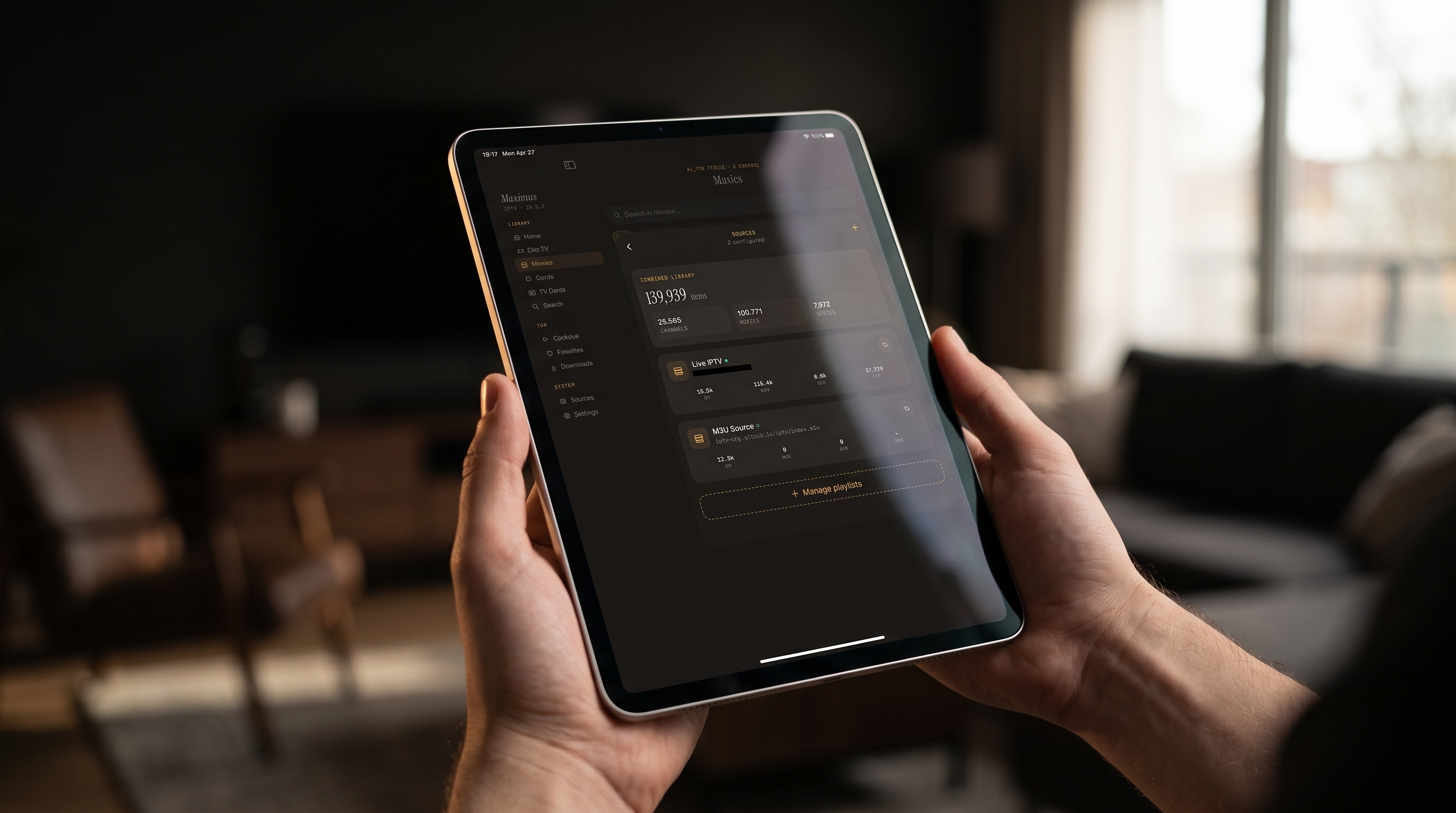
Maximus IPTV Player combines multiple sources into one library, so each playlist or Xtream Codes login is its own entry. That's handy day to day, and it's also a diagnostic tool:
- Isolate the culprit. If one source goes dark while the others keep working, the problem is that provider, not your device or network.
- Swap without starting over. Add the new link as a fresh source, confirm it loads, then remove the old one.
- Keep watching. If you have a second legal subscription, a working source means you still have something to watch while you sort out the broken one.
On Android, multiple sources are a Premium feature. For a full walkthrough, see how multiple IPTV sources work in one app.
FAQ
How often should I refresh my IPTV playlist?
If your provider uses expiring tokens or changes links often, refresh whenever channels disappear or the guide looks out of date. If your link rarely changes, an occasional refresh is enough. Refreshing pulls the latest channel list and guide data, so renamed or newly added channels show up.
Does a VPN fix an IPTV playlist that isn't loading?
Only when the problem is network-level blocking, such as a filtered public Wi-Fi or ISP interference. If the URL has expired or your login is wrong, a VPN does nothing. Test the link in a browser first.
What's the difference between M3U and M3U8?
Both are plain-text playlists listing stream addresses. M3U8 is saved in UTF-8 encoding, so it handles every alphabet correctly and is the format HLS streaming uses. If you see garbled channel names (for example "Français" instead of "Français"), the playlist's text encoding doesn't match what it should be, and your provider may offer an M3U8 version.
Why does my source work in another app but not here?
Usually the link or login was entered slightly differently: a trailing space, a missing port number, or a different URL variant. Compare the details character by character. Also check that the other app isn't still streaming and holding your only connection slot.
Can I add a playlist without typing a long URL on iPhone?
Yes. On iPhone and iPad, Maximus can add a source by QR code or by importing a playlist file, which avoids typos in long links.
Does Maximus IPTV Player provide channels?
No. It's a player for your own legal IPTV subscription or playlist. It doesn't sell, bundle or recommend any content source, so channel lineups, links and accounts are between you and your provider.
The Bottom Line
Your IPTV playlist usually isn't broken, just lost. The link changed and nobody told you, a copy-paste picked up a stray space, the network put up a wall, the provider doesn't publish guide data, or another device is holding your only connection slot. Work through the chain in order (link or login, network, guide data, devices) and most setups go from blank to working in a few minutes.
Maximus IPTV Player makes that process easier: it supports M3U, M3U8 and Xtream Codes sources, combines multiple sources so one bad provider is easy to spot, and has no ads and no tracking, with your credentials kept on your device. Get it free on the App Store for iPhone, iPad, Apple Silicon Macs and Apple Vision, or on Google Play for Android phones, tablets and Android TV.
Written by
Maximus IPTV Team