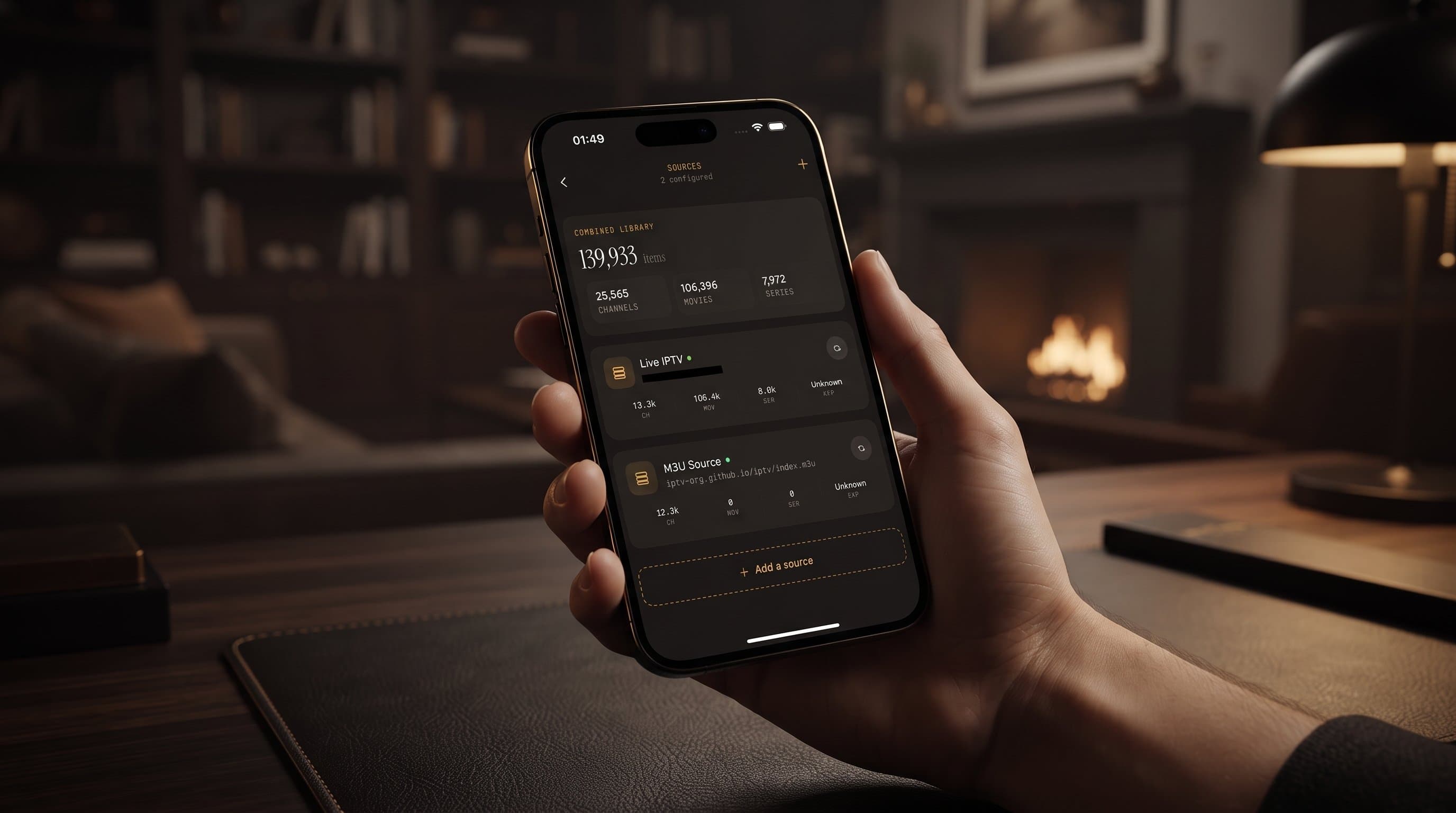
Multiple IPTV Sources in One App: How It Works
Most people who cut the cord don't end up with just one source of channels. They end up with two or three: a main subscription from one provider, a playlist for international channels, maybe a second login for a sports package. It's all legal and all theirs, but it's scattered across logins, apps and menus. Maximus IPTV Player was built to pull that together into a single combined library, and this guide walks through exactly how multi-source management works on iPhone, iPad and Android.
One note before we start: Maximus is a player, not a content provider. It doesn't sell or supply channels. Multi-source support simply organizes the subscriptions and playlists you already have.
Key Takeaways
- Maximus IPTV Player lets you add more than one source, such as an Xtream Codes login and an M3U playlist, and watch everything in one combined library.
- Supported source types on both platforms are Xtream Codes logins and M3U/M3U8 playlists. On iPhone and iPad you can also add a source by QR code or from a file.
- Universal search, the EPG, Favorites and Continue Watching all work across the combined library, so you never need to remember which source a channel came from.
- Each source stays independent: adding or removing one doesn't touch the others.
- On Android, multiple sources and source refresh are part of Premium, with a 7-day free trial on monthly and annual plans.
- No ads, no tracking, and your provider credentials stay on your device.
What Does "Multi-Source" Mean in an IPTV App?
A source is wherever your channels and on-demand content come from. IPTV (Internet Protocol Television) providers usually hand that over in one of two forms, and both work in Maximus IPTV Player:
- Xtream Codes login. A server address, username and password issued by your provider. The app uses them to pull live channels, guide data and the on-demand movie and series catalog directly from the provider.
- M3U or M3U8 playlist. M3U is a plain-text playlist listing channel names alongside their stream addresses. M3U8 is the same idea formatted for HLS (HTTP Live Streaming), the segmented streaming format most IPTV services use. You usually get a playlist as a URL.
For a deeper look at playlist files, see our explainer on M3U playlists for iOS users.
Many IPTV apps make you pick one source and live inside it, or push you toward a different app for each one. Maximus takes the opposite approach. You're not choosing between sources; you're stacking them into one library.
Why Would You Need More Than One Source?
People end up with several sources for very ordinary reasons:
- No single provider carries everything. One subscription is strong on sports, another on international channels.
- Separate logins in one household. A family member has their own login for their own device.
- A niche playlist on the side. A club, school or workplace streams its own broadcasts as an M3U8 link.
- A backup. A second legitimate provider keeps you watching when the first has an outage.
The naive fix is a different player app for each source, and that creates real problems. You lose track of which app has which channel, search only covers one source at a time, and your home screen fills up with near-identical apps. Combining sources in one player removes all of that.
How Do You Add a Source to Maximus IPTV Player?
Adding a source is quick enough that you won't dread doing it a second or third time:
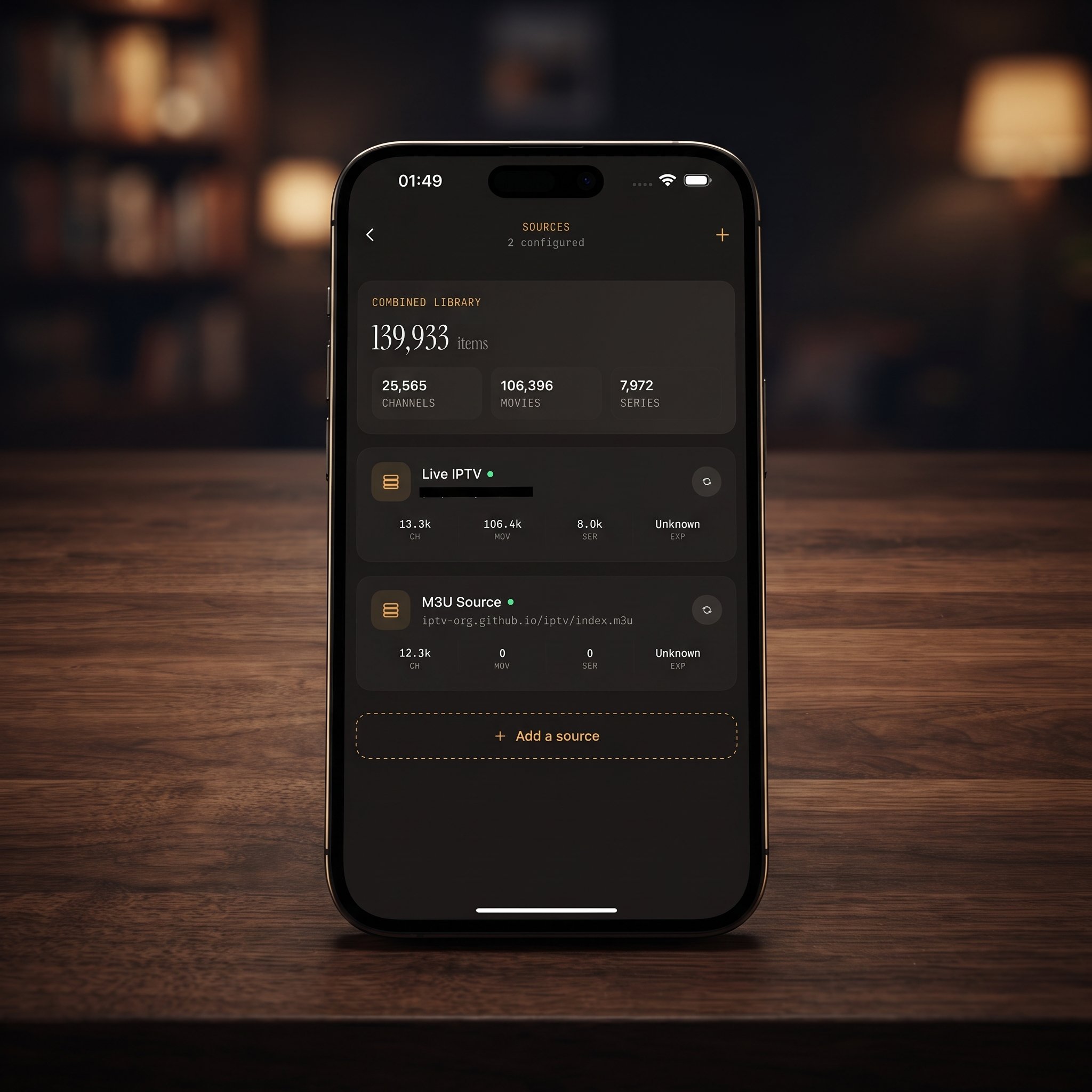
- Open the Sources screen and choose to add a source.
- Pick the type that matches what your provider gave you.
- For an Xtream Codes login, enter the server address, username and password exactly as issued.
- For an M3U or M3U8 playlist, paste the playlist URL.
- On iPhone or iPad, you can also scan a QR code or import a playlist file instead of typing.
- Let the app load the channels and guide data, then check that your library looks right.
Once added, the new source's live channels, movies and series join everything you already have. Nothing about the rest of your library changes, and there's no reinstall or account switching.
If a source won't load, the cause is almost always the link or credentials rather than the app. A mistyped server address, an expired subscription or a playlist URL your provider has changed are the usual suspects. Our IPTV playlist troubleshooting guide walks through the fixes.
What Does the Combined Library Look Like?
This is where multi-source management earns its keep. Instead of keeping each source in its own silo, Maximus IPTV Player merges everything into one library:
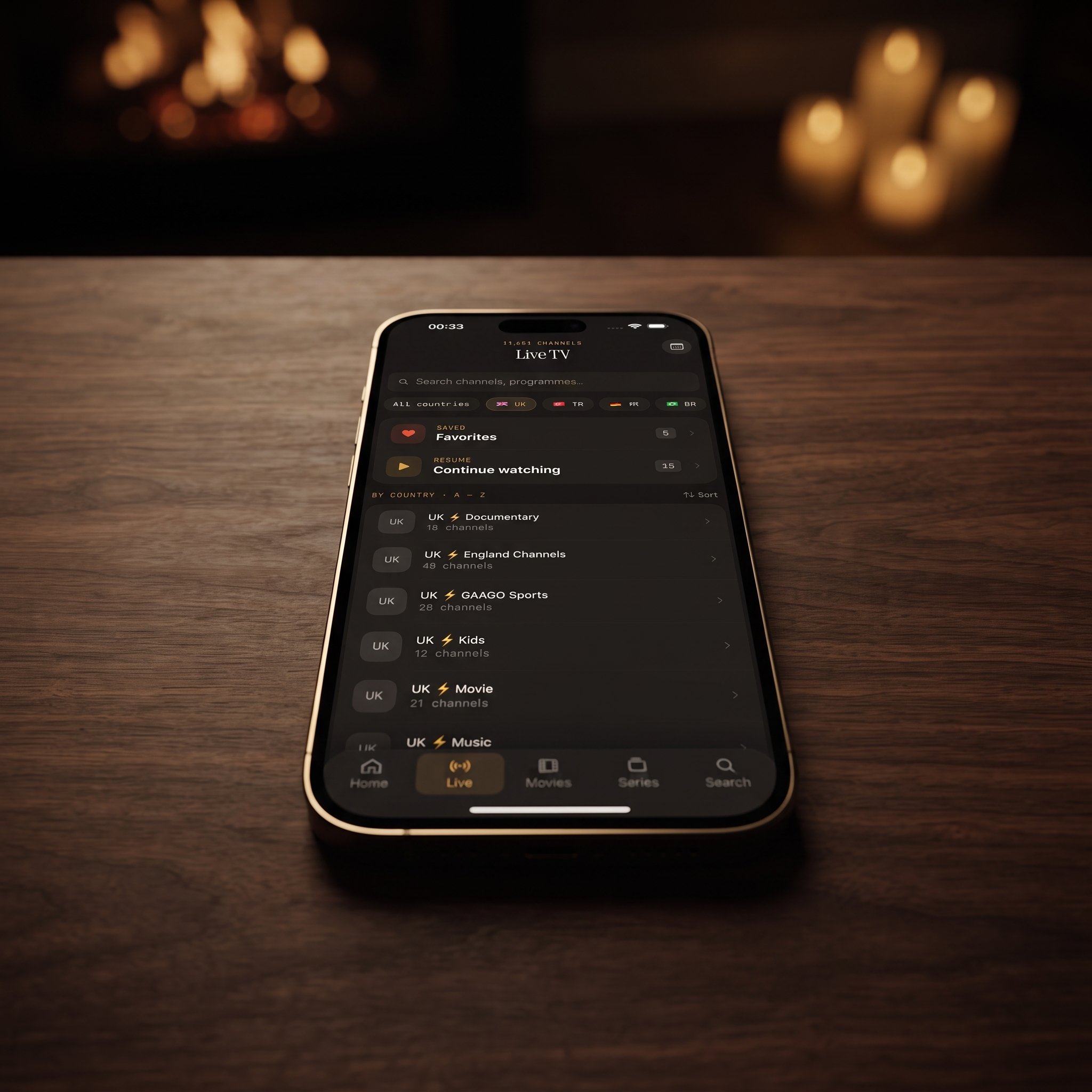
- Live TV shows channels from every source together, grouped by country with country filters.
- Movies and Series pool on-demand content from all your sources into one catalog.
- The EPG (Electronic Program Guide, the timeline grid of what's airing now and next) uses the guide data your sources supply, with Sports, Movies, Kids and Favorites filters.
Behind the scenes, nothing about your individual sources changes. Each still signs in with its own credentials, and each can be removed on its own. The combined library is an organizing layer on top of your separate accounts, not a merger of the accounts themselves.
What Happens to Search, Favorites and Continue Watching?
This is the part that saves time every day. Once two or more sources are connected, the app's core features work across all of them at once:
- Universal search checks live TV, movies and series from every source in one query. For a single source, search is a convenience; with several, it's what makes the setup usable. Our guide to universal search covers it in detail.
- Favorites can hold channels from different sources in the same list, so your most-watched channels sit together no matter which provider they came from.
- Continue Watching picks up where you left off without you needing to remember where you started.
On iOS, iCloud also keeps playback progress in sync between your iPhone and iPad. There's no sync between iOS and Android, so an Android tablet or Android TV needs its own sources added on that device.
How Do You Keep a Multi-Source Library Organized?
The most common complaint about multi-source setups isn't technical. It's clutter. Combine a few large sources and your channel list can get long fast. A few habits keep it manageable:
- Use Favorites aggressively. Star the channels you actually watch so they're always one tap away, whichever source they came from. Our guide to Favorites and Resume Watching has more tips.
- Browse by country. Country filters cut a huge live list down to the region you care about.
- Search before you scroll. If you know a name, search is faster than browsing.
- Remove stale sources promptly. If a subscription ends or credentials change, update or delete that source instead of leaving a dead entry behind.
- Expect the odd duplicate. If two sources carry the same channel, you may see it once per source. Favorite the version that plays best for you and ignore the other.
Does Adding More Sources Slow Things Down?
Adding sources doesn't change how a stream plays. When you press play, the app is playing one stream from one source. Picture quality, including 4K where your provider delivers it, depends on that stream's bitrate and your connection, not on how many other sources you've added. The combined library changes how everything is organized; the video itself isn't re-encoded or merged.
What can take longer is loading. A very large playlist has more channels and guide data to fetch than a small one, so a big source may take a little longer to load than a lean one.
Is Multi-Source Management Available on iPhone and Android?
Yes, on both platforms:
- iPhone and iPad: the iOS app from the App Store supports multiple sources, with QR code and file import as extra ways to add them. The same app runs on Macs with Apple M1 or later and on Apple Vision.
- Android phones, tablets and Android TV: one Google Play listing covers all of them, and Android TV and Google TV get a native interface built for the remote. On Android, multiple sources and source refresh are part of Premium, and monthly and annual plans include a 7-day free trial.
- Apple TV: there's no Apple TV app. You reach Apple TV by AirPlay (Apple's wireless streaming) from an iPhone or iPad.
For getting your combined library onto a TV, iPhone and iPad support both AirPlay and Chromecast (Google's casting standard). The Android app doesn't cast, but Android TV runs Maximus natively.
What About Privacy With Several Logins?
Connecting several providers means the app stores several sets of connection details. In Maximus IPTV Player those credentials stay on your device, and the app has no ads and no tracking. Adding a third or fourth source doesn't change any of that.
FAQ
How many sources can I add?
The app is built around having several sources active at once, not just one. How smoothly a big setup runs depends mostly on the size of the playlists you add.
Will adding a second source affect my first one?
No. Each source is independent, and adding, updating or removing one doesn't touch the others.
Can I use an Xtream Codes login and an M3U playlist together?
Yes. You can mix source types freely, and everything shows up in the same combined library.
Will removing a source delete my other Favorites?
Removing a source only affects the channels and titles that came from it. Favorites from your other sources stay where they are.
Do I need Premium for multiple sources?
On Android, yes: Premium unlocks multiple sources and source refresh, and monthly and annual plans start with a 7-day free trial. The app is free to download on both platforms, and your provider subscriptions are always separate from the app.
Is combining sources legal?
Maximus IPTV Player is a player and doesn't provide any content. Multi-source management just organizes playlists and logins you already have. Make sure every source you add is one you're legally entitled to use.
Bring Your Sources Into One Place
If you're switching between two or three apps to cover different subscriptions and playlists, multi-source management is exactly the fix. One Sources screen, one combined library, and one search bar that reaches everything. Add your first two sources and give it a week; you'll notice how much friction disappears.
Maximus IPTV Player is free to download on the App Store for iPhone and iPad, and on Google Play for Android phones, tablets and Android TV.
Written by
Maximus IPTV Team