Universal Search in IPTV Apps: Find Any Channel Fast
It's 9 p.m., you've just sat down after a long day, and you know exactly what you want to watch. You just don't know where it is: somewhere in a channel list with hundreds of entries, a movie library, or a series you started last week. That's the moment universal search is built for. Maximus IPTV Player, the IPTV player for iPhone, iPad and Android, has one search bar that looks across live channels, movies and series at the same time, so you're not tabbing between three screens trying to remember where something lives.
Plenty of IPTV apps treat search as an afterthought: a box buried in a menu that only searches the section you happen to be in. Once your library grows past a few hundred entries, that turns "just scroll until you find it" into real work. This guide covers how universal search works, what to type for the best results, and how it fits with the rest of the app.
Key Takeaways
- Maximus IPTV Player's universal search checks live TV, movies and series in a single query, with results grouped by category.
- If you've added more than one source, search covers the whole combined library, not one source at a time.
- Search is the fastest route when you know a name. The EPG, country filters and Favorites are better for browsing.
- It works the same way on iPhone, iPad, Android phones and tablets, and Android TV, where you type with the remote.
- Search only finds what's already in your own legal subscription or playlist. Maximus is a player and never supplies content.
Why Does Search Matter More in IPTV Than in a Streaming App?
A single streaming service has a catalog curated by one company, with predictable names and neat categories. IPTV (Internet Protocol Television, which delivers TV over the internet instead of cable or satellite) is different by design. When you add a provider to Maximus IPTV Player, you might be pulling in its entire lineup: live channels from several countries, a movie library and full TV series, sometimes thousands of entries in total.
Those entries usually arrive in one of two ways. An M3U playlist is a plain-text file listing channel names and stream addresses; M3U8 is the same idea formatted for HLS (HTTP Live Streaming), the segmented format most IPTV streams use. An Xtream Codes login is a server address, username and password that lets the app pull channels, the guide and on-demand titles straight from your provider. Either way, the naming depends on your provider, and it isn't always tidy.
Add a second source and manual browsing becomes a genuine chore. Universal search closes that gap: type a few letters and matching live channels, movies and series appear on one results screen. It's the difference between flipping through a phone book and using autocomplete.
How Does Universal Search Work in Maximus IPTV Player?
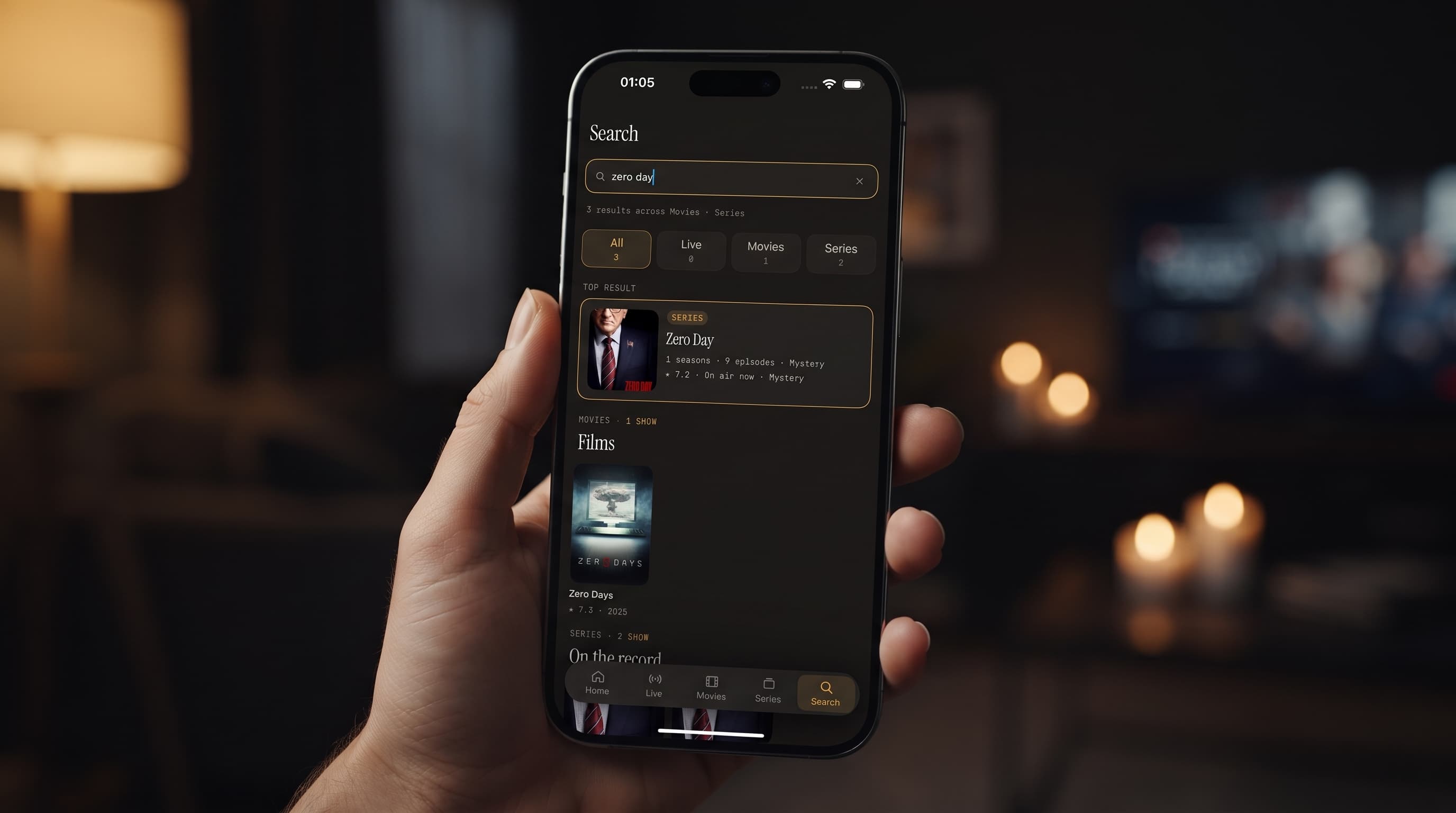
Open search, type your query, and the app returns matches from your entire library, split into Live TV, Movies and Series. You don't have to pick a category first, and you don't have to know whether a title exists as a live channel, an on-demand movie, or both. The grouping tells you before you tap anything.
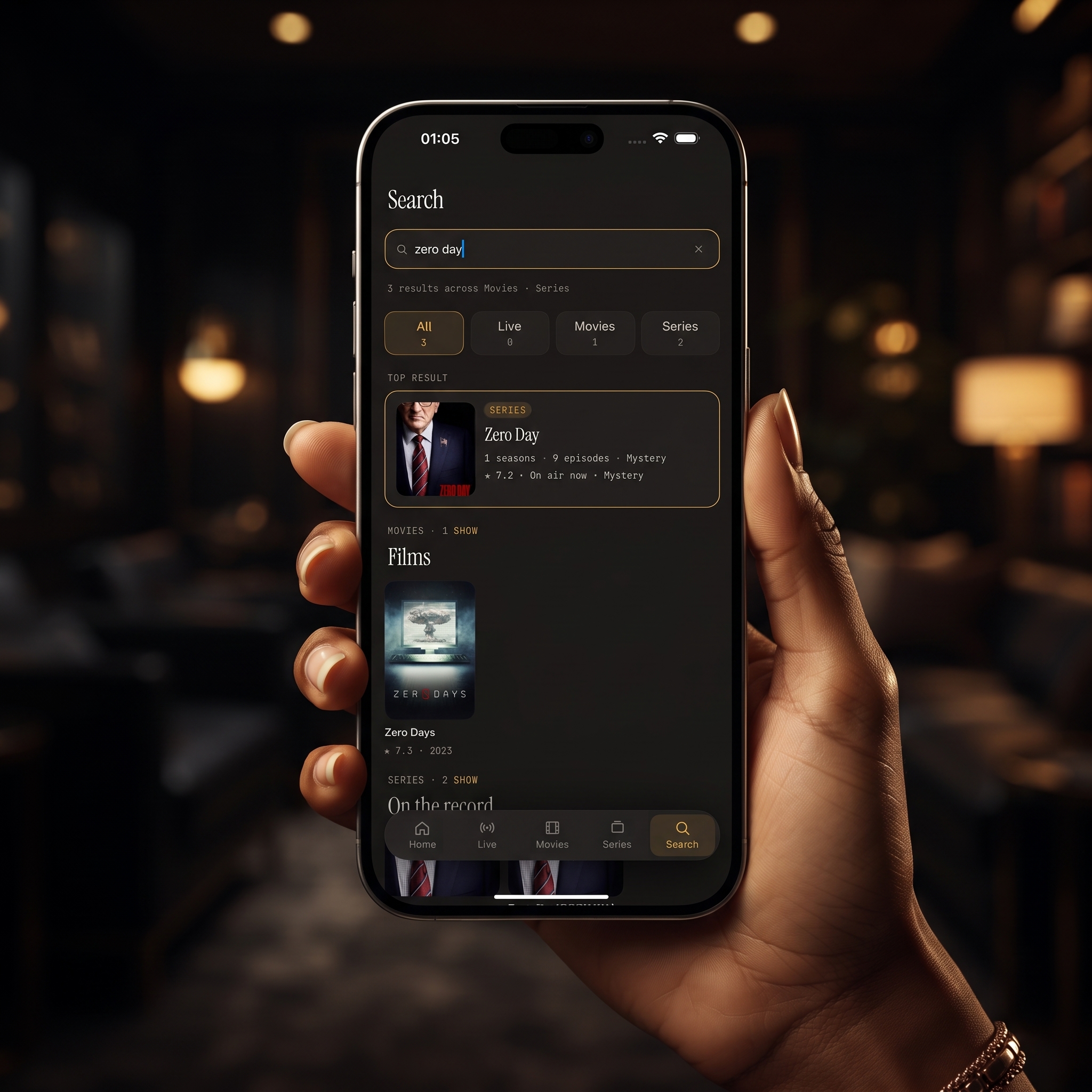
That grouping matters more than it sounds. Plenty of content lives in more than one place in a typical library. A sports network might be a live channel while replays of its shows sit in your on-demand section. A single search surfaces both, so you don't have to check twice.
Tap a result and you go straight to it: a live channel starts playing, while a movie or series opens its detail page, with the episode list for a series.
Does Search Cover Every Source You've Added?
Yes. Maximus IPTV Player combines multiple sources into one library, and search runs against that whole library in a single pass. If you have a main subscription plus a separate playlist, you type once and results come back from both, without needing to remember which source carries what.
For a single-source setup, search is a convenience. For a multi-source setup, it's what makes the arrangement usable at all. Our guide to managing multiple IPTV sources in one app explains how sources combine in the first place.
A related tip: search can only look at what's connected. If a channel you know you have isn't showing up, check that the source it belongs to has actually been added.
What Should You Search For?
Most people type a channel name, and that works well. You'll get more out of search by treating it like a search engine for your own library:
- Partial titles. You rarely need the full, exact name. A distinctive word or the first few letters is usually enough to narrow things down.
- Channel names instead of countries. If your playlist mixes channels from the UK, Turkey, Germany and Brazil, search finds a channel by name without you knowing which country group it's filed under.
- Team, league or event names. During a live match window, searching the league or team can beat guessing which sports channel carries it, as long as your provider includes those words in channel or programme names.
- Different spellings. Results depend on the names your provider supplies. If "Formula 1" finds nothing, try "F1".
Anything that depends on richer information, like actor names or descriptions, only works if your provider includes that information, so titles and channel names are the most dependable things to search.
How Does Search Fit With the EPG, Favorites and Continue Watching?
Search doesn't replace the app's other navigation tools. Each one covers a different question:
- "What was I just watching?" The Home screen's Continue Watching row picks up where you left off.
- "What's on right now or later tonight?" The EPG (Electronic Program Guide) is a timeline grid of what's airing on each channel, with Sports, Movies, Kids and Favorites filters. Our guide to how the IPTV TV guide works goes deeper.
- "What channels are there from a particular country?" Live TV is grouped by country, and country filters make browsing a region easy.
- "I know what I want, I just don't know where it is." That's search.
A typical evening looks like this: check Continue Watching first, glance at the guide for anything live, and switch to search the moment you have a specific title in mind.
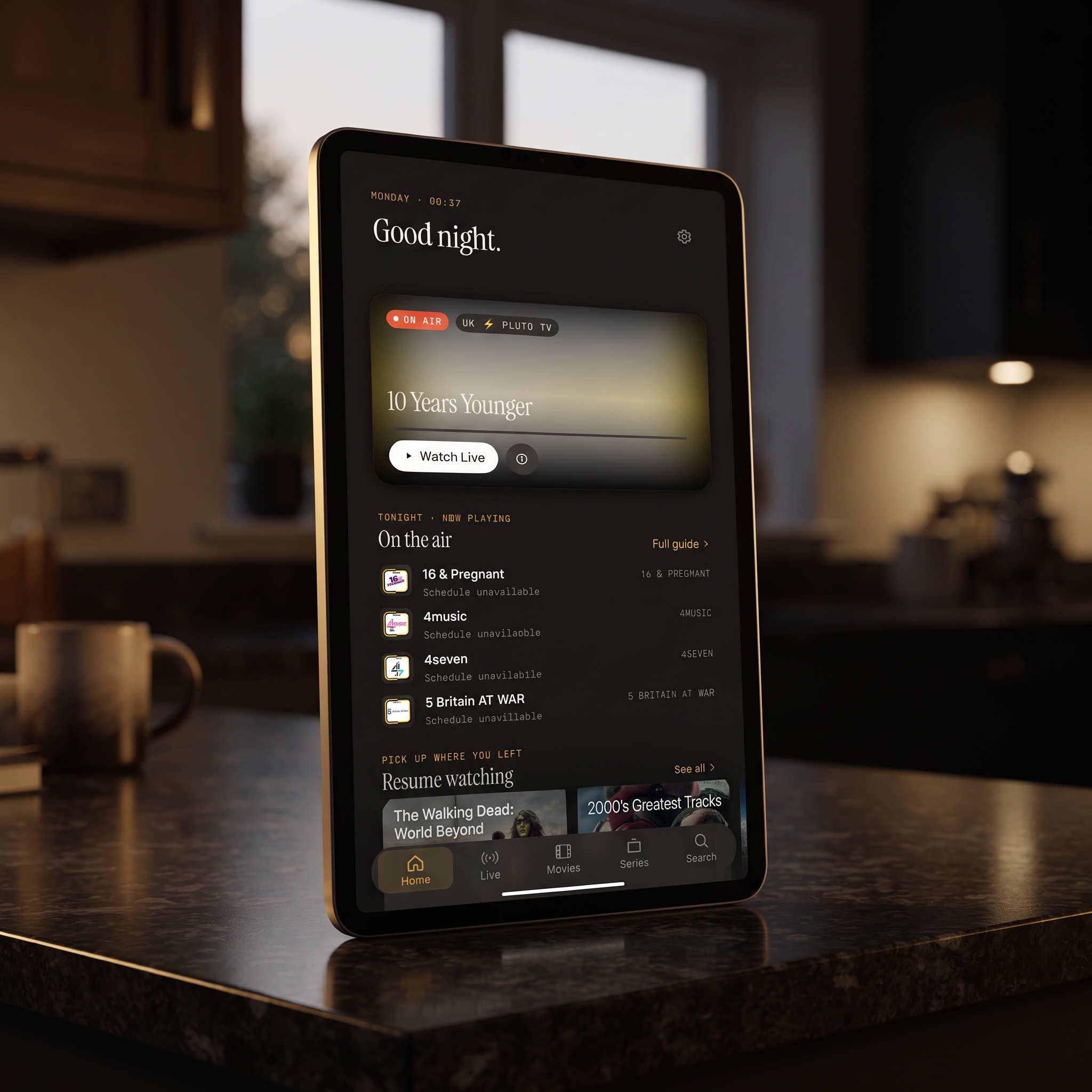
Search and Favorites also work well as a loop. Search finds something the first time, and adding it to Favorites means you won't need to search for it again. Our guide to Favorites and Resume Watching covers that side in detail.
Does a Big Library Make Search Less Useful?
It's the opposite. The bigger your combined library, the more search earns its place. Scrolling through a few dozen channels is fine; scrolling through several hundred live channels plus a full movie and series collection isn't. Search looks at the names in your library rather than streaming anything, so it isn't a meaningful drain on your data. Video only starts flowing once you tap a result and press play.
If you're the kind of viewer who adds every legitimate source you subscribe to, search is the feature that keeps a large library from becoming a burden.
Does Search Work the Same on iPhone, iPad and Android?
Search behaves the same everywhere: one query, results grouped into live TV, movies and series. What changes is the device around it:
- iPhone: search fills the screen, which suits a quick lookup on the sofa or the train.
- iPad: the larger display shows more results at once, which helps when you're comparing a few titles before choosing. The same iOS app also runs on Macs with Apple M1 or later and on Apple Vision.
- Android phones and tablets: the Google Play app offers the same universal search with an Android look and feel.
- Android TV and Google TV: the app runs natively with an interface built for the remote, so you search on the TV itself.
- Apple TV: there's no Apple TV app. Search on your iPhone or iPad, start playback, and send it to the TV with AirPlay (Apple's wireless streaming). Chromecast, Google's casting standard, also works from iPhone and iPad.
On iOS, iCloud keeps your playback progress in sync between iPhone and iPad, so a series you found on one device can be resumed on the other. There's no sync between iOS and Android.
FAQ
Does search look across all my sources or just one?
All of them. Maximus IPTV Player combines your sources into one library, and a single search covers everything in it.
Can I find something that's airing live?
Yes. Matching live channels appear in the live TV results, and you can check the TV guide to see what that channel is showing now and later.
Will search show content I don't have access to?
No. Search only returns results from the sources you've added. It isn't a way to discover content outside your own subscriptions or playlists, just a faster way to find what you already have.
What if I don't remember the exact title?
Type what you do remember. A partial title or a distinctive word usually brings the list down to something easy to scan.
Do I need to organize my playlist a certain way?
No. Search reads whatever channel, movie and series names your sources provide. A tidy setup with Favorites marked just makes everything easier to scan.
Does search keep adult content out of the way for kids?
Maximus IPTV Player's parental lock hides adult content behind a PIN, with Face ID as an option on iPhone and iPad, and the lock re-arms automatically on Android. Set it up before handing a shared device to children.
Stop Scrolling, Start Watching
If your channel list has grown past the point where scrolling makes sense, or you're juggling more than one playlist and just want one place to type a name and get an answer, universal search is one of the most useful tools in Maximus IPTV Player. Add your sources, run a search, and see how much faster finding something to watch becomes when one query covers everything.
Maximus IPTV Player is free to download on the App Store for iPhone and iPad, and on Google Play for Android phones, tablets and Android TV.
Written by
Maximus IPTV Team