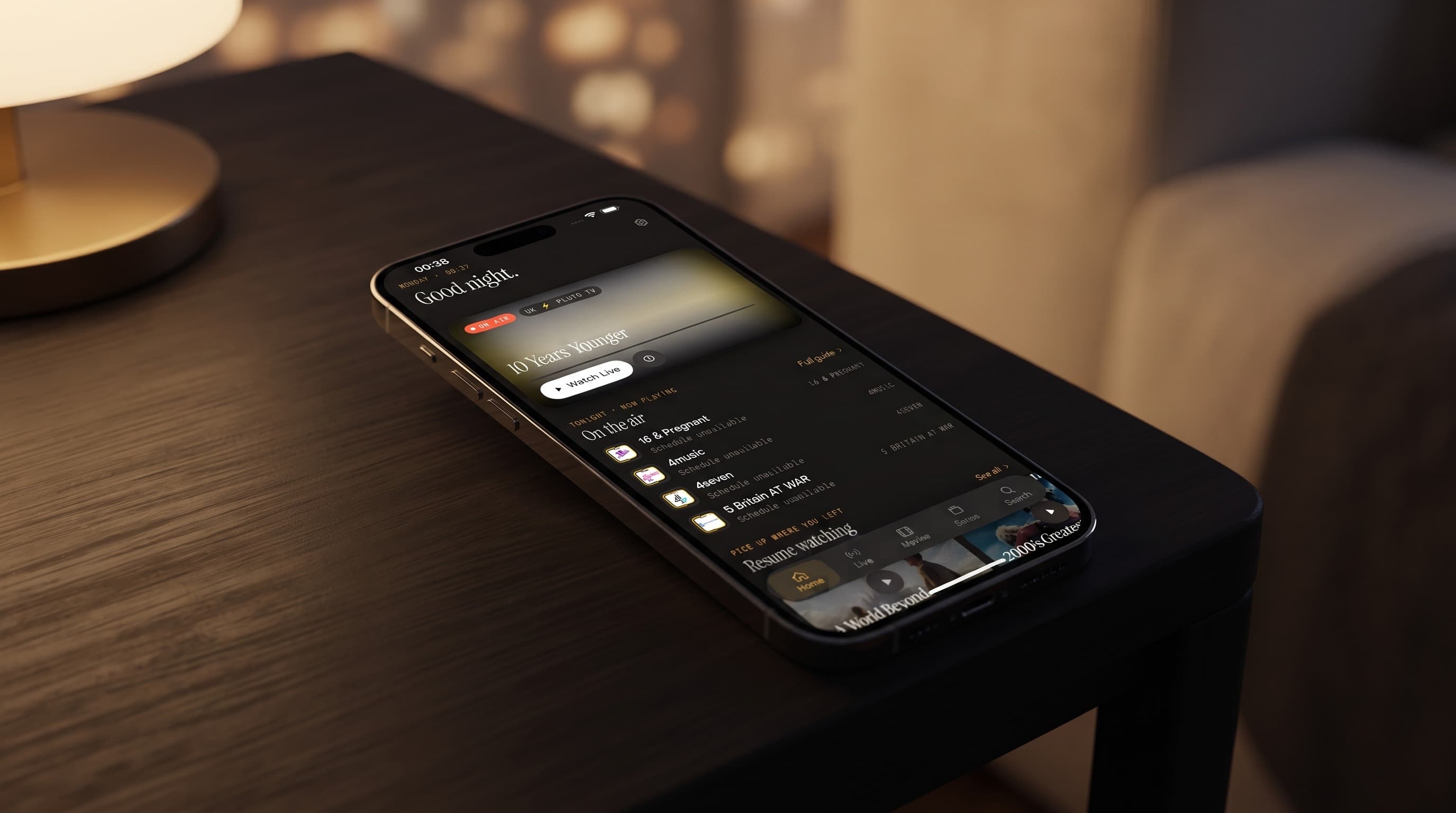
IPTV Smart Player Checklist: 6 Features That Matter
"IPTV smart player" gets thrown around a lot in app store listings, but the phrase rarely comes with a definition. Maximus IPTV Player is a free-to-download player for iPhone, iPad, Macs with Apple M1 or later and Apple Vision on the App Store, and for Android phones, tablets and Android TV / Google TV on Google Play. Instead of just claiming the "smart" label, it's worth breaking down which features actually earn it. If you're comparing players and keep seeing "smart" in every description, this is the checklist to test against rather than take on faith.
Key Takeaways
- "Smart" isn't one feature. It's scheduling, search, source handling, playback, big-screen options and safety controls working together.
- A real EPG (Electronic Program Guide) is the backbone of a smart player: it turns a channel list into a schedule you can plan around.
- Universal search that spans every connected source, rather than one playlist at a time, is one of the clearest signs of a smart setup.
- Multi-source management combines Xtream Codes logins and M3U/M3U8 playlists into one library instead of forcing you to juggle apps.
- Playback matters, but good organization is what separates a smart player from a plain video player.
- Maximus is free to download with an optional Premium subscription, and runs with no ads and no tracking on both iOS and Android.
What does "smart" actually mean for an IPTV player?
Strip away the marketing, and a genuinely smart IPTV player does one job well: it takes a pile of raw streaming links and turns them into something that behaves like a real TV service. Anyone can play a video file. The harder problem is organizing hundreds or thousands of channels, movies and shows into something you can navigate at 9pm on a Tuesday without scrolling for five minutes.
So the checklist has to go beyond "does it play video." Below are six areas where a player either earns the "smart" label or doesn't, with Maximus IPTV Player as the working example. Every feature referenced here is shipping today, not a roadmap promise.
Does a smart EPG do more than just show a schedule?
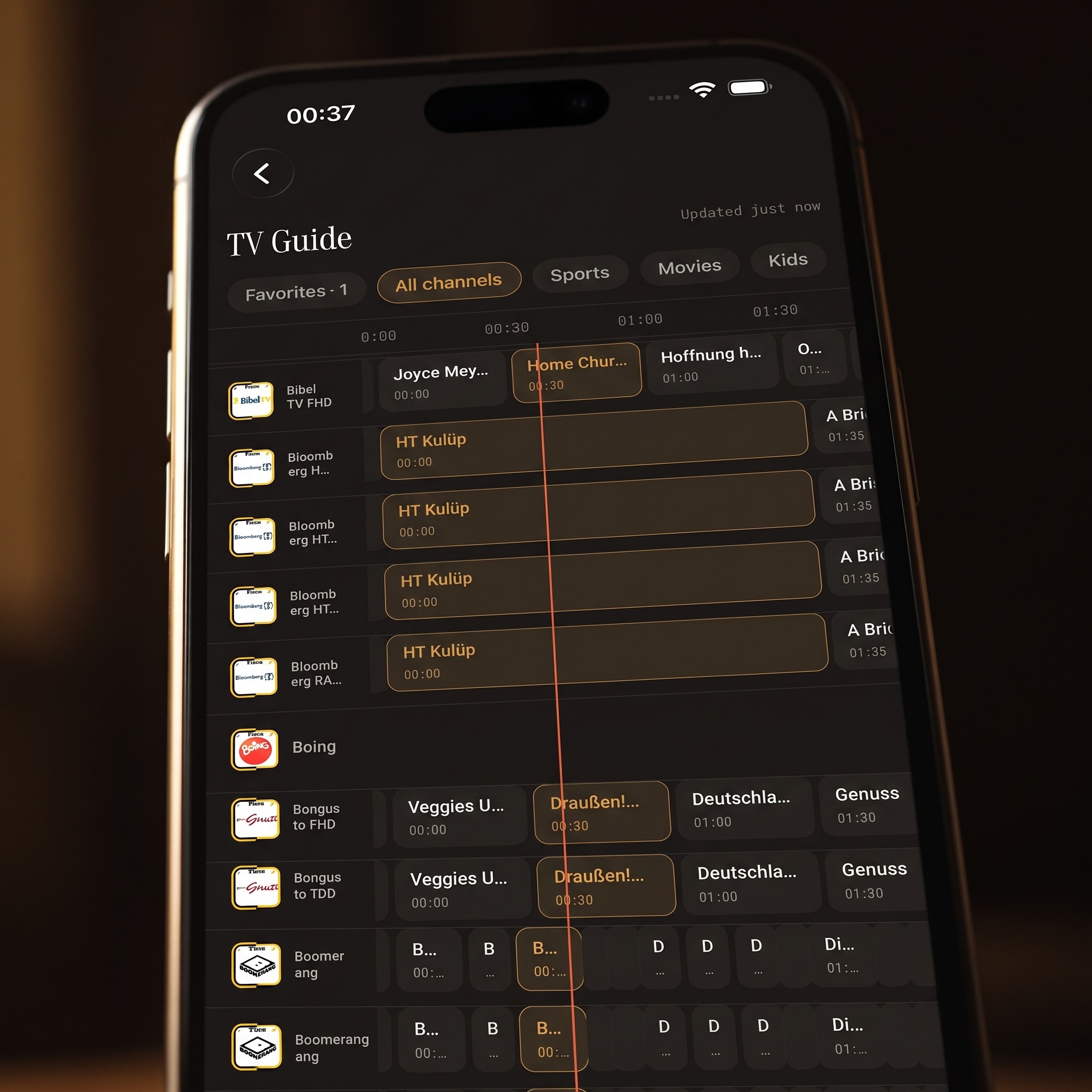
The first checklist item is the EPG, the on-screen equivalent of a TV listings grid showing what's airing now and next on each channel. A basic player might show a channel name and nothing else. A smart one uses the guide as a planning tool. Maximus's TV Guide lays out a real timeline grid with filters for Favorites, Sports, Movies and Kids, so you're not scanning an undifferentiated list of hundreds of channels to find what's on.
That distinction matters more than it sounds. A schedule you can filter by category is the difference between aimless browsing and finding a specific match in ten seconds. For a deeper look, read how the IPTV TV guide actually works.
How does universal search make a smart player feel different?
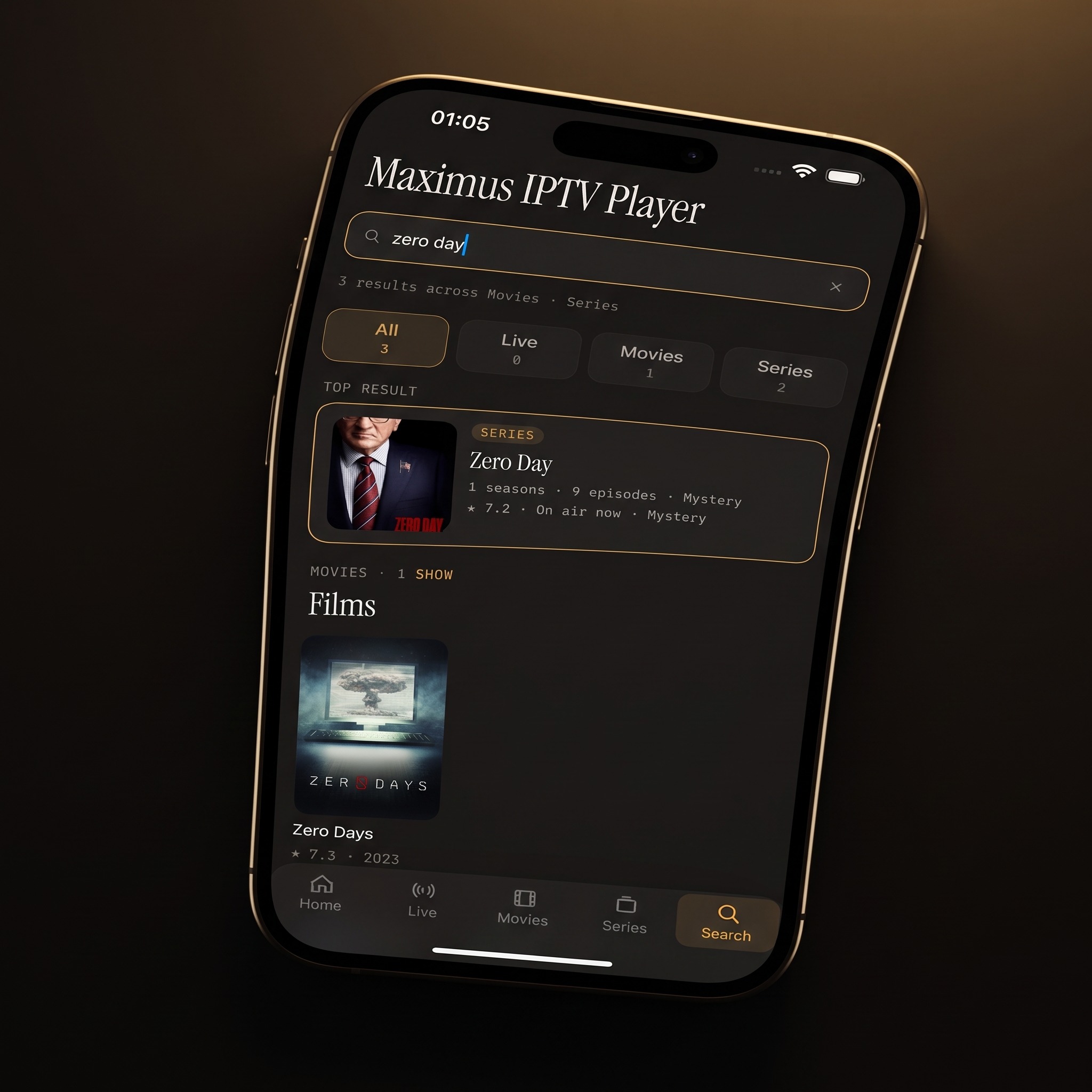
Search is the second checklist item, and it's where a lot of players quietly fall short. Many apps only search within one loaded source at a time: search one playlist, then separately search another login, then repeat for a third. That's not smart. That's three separate searches wearing a trenchcoat.
Maximus's universal search runs across everything in your library at once, covering live channels, movies and series. If you've ever typed a show title into an IPTV app and gotten nothing back because it lived in a source you forgot to check, this is the feature that fixes it. Our guide to universal search in IPTV apps shows it in action.
What role does multi-source management play in a smart setup?
Many serious IPTV users don't have just one source. They might have an M3U or M3U8 playlist (a text file listing stream addresses) from one provider and an Xtream Codes login (a server address, username and password) from another. A smart player treats these as one combined library instead of two separate apps bolted together.
Maximus IPTV Player combines multiple sources into a single library, reachable from the same home screen and the same search bar. On iOS you can also add a source by scanning a QR code or importing a file. This is the test: can you add a second or third legal source without starting over in a different app? If yes, that's smart. If every new source means juggling another app, it isn't. See Multiple IPTV Sources in One App for how it works.
Is playback quality part of "smart"?
Video quality belongs on the list, but not at the top, because playback without the organizational features above is just a video player. Still, it counts. Most IPTV streams are delivered with HLS (HTTP Live Streaming), an adaptive protocol that sends video in small chunks and can adjust to your connection instead of freezing outright.
What a smart player can't do is invent quality. A sharp 4K picture depends on your provider actually sending a 4K stream and on your connection keeping up with it. A smart player's job is to play what the source delivers cleanly and give you useful control, such as choosing subtitle and audio tracks on international content.
Can a smart player get you to the big screen?
The fifth item is how easily you can move from a phone to the TV, and here the answer differs by platform:
- iPhone and iPad: Maximus supports AirPlay (Apple's own wireless streaming technology, which is how you reach an Apple TV) and Chromecast (Google's casting technology). There is no Apple TV app, so AirPlay is the Apple TV route.
- Android phones and tablets: the Android app doesn't cast. It offers Picture-in-Picture and background playback instead, so you can keep watching or listening while using other apps.
- Android TV and Google TV: the same Google Play app runs natively on the TV with a remote-driven interface.
Does a smart player protect kids and respect privacy?
The last checklist item is easy to overlook: safety and privacy. A player that shows every piece of content to every household member, or that quietly tracks what you watch, isn't smart. It's just unmanaged.
Maximus IPTV Player includes a parental lock that hides adult content behind a PIN (on iOS you can also use Face ID, and on Android the lock re-arms automatically), plus a Kids filter in the TV Guide so a family sharing one screen doesn't need a second app. On the privacy side, Maximus runs with no ads and no tracking, and your source credentials stay on your device. That's worth stating plainly, since it isn't the default in this category. No Ads, No Tracking: How Maximus Handles Your Privacy has the details.
FAQ
Is Maximus actually free?
Yes. It's free to download on both the App Store and Google Play, with an optional Premium subscription. On Android, Premium unlocks the full TV guide, offline downloads, the parental lock, source refresh and multiple sources, and monthly and annual plans include a 7-day free trial.
Do I need my own content or subscription to use it?
Yes. Maximus is a player, not a content provider. You connect your own legal Xtream Codes login or M3U/M3U8 playlist. The app doesn't supply or endorse any streaming sources.
Does "smart" mean the app is harder to set up?
No, if anything it's the opposite. The point of universal search, a combined library and a real EPG is to make a large channel list easier to use. Setup is the same either way: add a source, and the smart features apply to it.
Is the Android version missing any of these features compared to iOS?
The core checklist is on both: the EPG, universal search, multi-source management, subtitle and audio tracks, the parental lock, Favorites and Continue Watching. The differences are around viewing: casting with AirPlay and Chromecast is only on iPhone and iPad, while Picture-in-Picture and background playback are only on Android phones and tablets. Picture-in-Picture isn't available on iPhone or iPad.
Does a smart player need an internet connection at all times?
For live channels, yes. For movies and series, Maximus supports offline downloads, so downloaded movies and episodes can be watched without a connection.
The bottom line
"IPTV smart player" shouldn't be a label you take on faith from an app store screenshot. Test any app against the six items above: a real EPG, universal search, multi-source management, clean playback, a sensible route to the big screen, and genuine privacy and parental controls. You'll know within a few minutes of setup whether an app earns the word or just uses it.
Maximus IPTV Player is free to download and built around all six. Get it on the App Store for iPhone, iPad, Macs with Apple M1 or later and Apple Vision, or on Google Play for Android phones, tablets and Android TV / Google TV.
Written by
Maximus IPTV Team