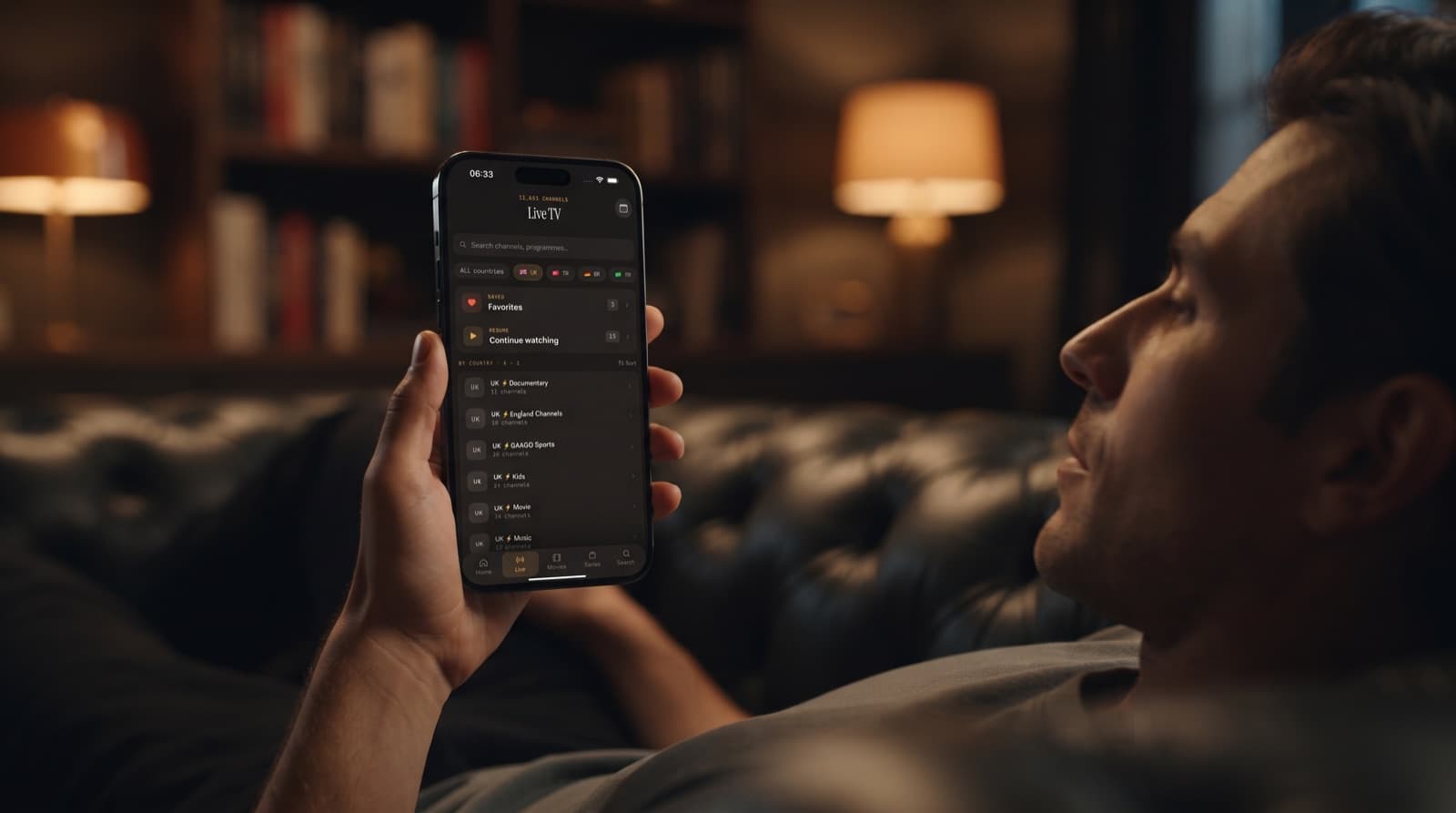
Xtream IPTV Player: Add an Xtream Codes Login on iPhone
Your provider has sent you three things: a server address, a username and a password. Now you need an Xtream IPTV player on your iPhone that turns those details into something you can actually watch. This guide shows how to add an Xtream Codes login in Maximus IPTV Player, what happens once it connects, and how to fix the login errors people hit most often.
Xtream Codes is a login format used by many IPTV services. Instead of handing you a single playlist link, the provider gives you account credentials, and the player uses them to fetch your channels, movies, series and TV guide in organised pieces. It is the most common way to connect a player to a subscription you already pay for, and it is usually the easiest. Maximus works as an Xtream Codes player on iPhone, iPad and Android alike, and you can test your login first with our free Xtream Codes checker.
Key Takeaways
- An Xtream Codes login is three details from your provider: a server URL, a username and a password. Nothing else is needed.
- In Maximus IPTV Player on iPhone or iPad, you add the login as a source, and the app sorts live TV, movies, series and the TV guide for you.
- Most failed logins come down to five causes: a wrong URL or port, http versus https, hidden characters or spaces from pasting, an expired account, or too many active connections.
- The same login works in the Maximus Android app on phones, tablets and Android TV / Google TV.
- Your credentials stay on your device and are only sent to your own provider.
What is an Xtream Codes login?
An Xtream Codes login is a set of account credentials that lets a player talk to your provider's server directly. The name comes from a panel software that many services built on, and the login format has become a de facto standard: most IPTV services today offer an "Xtream Codes" or "Xtream API" option alongside a playlist link.
Your provider will give you:
- Server URL — the address of their server, often with a port number, for example in the form
http://server-address:8080. Some providers use https and no visible port. - Username — the account name assigned to your subscription.
- Password — the password for that account.
With those three values, a player can ask the server for your account status, the list of live channel categories, the channels in each one, the video on demand library, series with their seasons and episodes, and the programme guide. If you want to see exactly what those requests look like, we break it down in Xtream Codes API explained. API stands for application programming interface: a defined set of requests one piece of software can make to another.
How is an Xtream login different from an M3U link?
An M3U playlist is a text file listing stream addresses, one per channel or title. It is a single long link, and the player has to download and parse the whole thing. EPG, short for electronic programme guide, is the schedule data that tells you what is on each channel now and next; with M3U it usually comes as a separate link.
An Xtream Codes login asks the server for each part separately. That brings a few practical advantages:
- Movies and series arrive as a proper library, with series split into seasons and episodes, rather than one enormous flat list.
- The guide is linked to your account, so you rarely need to find and paste a separate EPG address.
- Account details come back with the login, such as whether the account is active and when it expires.
- Updates are lighter, because the player can refresh the parts it needs.
M3U is still perfectly good, and some providers only offer M3U. If that is your situation, our guide to M3U playlists for iOS users walks through it. Maximus IPTV Player supports both formats, and you can even keep an Xtream login and an M3U playlist side by side.
How do you add an Xtream Codes login in Maximus IPTV Player on iPhone?
Before you start, have your provider's email or message open so you can copy the details, and make sure your subscription is active.
- Install the app. Download Maximus IPTV Player from the App Store on your iPhone or iPad. It is free to download.
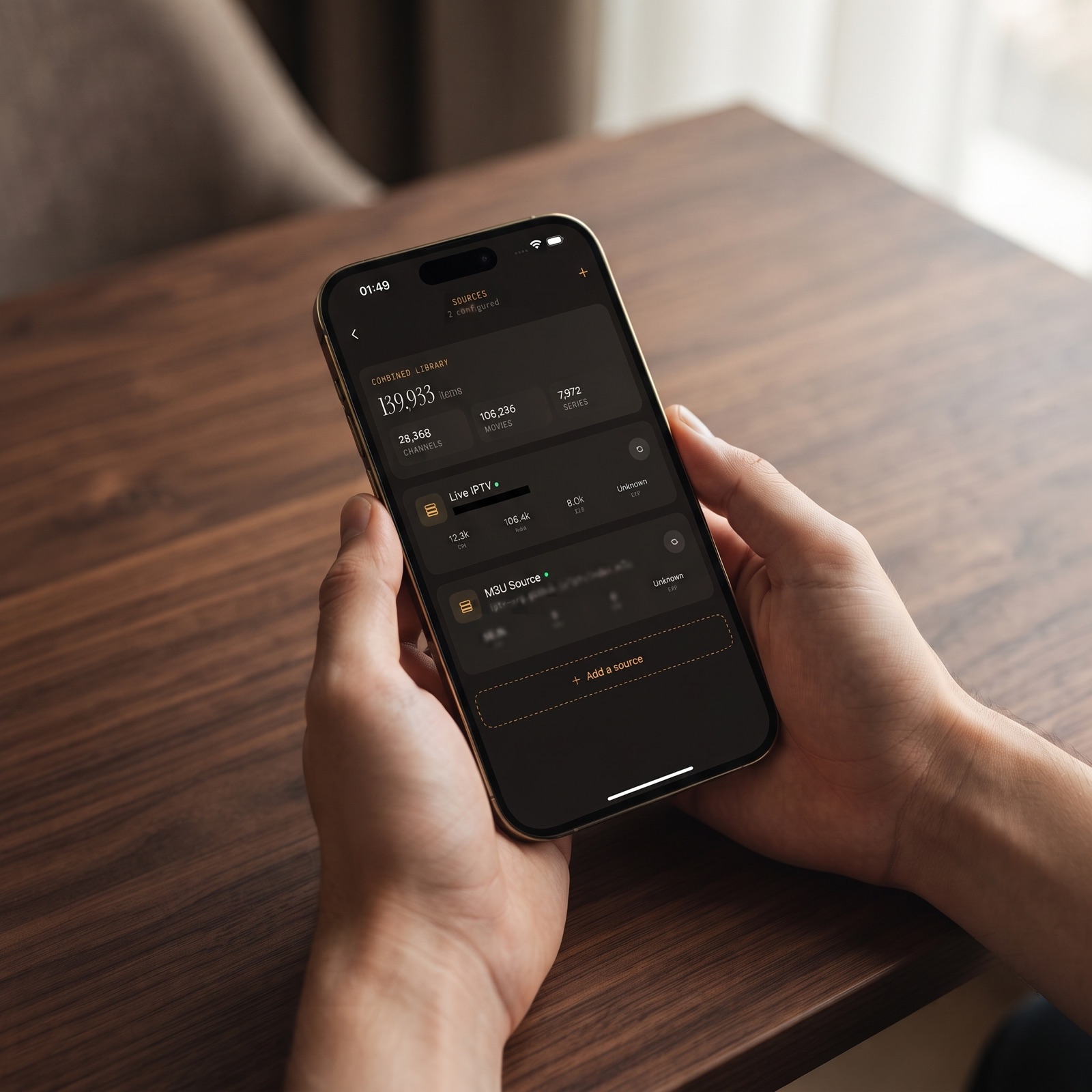
- Open Sources. Go to the Sources screen, where your connected services are listed, and tap Add a source.
- Choose Xtream Codes. Pick the Xtream Codes option rather than M3U.
- Enter the server URL. Type or paste the full address exactly as your provider wrote it, including
http://orhttps://and the port number if there is one. - Enter your username and password. These are case sensitive, so check capital letters.
- Save and let it load. The app connects to your provider and pulls in your channels, library and guide. A large service can take a little while on the first load.
On iPhone and iPad you can also add sources by scanning a QR code or importing a file, which saves typing on a small keyboard. Whichever route you use, the credentials stay on your device and are only sent to your own provider. Maximus has no ads and no tracking.
What gets organised once your login connects?
This is where an Xtream IPTV player earns its keep. Instead of scrolling a raw list, you get a library that is laid out for browsing.
- Live TV — channels are grouped, including by country, so a service with thousands of channels stays navigable. Favorites keep your regular channels one tap away.
- TV guide — the EPG timeline shows what is on now and next across your channels, so you can plan an evening at a glance.
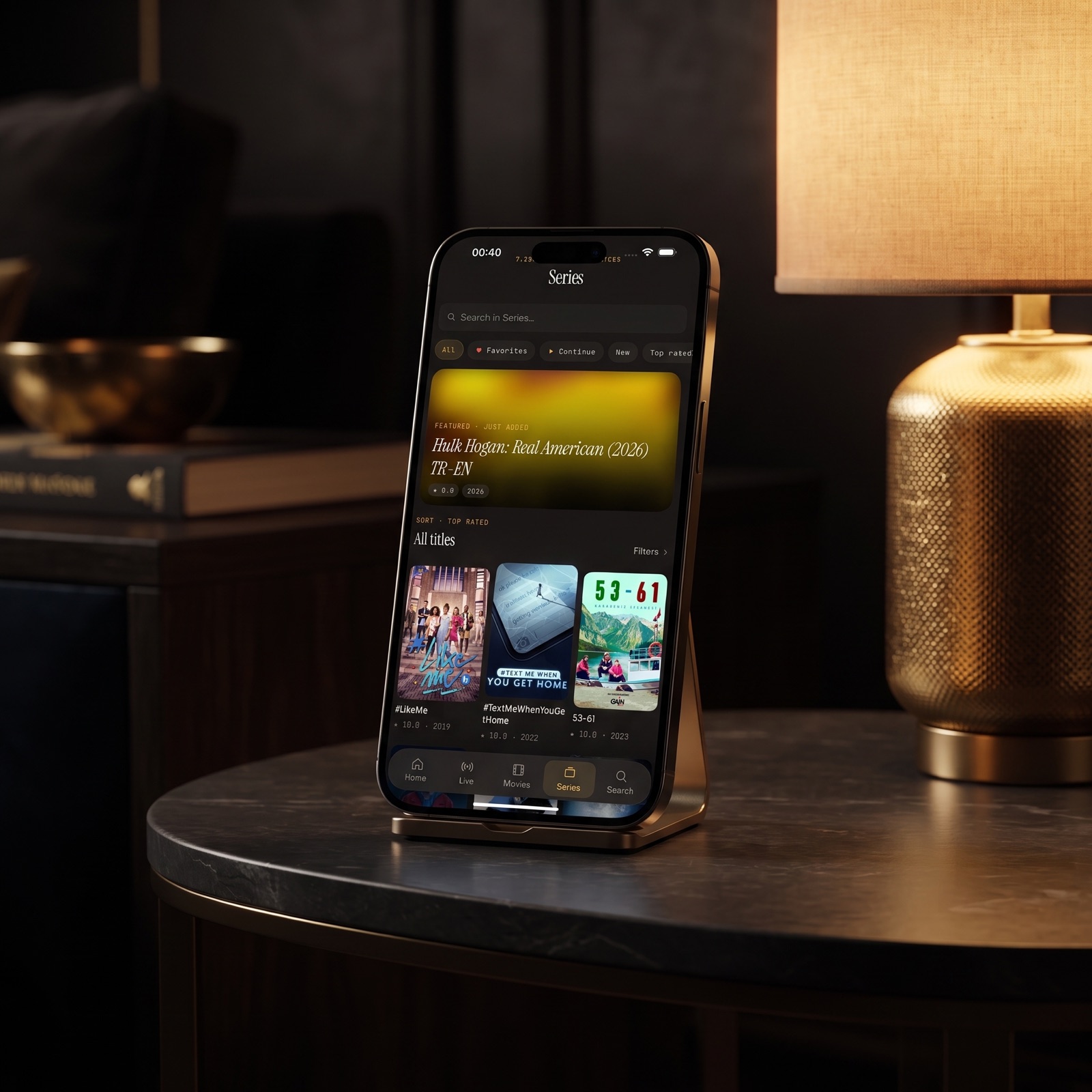
- Movies and series — the on-demand library is presented with posters, and series are split into seasons and episodes.
- Universal search — one search box looks across live channels, movies and series.
- Continue Watching — pick up a film or episode where you left off. On iPhone and iPad, progress syncs through iCloud, so you can start on your phone and finish on your iPad.
- Playback controls — switch subtitle and audio tracks where the stream provides them, download titles for offline viewing, and set a PIN parental lock.
If you have more than one subscription, add each as its own source. Maximus combines them into one library, which our multi-source management guide covers in detail.
Why does my Xtream Codes login fail?
When a login does not work, the cause is almost always one of the details, not the app or your phone. Work through these in order.
Is the server URL or port wrong?
The server URL has to match what your provider issued, character for character. Common slips include a missing port (:8080, :80, :25461 and others are all used), a typo in the domain, or adding a path such as /get.php or /player_api.php to the end. Enter only the base address and port unless your provider says otherwise. If your provider has changed servers, an old address will stop working without warning, so check for a newer email.
Should it be http or https?
Some servers only answer on http://, others only on https://. If you are unsure which applies, check your provider's instructions, and if one scheme fails, try the other. Where the provider supports https, prefer it, because your username and password travel with every request.
Did pasting add hidden characters or spaces?
This one catches a lot of people. When you copy details from an email, chat app or PDF, you can pick up a trailing space, a line break or an invisible formatting character. The login looks correct on screen but the server sees something different. Type the fields by hand once to rule it out, paying special attention to the end of the password.
On Android, version 1.1.1 of the Maximus app strips hidden characters from a pasted server address automatically, and connection errors now name the real cause instead of always saying there is no internet.
Has the account expired?
An expired or suspended subscription usually looks exactly like a wrong password. Log in to your provider's customer area, or ask them, to confirm the account is active and check its expiry date. Renewals sometimes come with new credentials.
Are there too many connections?
Most subscriptions allow a set number of streams at the same time, often called max connections. If the account is already playing on a TV, a tablet and someone else's phone, a new device may be refused or streams may stop. Close the player on other devices, wait a minute, and try again. If you regularly need more simultaneous streams, that is a question for your provider.
Still stuck?
Run your details through the Xtream Codes checker: it shows whether the server accepts the login, the account status and the expiry date, which separates a wrong detail from an expired or disabled account. Then check your connection on another app, try Wi-Fi and mobile data, and if you use a VPN, see whether switching it off or changing server helps. For broader troubleshooting, our article on what to do when an IPTV playlist is not working goes through the rest.
Does this Xtream Codes player work on Android and Android TV?
Yes. Maximus is also on Google Play, with one listing that covers Android phones, tablets and Android TV / Google TV. As the Play listing puts it: add your Xtream Codes login and everything is organised for you automatically. M3U and M3U8 playlists work there too.
Keep your provider's connection limit in mind when you add the same login to several devices, and note that watch progress does not sync between iOS and Android. For a closer look at how the two versions compare, see iPhone vs Android: Maximus on phone, tablet and TV.
If you want to get a channel onto a big screen from iPhone or iPad, Maximus supports AirPlay and Chromecast from those devices. There is no Apple TV app; Apple TV works through AirPlay from your iPhone or iPad.
FAQ
What is the best Xtream IPTV app for iPhone?
The best Xtream IPTV app is one that organises your provider's content cleanly, keeps your credentials private, and does not bury the guide. Maximus IPTV Player is built around exactly that: add your Xtream Codes login and it sorts live TV, movies, series and the EPG, with no ads and no tracking.
Is an Xtream Codes app legal?
A player app is legal. It does not come with any channels; it plays content from a service you subscribe to. Whether a particular service is licensed is down to the provider, so choose one that holds the rights to what it offers.
Where do I find my Xtream Codes server URL, username and password?
Your IPTV provider sends them, usually by email or in your account area on their website. If you cannot find them, contact the provider. No player can generate or look up these details for you.
Can I add more than one Xtream login?
Yes. Add each subscription as its own source and Maximus shows them together in one library. On Android, multiple sources are part of Premium.
Does an Xtream player work on iPad and Mac?
Maximus runs on iPhone and iPad, and the same app is available for Macs with an Apple M1 chip or later running macOS 15.2 or newer. Our guide to running an IPTV player for Mac covers the details.
Why does my login work on one device but not another?
Usually it is a connection limit, or a typo on the second device. Check that nothing else is streaming on the account, and retype the details instead of pasting them.
Get your Xtream login working today
An Xtream Codes login is the quickest route from a new subscription to a tidy, searchable library. Copy the three details carefully, choose http or https as your provider specifies, and most problems disappear before they start. Once you are connected, add your regular channels to Favorites and the app starts to feel like your own.
Download Maximus IPTV Player for iPhone, iPad and Mac on the App Store, or for Android phones, tablets and Android TV on Google Play.
Written by
Maximus IPTV Team