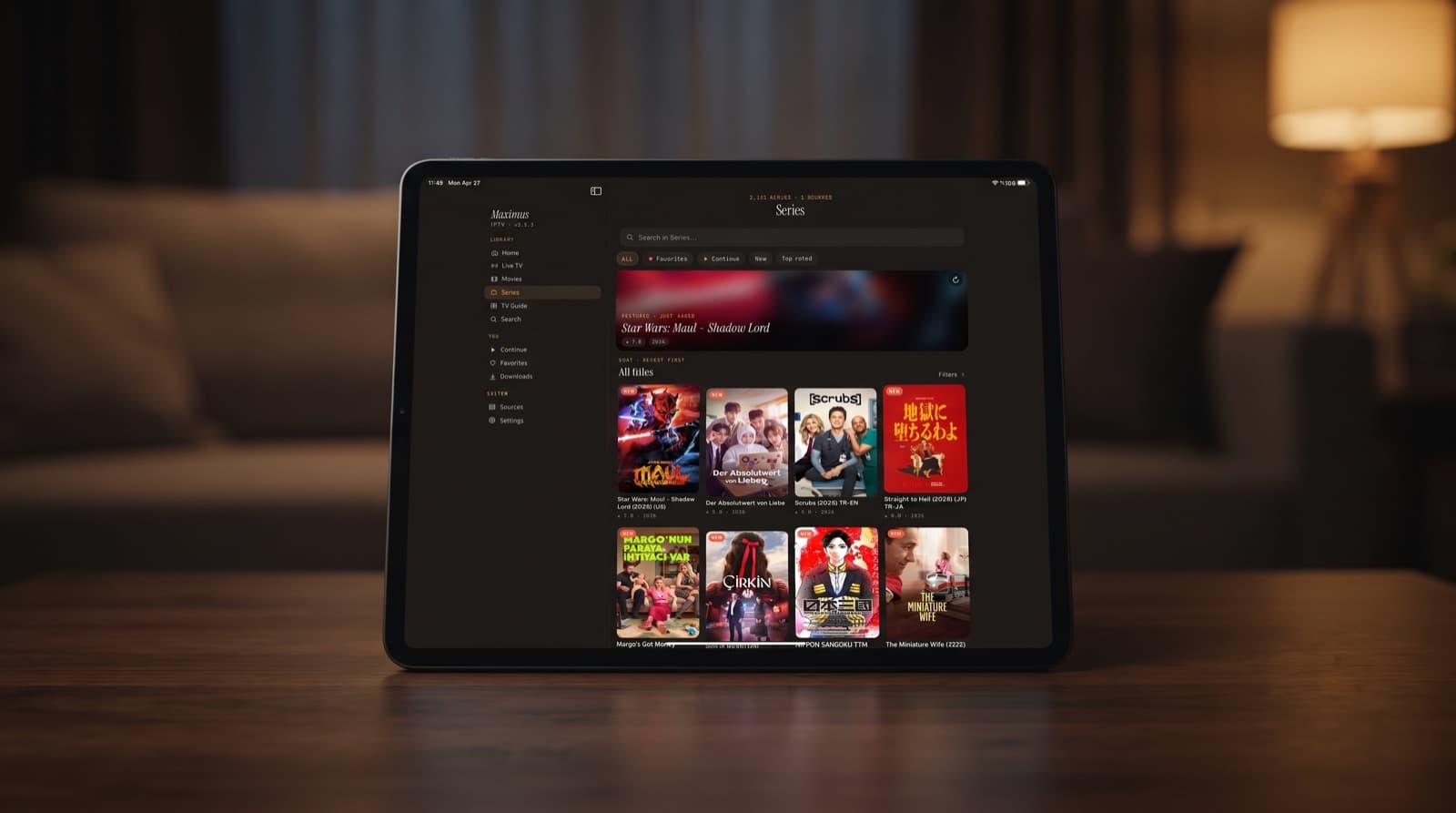
iPlayTV Alternatives for iPhone and iPad
If you have used iPlayTV before, or you are searching for iPlayTV today, you will probably land on iPlayTV AIO, which its App Store listing describes as the next version of the iPlayTV app. Before you commit, it is worth knowing what the alternatives look like on iPhone and iPad. This guide compares iPlayTV AIO with Maximus IPTV Player and a few other well-known players. We make Maximus, so we describe other apps only by what their App Store listings say at the time of writing, and we point out where iPlayTV AIO covers something Maximus does not.
Key Takeaways
- According to its App Store listing, iPlayTV AIO supports remote and file-upload playlists, Xtream Codes and MAC-address portal logins, with multiple player engines, OpenSubtitles support and TMDB metadata.
- Maximus IPTV Player supports Xtream Codes and M3U/M3U8 sources, plus QR code or file import on iPhone and iPad. It does not support MAC-address portal logins.
- If your provider only offers a MAC-address portal, iPlayTV AIO lists that login type and Maximus is not the right fit.
- Maximus focuses on live TV with an EPG timeline, channels grouped by country, offline downloads, a PIN parental lock with Face ID, and a layout built for iPad, with no ads and no tracking.
- Maximus progress syncs between iPhone and iPad through iCloud. There is no Apple TV app; use AirPlay or Chromecast from iPhone or iPad.
- None of these apps include channels. You bring your own legal subscription or playlist.
What Is iPlayTV AIO, According to Its App Store Listing?
iPlayTV AIO is published by Andre Silva and is free with in-app purchases. Its App Store listing calls it the next version of the iPlayTV app and highlights:
- Multiple sources: remote playlists, playlists uploaded as files, Xtream Codes, and MAC-address portal logins.
- Browsing: search and favorites.
- Playback: multiple player engines.
- Subtitles: OpenSubtitles support.
- Metadata: TMDB information for movies and series.
At the time of writing the listing shows a rating of 3.3 from 55 ratings, which is a small sample, so read recent reviews too.
Some quick definitions. An M3U playlist is a text file or URL listing stream addresses and channel names. Xtream Codes is a login made of a server address, username and password that lets a player load live channels, movies, series and guide data. A MAC-address portal is an older login style where the provider ties your account to a device's MAC address. EPG (Electronic Program Guide) is the schedule of what is on now and next. TMDB (The Movie Database) is a community database of film and TV information, and OpenSubtitles is a large online library of subtitle files.
Why Look for an iPlayTV Alternative?
Comparing players is sensible whatever app you start with. Common reasons people look beyond iPlayTV AIO include:
- A live-TV-first layout: some viewers want the TV guide front and centre.
- Larger screens: an interface that makes full use of iPad, Mac or Apple Vision.
- Family use: a PIN lock with Face ID for shared devices.
- Offline viewing: downloads for flights and commutes.
- Mixed households: one app family that also runs on Android phones and Android TV.
- Personal preference: the only real test of an interface is trying it with your own source.
How Does Maximus IPTV Player Compare With iPlayTV AIO?
Here is a point-by-point look, using iPlayTV AIO's App Store listing and our verified feature list for Maximus IPTV Player.
Sources and logins
- iPlayTV AIO: remote and file-upload playlists, Xtream Codes and MAC-address portal logins, according to its App Store listing.
- Maximus IPTV Player: Xtream Codes and M3U/M3U8, with QR code or file import on iPhone and iPad. No MAC-address portal logins. Several sources can be combined into one library.
Subtitles and metadata
- iPlayTV AIO: OpenSubtitles support and TMDB metadata, according to its App Store listing.
- Maximus IPTV Player: lets you switch between the subtitle and audio tracks included in a stream. We do not list OpenSubtitles or TMDB integration as Maximus features.
Playback
- iPlayTV AIO: multiple player engines, according to its App Store listing.
- Maximus IPTV Player: a single built-in player with subtitle and audio track selection, Continue Watching, and offline downloads for movies and episodes.
Browsing and search
- iPlayTV AIO: search and favorites, according to its App Store listing.
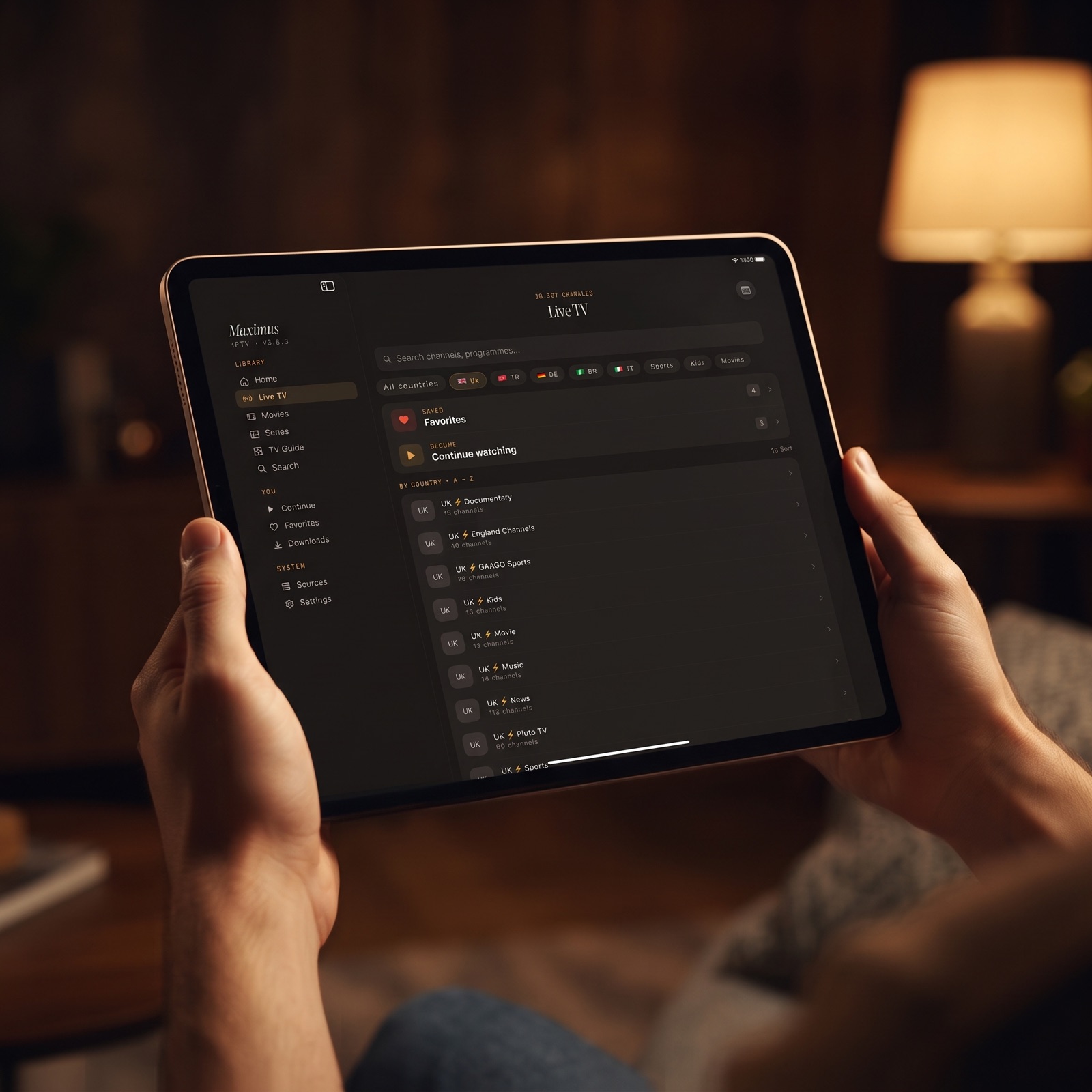
- Maximus IPTV Player: universal search across live channels, movies and series, live TV grouped by country, Favorites and Continue Watching, and an EPG timeline for live channels. Our smart features checklist runs through them.
Devices
- iPlayTV AIO: see its App Store listing for the current device list.
- Maximus IPTV Player: iPhone, iPad, Macs with Apple M1 or later (the iPad app on macOS 15.2 or later) and Apple Vision, plus an Android app for phones, tablets and Android TV / Google TV.
Privacy and household
- Maximus IPTV Player: no ads, no tracking, provider credentials stored on the device, and a PIN parental lock with Face ID on iOS.
- iPlayTV AIO: the listing details we compared do not cover these points, so check its store page rather than assuming either way.
What If Your Provider Only Gives You a MAC-Address Portal?
This is the most important question in this comparison. Maximus IPTV Player does not support MAC-address portal logins, and we would rather say so up front than have you find out after setup.
- Ask your provider first: many providers can issue an Xtream Codes login or an M3U playlist URL for the same subscription. If yours can, Maximus will work.
- If they cannot: iPlayTV AIO's listing includes MAC-address portal logins, so it may be the better choice for your account.
- If you have both: you can try each app with the login it supports and compare.
Our guide to Maximus IPTV Player source types explains which details to ask your provider for.
Which Other iPlayTV Alternatives Should You Consider?
Beyond Maximus, these apps are frequently compared with iPlayTV. Each is described strictly by its App Store listing at the time of writing:
- UHF – Love your IPTV: supports M3U8, Xtream, Plex, Jellyfin and Emby, describes an Apple TV-style experience and search across playlists, and says core playback and content tools are free. Rated 4.7 from roughly 2,300 ratings. Read our UHF IPTV vs Maximus IPTV Player comparison.
- IPTVX: supports Xtream API, M3U, M3U8, Plex and SMB, lists Dolby Vision, HDR10 and HLG, syncs data through your iCloud account, and offers multi-screen viewing. Rated 4.4 from roughly 3,000 ratings. See IPTVX alternatives on iPhone.
- Smarters Player Lite: lists M3U and JSON playlists plus local and remote media. Rated 4.8 from roughly 440,000 ratings.
- Perfect IPTV Player: its listing names iPhone, iPad and Apple TV, with M3U, XSPF, Xtream Codes API and EPG in XMLTV format. Rated 4.6 from roughly 8,200 ratings.
For the full picture, read Best IPTV Player for iPhone in 2026: Compared.
How Does Maximus IPTV Player Work on iPad?
Because this search often comes from iPad owners, it is worth showing what Maximus does on the bigger screen:
- Sidebar navigation: a persistent left sidebar keeps Home, Live TV, Movies, Series and Search one tap away.
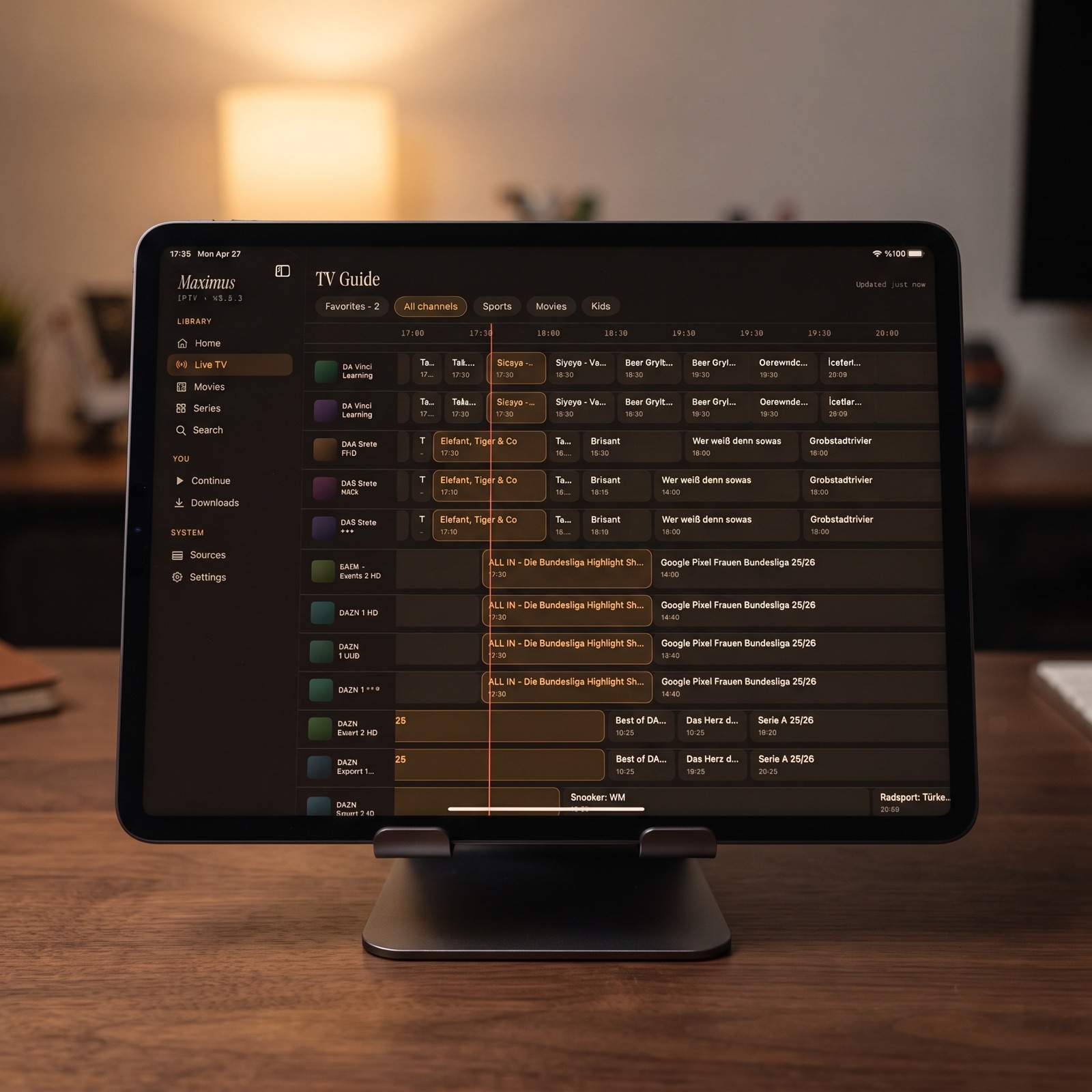
- Wide TV guide: the EPG timeline spreads across many channels and hours at once.
- Poster grids: movies and series fill wider rows, with large hero artwork on detail pages.
- iCloud sync: start an episode on iPhone and pick it up on iPad where you left off.
- Big-screen playback: send video to an Apple TV with AirPlay, or to a Chromecast device.
- Downloads and parental lock: the same offline downloads and Face ID-backed PIN lock as on iPhone.
One thing to know: Picture-in-Picture is not available in Maximus on iPhone or iPad; it is limited to Android phones and tablets. Our iPad big-screen guide covers the layout in more depth, and iPhone vs Android for IPTV explains the platform differences.
FAQ
Is iPlayTV AIO the same app as iPlayTV?
According to its App Store listing, iPlayTV AIO is the next version of the iPlayTV app. Check the listing for details on how it relates to the earlier release.
Does Maximus IPTV Player support MAC-address portal logins?
No. Maximus supports Xtream Codes and M3U/M3U8 sources only. Ask your provider whether they can issue one of those for your subscription.
Can Maximus download subtitles from OpenSubtitles?
We do not list OpenSubtitles integration as a Maximus feature. Maximus lets you choose the subtitle and audio tracks that come with the stream.
Does Maximus sync between iPhone and iPad?
Yes. Watch progress syncs between iPhone and iPad through iCloud. It does not sync with the Android app.
Which devices get Picture-in-Picture in Maximus?
Only Android phones and tablets. Maximus does not offer Picture-in-Picture on iPhone or iPad.
Is iPlayTV AIO free?
According to its App Store listing, iPlayTV AIO is free with in-app purchases. Maximus IPTV Player is also free to download, with an optional Premium upgrade.
The Bottom Line
The right iPlayTV alternative depends on your login. If your provider only offers a MAC-address portal, or you rely on OpenSubtitles and multiple player engines, iPlayTV AIO's listing covers those. If you have an Xtream Codes login or an M3U playlist and want a private, ad-free player with a real TV guide, offline downloads, a parental lock and a layout that shines on iPad, Maximus IPTV Player is worth trying.
Download Maximus IPTV Player free on the App Store for iPhone, iPad, Mac and Apple Vision, or on Google Play for Android phones, tablets and Android TV.
Written by
Maximus IPTV Team