Best IPTV Player for iPhone in 2026: Compared
Search for the best IPTV player for iPhone and you will find lists that were written years ago, copied between sites and never checked against the App Store again. This 2026 comparison takes a different route. We make Maximus IPTV Player, so we say that up front, and we describe every other app only by what its own App Store listing says at the time of writing. You get the criteria that actually matter, a fair look at where each app fits, and a plain list of what our own app does not do.
The short answer: if you have an Xtream Codes login or an M3U playlist and want live TV with a program guide, a movies and series library and offline downloads, with no ads, Maximus IPTV Player is built for exactly that. If you mainly stream from a home media server such as Plex, IPTVX or UHF fit better, because their App Store listings include media-server support and Maximus doesn't.
Key Takeaways
- The best IPTV player for iPhone depends on what you are bringing to it: an Xtream Codes login, an M3U playlist, or a home media server such as Plex.
- IPTV players are players only. None of the apps here should be treated as a source of channels; you bring your own legal subscription or playlist.
- According to their App Store listings, IPTVX and UHF also connect to media servers (Plex and more), which Maximus IPTV Player does not offer.
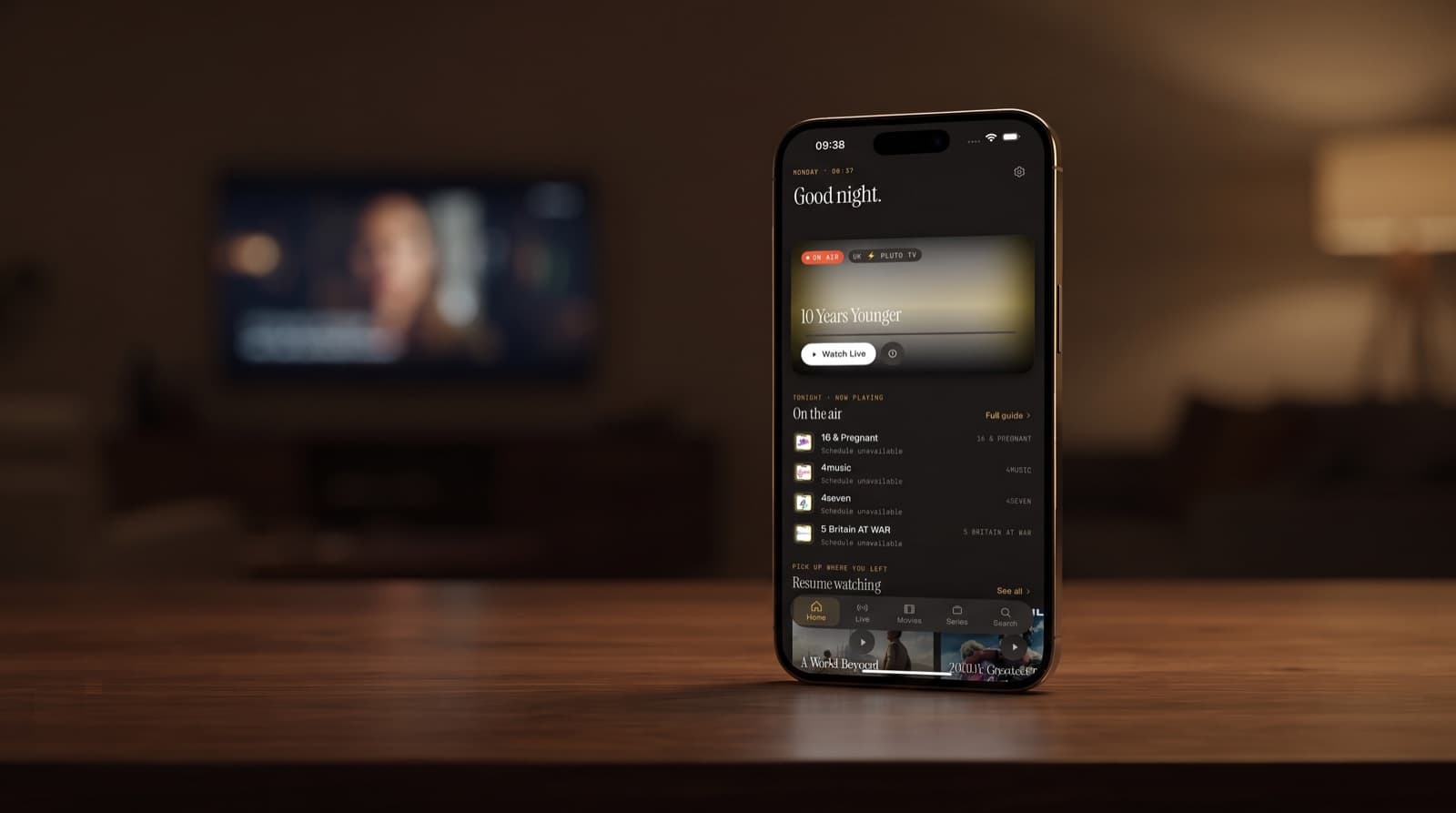
- Maximus IPTV Player concentrates on live TV, an EPG timeline, a movies and series library, offline downloads and a PIN parental lock, with no ads and no tracking.
- Maximus runs on iPhone, iPad, Apple silicon Macs and Apple Vision. It has no Apple TV app; you reach the TV through AirPlay from an iPhone or iPad.
- Ratings move constantly, so treat every number below as a snapshot, not a verdict.
What Does an IPTV Player for iPhone Actually Do?
IPTV (Internet Protocol Television) delivers live channels and on-demand video over an internet connection instead of cable or satellite. An IPTV player is the app that reads the details your provider gives you and turns them into something watchable. It does not supply channels on its own.
Most providers hand you one of two things:
- M3U or M3U8 playlist: a text file or URL that lists stream addresses and channel names. If the format is new to you, our guide to M3U playlists for iOS users walks through it.
- Xtream Codes login: a server address, username and password. Xtream Codes is an API that lets a player pull live channels, movies, series and guide data in a structured way, which usually gives a tidier library than a bare playlist.
The other term you will see everywhere is EPG (Electronic Program Guide): the schedule of what is on now and next, often delivered in the XMLTV format. A good guide is the difference between scrolling through hundreds of channels and simply seeing what is on. We cover why it matters in the hidden power of EPG in IPTV apps.
How Did We Evaluate the Best IPTV Player for iOS?
The 2025 version of this article leaned on star ratings and feature claims that did not hold up. For 2026 we kept the useful part, the evaluation criteria, and dropped the guesswork. Here is what we looked at for each app:
- Source support: which login and playlist types the app accepts, and whether it handles more than one source at a time.
- Program guide: whether a TV guide is part of the experience, since live TV without one gets tiring quickly.
- Library and search: how movies, series and live channels are organised, and whether you can search across everything.
- Big-screen options: how you get from your phone to a television, whether through AirPlay, Chromecast or a dedicated TV app.
- Household features: parental controls, favorites, continue watching and offline viewing.
- Privacy: ads, tracking and where your provider credentials are stored.
- Device coverage: iPhone, iPad, Mac, Apple Vision, Apple TV and Android.
- Business model: all the apps here are free to download; most offer in-app purchases. We do not quote prices because they change.
For competitors we only used information from their App Store listings. We did not invent features, and where a listing does not mention something, we do not assume it is missing either.
Which IPTV Players for iPhone Are Worth Comparing in 2026?
These are the apps people most often weigh against each other when they search for the best IPTV iPhone app. Listing details were checked in September 2026.
Maximus IPTV Player
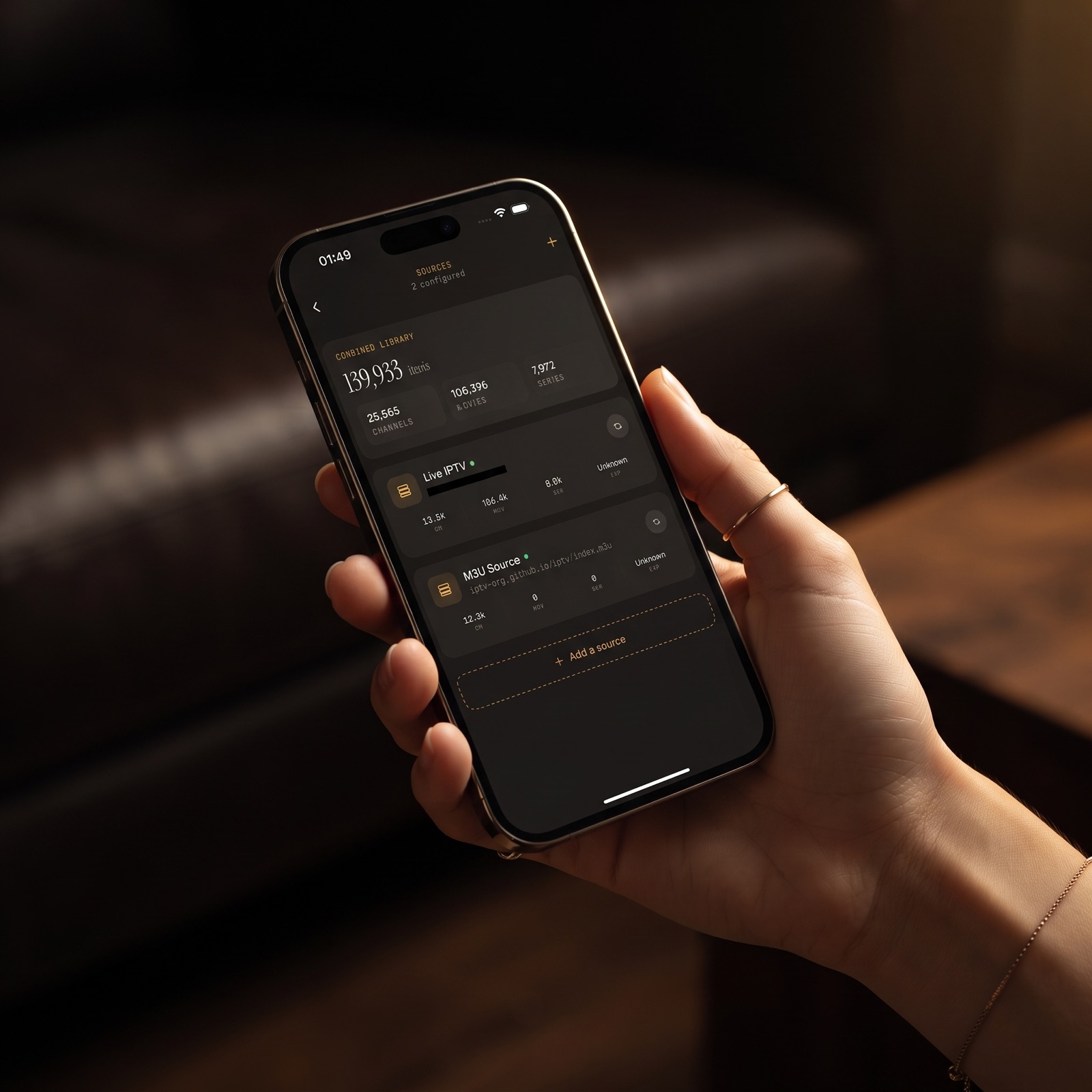
- Sources: Xtream Codes and M3U/M3U8, with QR code or file import on iPhone and iPad. Multiple sources merge into one library.
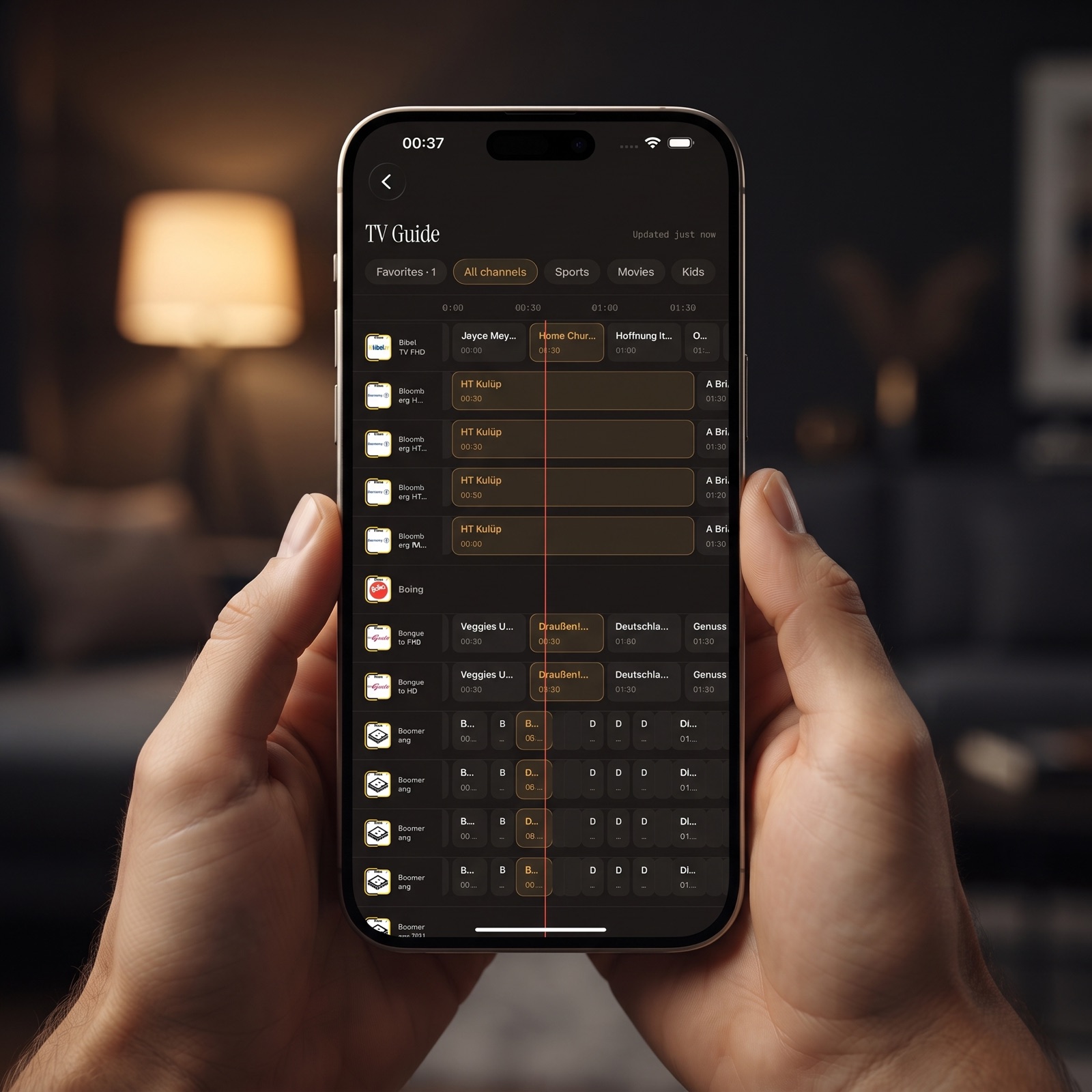
- Stand-out features: EPG timeline, live TV grouped by country, a movies and series library, universal search, Favorites and Continue Watching, subtitle and audio track selection, offline downloads.
- Household and privacy: PIN parental lock with Face ID on iOS, no ads, no tracking, and credentials that stay on your device.
- Devices: iPhone, iPad, Macs with Apple M1 or later (the iPad app on macOS 15.2 or later) and Apple Vision, plus a separate Android app for phones, tablets and Android TV / Google TV.
- Business model: free to download with an optional Premium upgrade.
IPTVX
- Developer: Bending X – FZE, according to its App Store listing.
- Sources: Xtream API, M3U and M3U8, plus Plex and SMB connections to a NAS or server.
- Stand-out features: the listing highlights Dolby Vision, HDR10 and HLG, data synced through your own iCloud account, and multi-screen viewing.
- Business model: free with in-app purchases.
- Rating at the time of writing: 4.4 from roughly 3,000 ratings.
We compare it with Maximus in more depth in IPTVX alternatives on iPhone.
UHF – Love your IPTV
- Developer: Short Wavelength Applications Ltd.
- Sources: M3U8 and Xtream, plus Plex, Jellyfin and Emby, according to its App Store listing.
- Stand-out features: the listing describes an Apple TV-style experience, search across playlists, and says core playback and content tools are free.
- Business model: free with in-app purchases.
- Rating at the time of writing: 4.7 from roughly 2,300 ratings.
See UHF vs Maximus IPTV Player for a side-by-side look.
iPlayTV AIO
- Developer: Andre Silva.
- Sources: remote playlists, file-upload playlists, Xtream Codes and MAC-address portal logins, according to its App Store listing, which calls it the next version of the iPlayTV app.
- Stand-out features: search, favorites, multiple player engines, OpenSubtitles support and TMDB metadata.
- Business model: free with in-app purchases.
- Rating at the time of writing: 3.3 from 55 ratings, a small sample.
Our iPlayTV alternatives for iPhone and iPad post covers it in detail.
Smarters Player Lite
- Developer: WHMCS Smarters.
- Sources: M3U and JSON playlists, plus local and remote media, according to its App Store listing.
- Business model: free with in-app purchases.
- Rating at the time of writing: 4.8 from roughly 440,000 ratings, by far the largest rating count in this group.
Perfect IPTV Player
- Platforms: the listing names iPhone, iPad and Apple TV.
- Sources: M3U, XSPF and the Xtream Codes API, with EPG in XMLTV format.
- Rating at the time of writing: 4.6 from roughly 8,200 ratings.
How Do These Apps Compare Feature by Feature?
Star ratings tell you how people feel; the feature lists tell you whether an app fits your setup. Here is how the listings line up on the questions readers ask most.
Which apps connect to Plex, Jellyfin or a NAS?
- IPTVX: Plex and SMB, according to its App Store listing.
- UHF: Plex, Jellyfin and Emby, according to its App Store listing.
- Maximus IPTV Player: no. It is built for IPTV sources only: Xtream Codes and M3U/M3U8.
Which apps accept MAC-address portal logins?
- iPlayTV AIO: its listing includes this login type alongside Xtream Codes and playlists.
- Maximus IPTV Player: no. If your provider only offers a MAC-address portal, ask whether they also provide an Xtream Codes login or an M3U link.
How do you get to the living-room TV?
- Perfect IPTV Player: its listing names Apple TV as a supported platform.
- Maximus IPTV Player: there is no Apple TV app. From iPhone or iPad you can use AirPlay or Chromecast, and Android TV / Google TV has its own Maximus app. Our IPTV on Apple TV guide explains the AirPlay route.
- Other apps: check the current Apple TV section of each store page directly, because device support changes between releases.
What about sync and privacy?
- IPTVX: its listing says data syncs through your own iCloud account.
- Maximus IPTV Player: watch progress syncs between your iPhone and iPad over iCloud. There are no ads and no tracking, and your provider credentials stay on the device. There is no sync between the iOS and Android apps.
Where Does Maximus IPTV Player Fall Short?
An honest comparison has to include our own gaps. If any of these is essential for you, another app may suit you better:
- No media-server support: Maximus does not connect to Plex, Jellyfin, Emby or SMB shares.
- No MAC-address portal logins: only Xtream Codes and M3U/M3U8 sources.
- No Apple TV app: Apple TV is reachable only through AirPlay from an iPhone or iPad.
- No Picture-in-Picture on iPhone or iPad: that feature exists only in the Android app on phones and tablets.
- No HDR format claims: we do not advertise Dolby Vision or HDR10 support.
- No cross-platform sync: progress syncs between iPhone and iPad, but not to Android.
Where Maximus is strong is the day-to-day live TV experience: a proper EPG timeline, channels grouped by country, a combined library when you add several sources, universal search, offline downloads for travel, and a parental lock that uses Face ID. For a wider look beyond iPhone, including Android, read our best IPTV player 2026 comparison.
What Is the Best IPTV App for iPhone for Your Setup?
Rather than crown a single winner, match the app to what you already have:
- You have an Xtream Codes login and mainly watch live TV: look for a strong program guide and country grouping. This is the use case Maximus IPTV Player was designed around.
- You also run a Plex, Jellyfin or Emby server: according to their listings, UHF and IPTVX both connect to media servers, so one app can cover both.
- Your provider only gives you a MAC-address portal: iPlayTV AIO lists that login type; Maximus does not support it.
- You want a dedicated app on Apple TV itself: check listings such as Perfect IPTV Player, which names Apple TV as a platform.
- You share the device with children: prioritise a PIN-based parental lock, ideally with Face ID.
- You travel or commute: offline downloads of movies and episodes save mobile data and work on flights.
- Your household mixes iPhone and Android TV: an app with native builds on both, like Maximus, keeps the interface familiar, even though progress does not sync between platforms.
FAQ
What is the best IPTV player for iPhone for beginners?
Pick the app that matches the login your provider gave you. If you have an Xtream Codes login or an M3U link, Maximus IPTV Player sets up in a few steps and can even import a source by QR code. If you mainly need a media-server client, start with an app whose listing names your server.
Is there a good free IPTV player for iPhone?
All the apps in this comparison are free to download. IPTVX, UHF, iPlayTV AIO and Smarters Player Lite list in-app purchases, and Maximus offers an optional Premium upgrade. Compare what is free today in each app, since tiers change.
Can I watch IPTV on Apple TV from my iPhone?
Yes, with AirPlay. Maximus does not have an Apple TV app, but you can AirPlay from an iPhone or iPad to an Apple TV, or use Chromecast to a compatible TV.
Which platforms get Picture-in-Picture in Maximus?
Only Android phones and tablets. Maximus does not offer Picture-in-Picture on iPhone or iPad.
Do these apps come with channels?
No. They are players. You need your own subscription or playlist from a legal provider, and the player simply organises and plays it.
Are IPTV player apps legal?
The apps themselves are legal media players. What matters is the content: make sure your provider has the rights to the channels and films it offers.
The Bottom Line
There is no single best IPTV player for iPhone in 2026, only the best fit for your sources and screens. If media servers or MAC-address portals are central to your setup, the listings for UHF, IPTVX and iPlayTV AIO are worth reading. If you want a clean, private, ad-free player for Xtream Codes and M3U sources with a real TV guide, downloads and a parental lock, try Maximus IPTV Player.
Download it free on the App Store for iPhone, iPad, Mac and Apple Vision, or on Google Play for Android phones, tablets and Android TV.
Written by
Maximus IPTV Team