IPTV Duplicate Channels? Why They Show Up Twice
You open your channel list and there it is again: the same news channel three times, a sports channel in HD, FHD and "backup," and a movie channel that appears under two different groups. IPTV duplicate channels are one of the most common annoyances in a big playlist, and they are rarely a bug in your player. In this guide, Maximus IPTV Player is the example app, and we will look at why duplicates happen, how to tell harmless ones from real problems, and how to keep a large library usable on iPhone, iPad and Android.
Key Takeaways
- Most duplicates are intentional: quality variants (SD, HD, FHD, 4K), backup streams, and regional feeds of the same brand.
- Duplicates multiply when you combine several sources into one library, because each source brings its own copy of popular channels.
- A player cannot safely guess which copy you want. Your best tools are country filters, Favorites and search.
- Fixing the playlist at its origin (your provider's or your own M3U file) is the only way to remove a copy for good.
- Always use playlists you are legally entitled to use. Maximus IPTV Player is a player app and does not supply channels.
Why do IPTV playlists contain duplicate channels?
A playlist is just a list of entries, and each entry is a name, a group and a stream address. Nothing forces a provider to list a channel once. There are four typical reasons you see repeats.
Quality variants. A single channel is often offered as SD (standard definition, roughly 576 lines), HD (720p), FHD (1080p) and sometimes 4K (2160p). Each is a separate entry because each is a separate stream with a different bitrate. For a viewer on a weak connection, that is a feature: you can drop to a lighter version when the network struggles.
Backup streams. Some playlists list a second or third address for the same channel so there is a fallback when the first one is down. The names often carry labels such as "backup," "alt" or a number.
Regional feeds. One broadcaster may run different feeds per country or time zone. A news brand can legitimately have a UK feed, a US feed and a European feed, and they will all look like "the same channel" in a long list.
Repeated groups. Many M3U (a plain-text playlist format that lists streams one after another) files tag each entry with a group title. If a channel is tagged with two groups, for example "Sports" and "UK," it shows up in both. The player is showing you exactly what the file says.
Why do duplicates get worse when you add more sources?
Adding a second playlist is a good idea for reliability, but it adds a second copy of every popular channel. Two sources with 12,000 live entries each can leave you scrolling through 24,000 rows, with a large share of overlap.
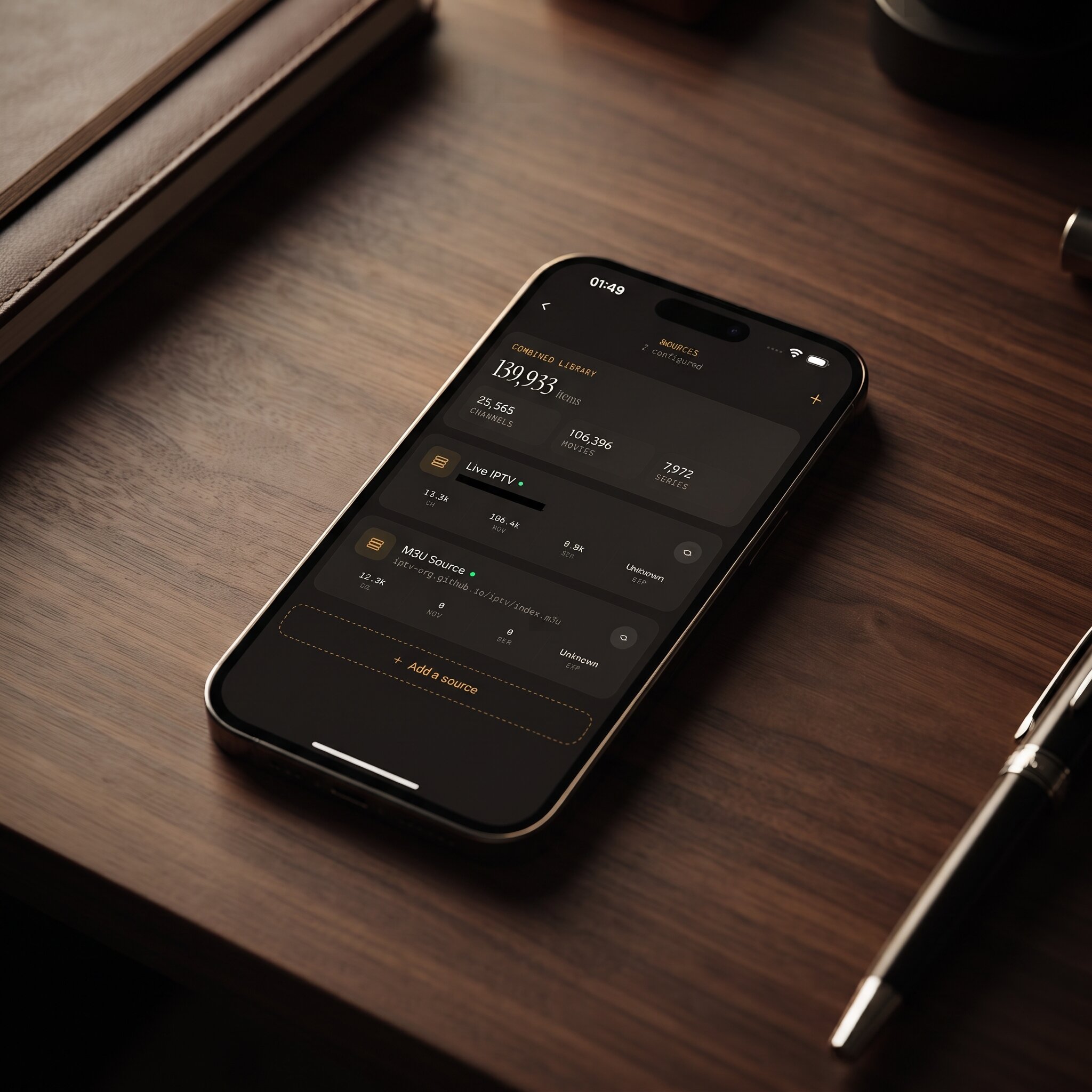
Maximus IPTV Player supports multiple sources in one library on both iPhone/iPad and Android, and shows the combined totals on one Sources screen. That is convenient, but it also means the overlap between sources becomes visible. If you load your main Xtream Codes login (a username, password and server address that a provider issues, which the player uses to fetch channels) plus a public M3U file, any channel present in both appears twice. That is expected behavior, not corruption.
Are duplicates a sign that something is broken?
Usually not. Ask three quick questions:
- Do the copies have different quality labels? If one says HD and another FHD, they are variants.
- Do they come from different sources? Open the Sources screen and check how many sources are active. Two sources almost always means overlap.
- Do they play identically? If two entries have the same name, same group and same behavior, the playlist likely lists the stream twice and the file itself is the cause.
If a copy never plays at all, that is a different problem. See our guides on fixing a playlist that will not load and on IPTV error codes such as 403 and 404.
How can you cut through duplicates without editing the playlist?
You do not need to edit anything to make a cluttered list usable. These habits do most of the work.
Filter by country first
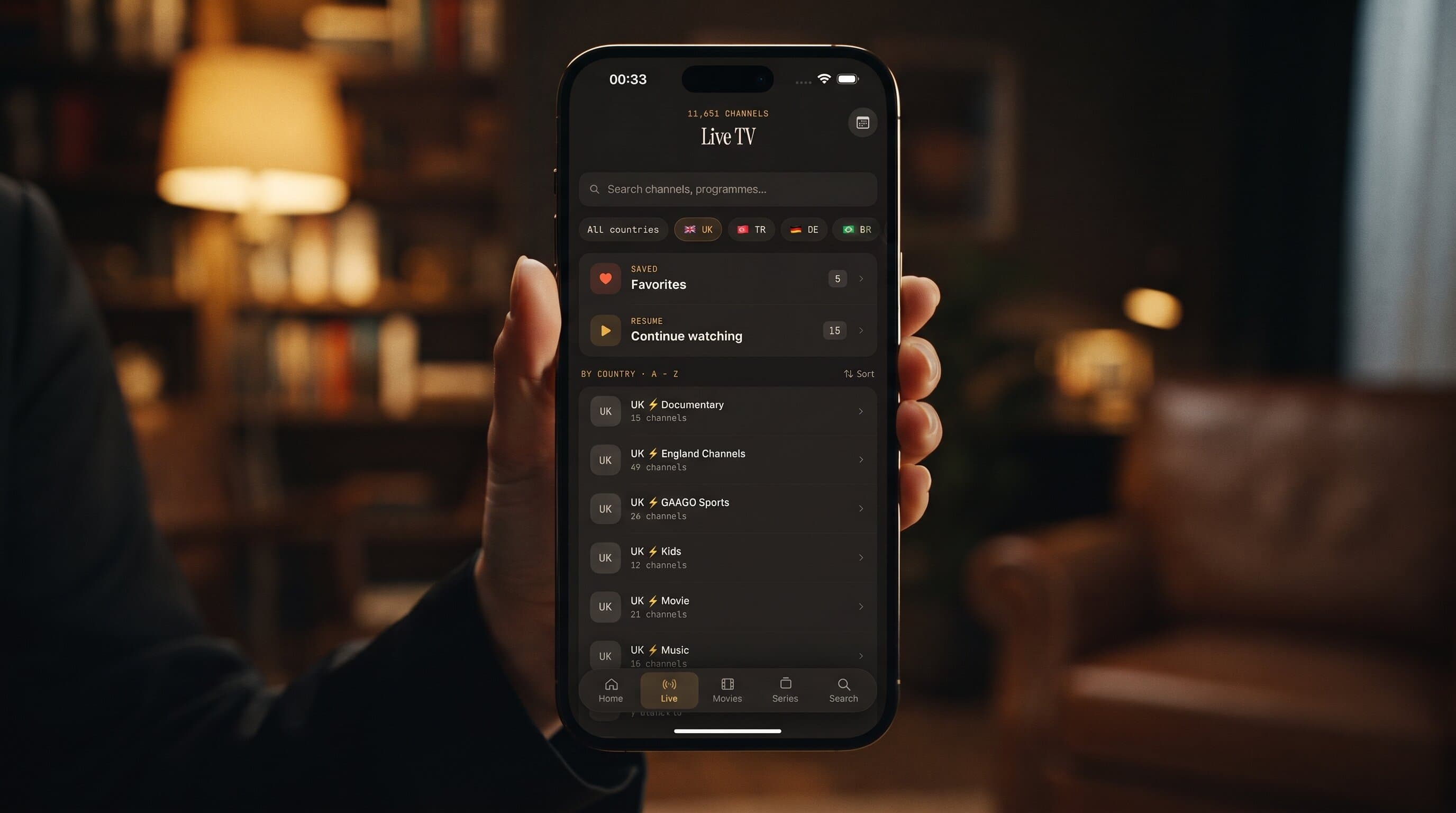
Maximus IPTV Player groups live TV by country, with quick filters at the top of the Live TV screen. Choosing the country you actually watch collapses thousands of rows into a few hundred. Regional duplicates simply disappear from view because the other regions are filtered out.
Pin the copy that works as a Favorite
When you find the version that plays best, add it to Favorites. From then on you open Favorites and ignore the rest. The duplicates are still in the library, but you no longer have to look at them. Because the app also keeps a Continue Watching list, the channel you last used is always a tap away.
Use search instead of scrolling
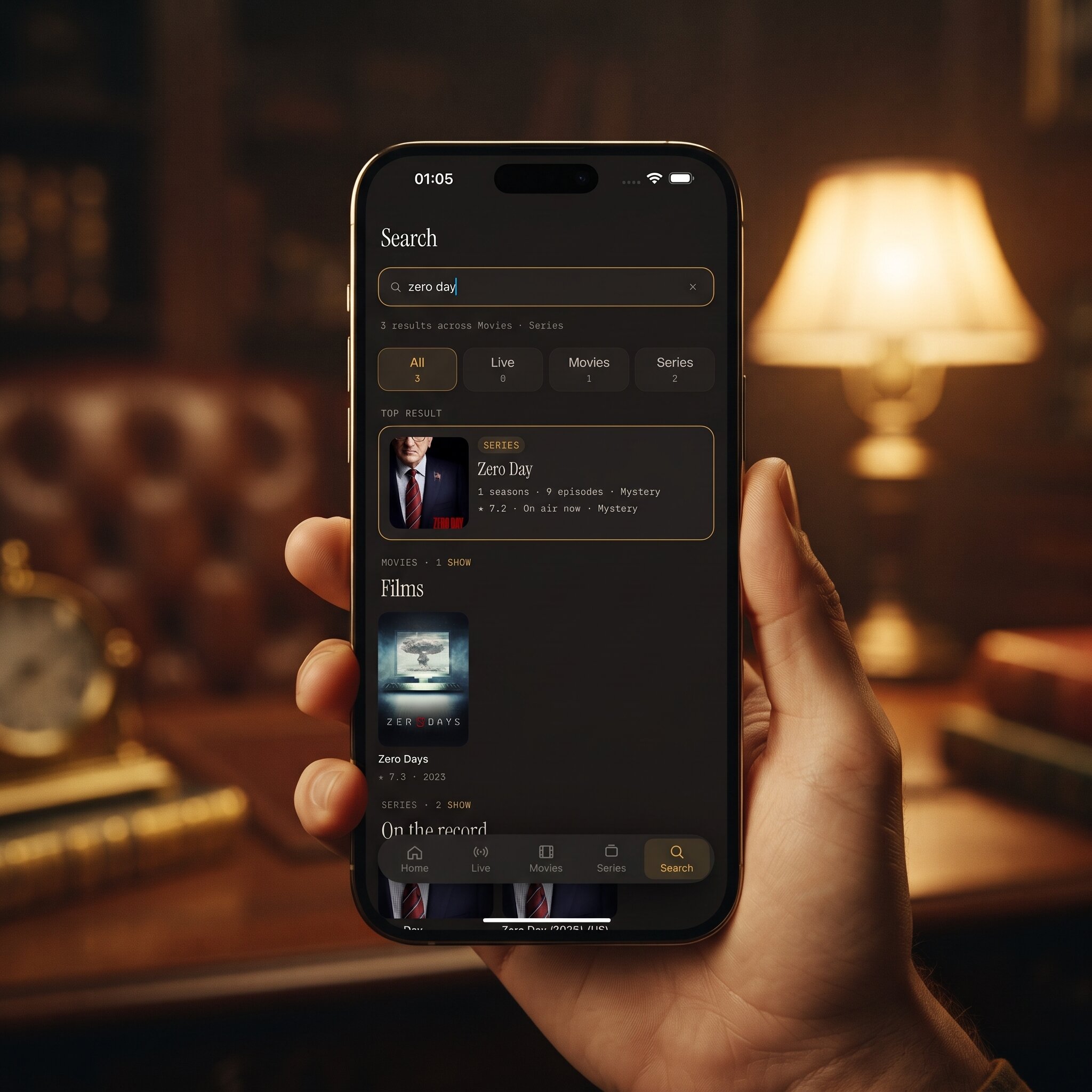
Universal search looks across live channels, movies and series from your sources at once. Typing a channel name returns every match, and the result-count tabs show how many copies exist per category. Scrolling a 10,000-row list is the slow way; search is the fast one.
Use the EPG to tell copies apart
The EPG (electronic program guide, the timeline that shows what is on now and next) is a handy test. A copy with a populated guide and correct program names is usually the one worth keeping. A copy with an empty guide row is often a backup or an unmapped entry. On both platforms, the guide offers Sports, Movies, Kids and Favorites filters, which also cut the noise. If program times look off, read our fix for EPG time zone mismatches.
Which copy should you actually keep?
When several versions exist, pick by your situation rather than by name.
- On a phone over mobile data: choose the lighter SD or HD copy. A 1080p stream needs far more bandwidth than a 576-line one, and the screen is small anyway.
- On a tablet or TV with a solid connection: choose FHD or 4K if the stream and your device allow it. Our 4K streaming guide covers what you need.
- For a channel that sometimes drops: keep two copies as Favorites, a primary and a backup, so you can switch in a second.
- For an event you cannot miss: test the copy a few minutes before it starts, not at kickoff.
How do you remove duplicates for good?
If the clutter genuinely bothers you, the fix has to happen at the source, because a player should not silently delete entries you may want.
If you manage your own M3U file, open it in a text editor. Each channel is a pair of lines: an #EXTINF line with the name and group, followed by the stream address. Delete the pairs you do not want, or remove repeated group tags so a channel lives in one group only. Keep a copy of the original before you edit.
If a provider supplies your playlist, ask them to prune repeats or provide a lighter list. Some providers offer several playlist variants, for example a basic one without backups.
If duplicates come from overlapping sources, the simplest answer is to keep only one source per country or purpose. On iPhone, iPad and Android, you can remove a source from the Sources screen without affecting the others. Premium on Android includes multiple sources, so check what your plan allows before restructuring.
Do not try to fix duplicates by hunting for "cleaner" lists from unknown places. Stick to playlists you legitimately have the right to use. A tidy list that is not yours is worse than a messy one that is.
What about duplicates in movies and series?
The same logic applies to VOD (video on demand, the library of movies and episodes). A film may be listed once per language, once in a "recently added" group and once in a genre group. A series can appear as several seasons packaged under separate entries. In Maximus IPTV Player, the movies and series library offers search and filters, and offline downloads let you save a specific episode once you have picked the version you like, so you only have to choose once.
Does Maximus IPTV Player hide or merge duplicates automatically?
No, and that is deliberate. The app shows what your sources contain, groups live TV by country, and gives you the tools to organize: filters, Favorites, search and a combined library view. There is no claim of automatic de-duplication, because merging "same-looking" channels can hide the copy that actually works for you. If you want a deeper tour of keeping thousands of channels manageable, read how to organize thousands of IPTV channels.
FAQ
Why do I see the same channel twice in my IPTV app?
Because the playlist lists it twice. Common causes are quality variants (SD, HD, FHD), backup streams, regional feeds, or the same channel belonging to two groups. Combining two sources also doubles up popular channels.
Does having duplicate channels slow down my player?
A very large list can take longer to load and scroll, but duplicates themselves do not slow playback. Playback speed depends on the stream and your connection. If loading feels heavy, see our note on big playlists loading slowly.
How do I find the best copy of a channel?
Try each version at the time you normally watch, then keep the one that starts fast and has a populated guide as a Favorite. Re-test if it ever starts buffering.
Can I delete one copy inside the app?
Use Favorites, filters and search to hide the clutter in practice. To remove an entry permanently, edit your M3U file or ask your provider, because the entry lives in the playlist, not in the app.
Are duplicates a legal or safety problem?
No. They are a formatting issue. The legal question is whether you have the right to use the content in your playlist, which is entirely your responsibility as the subscriber.
Conclusion
Duplicate channels are a normal side effect of how playlists are built: quality tiers, backups, regional feeds and overlapping sources. You do not have to live with the scroll. Filter by country, pin what works as a Favorite, lean on search, and trim the source only when you want a permanent change.
Maximus IPTV Player is free to download. Get it on the Apple App Store for iPhone and iPad, or on Google Play for Android phones, tablets and Android TV.
Written by
Maximus IPTV Team