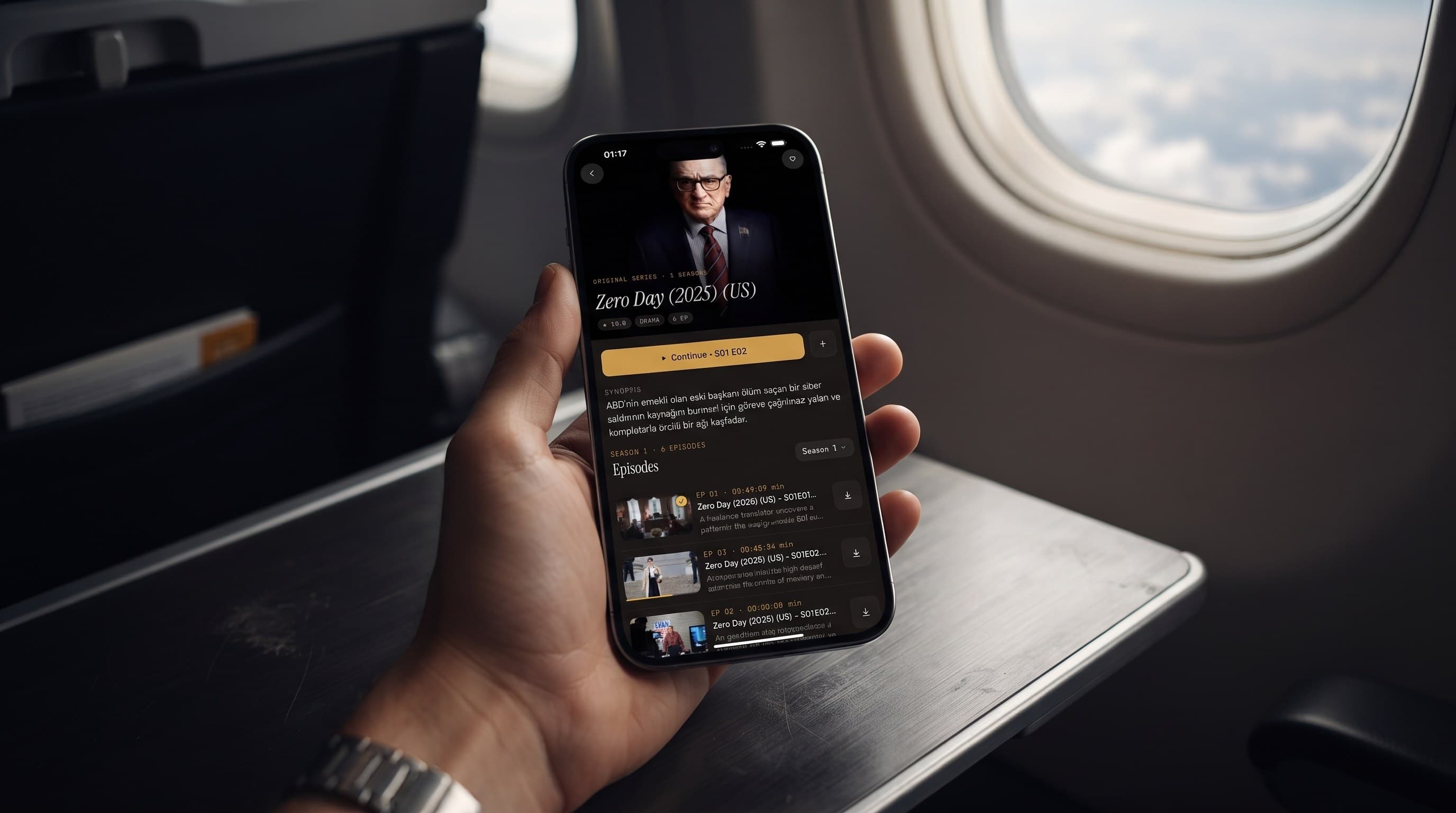
Offline IPTV Downloads: Watch Without a Connection
Picture the last hour before a long flight: you're packing, you're rushing, and the one thing you know for sure is that the plane's Wi-Fi either won't exist or won't be worth using. That's exactly the moment offline downloads in Maximus IPTV Player are made for. Alongside its live TV guide and on-demand library, the app lets you save movies and series episodes to your device ahead of time, so a missing signal doesn't mean a missing show. If you've only ever used it for live streaming, this is the feature worth learning next, and it's useful well beyond airplanes.
One ground rule before we start: Maximus is a player, not a content source. Everything you download comes from your own legal IPTV subscription or playlist, the same way you'd save a show from a streaming service before a trip.
Key Takeaways
- Maximus IPTV Player lets you download individual movies and series episodes from your library and watch them with no internet connection.
- Downloads start from the same title and episode screens you already browse, so there's no separate downloads app to learn.
- Only on-demand content can be saved. Live channels and the TV guide are real-time by nature and still need a connection.
- File size depends on running time and quality. As a rough industry benchmark, HD video uses around 1 to 3 GB per hour and 4K several times that.
- Downloads work on iPhone, iPad and Android phones and tablets. On Android, offline downloads are part of Premium, which offers a 7-day free trial on monthly and annual plans.
- Download on Wi-Fi the night before, delete what you've finished, and both your storage and your data plan stay under control.
What Does "Offline Downloads" Actually Mean?
IPTV (Internet Protocol Television) delivers live channels, movies and series over the internet instead of cable or satellite. Normally that means streaming: the app pulls video from your provider continuously while you watch. Most IPTV streams use HLS (HTTP Live Streaming), a format that splits video into short segments delivered a few seconds at a time. That's why a weak connection causes stuttering. Every few seconds the player is waiting for the next chunk.
Downloading flips the order. You fetch the whole file once, while you have good Wi-Fi, and the video then lives on your device's storage. After that, playback doesn't care whether you're in airplane mode, underground, or hours from the nearest cell tower. There's nothing left to fetch, so there's nothing to buffer.
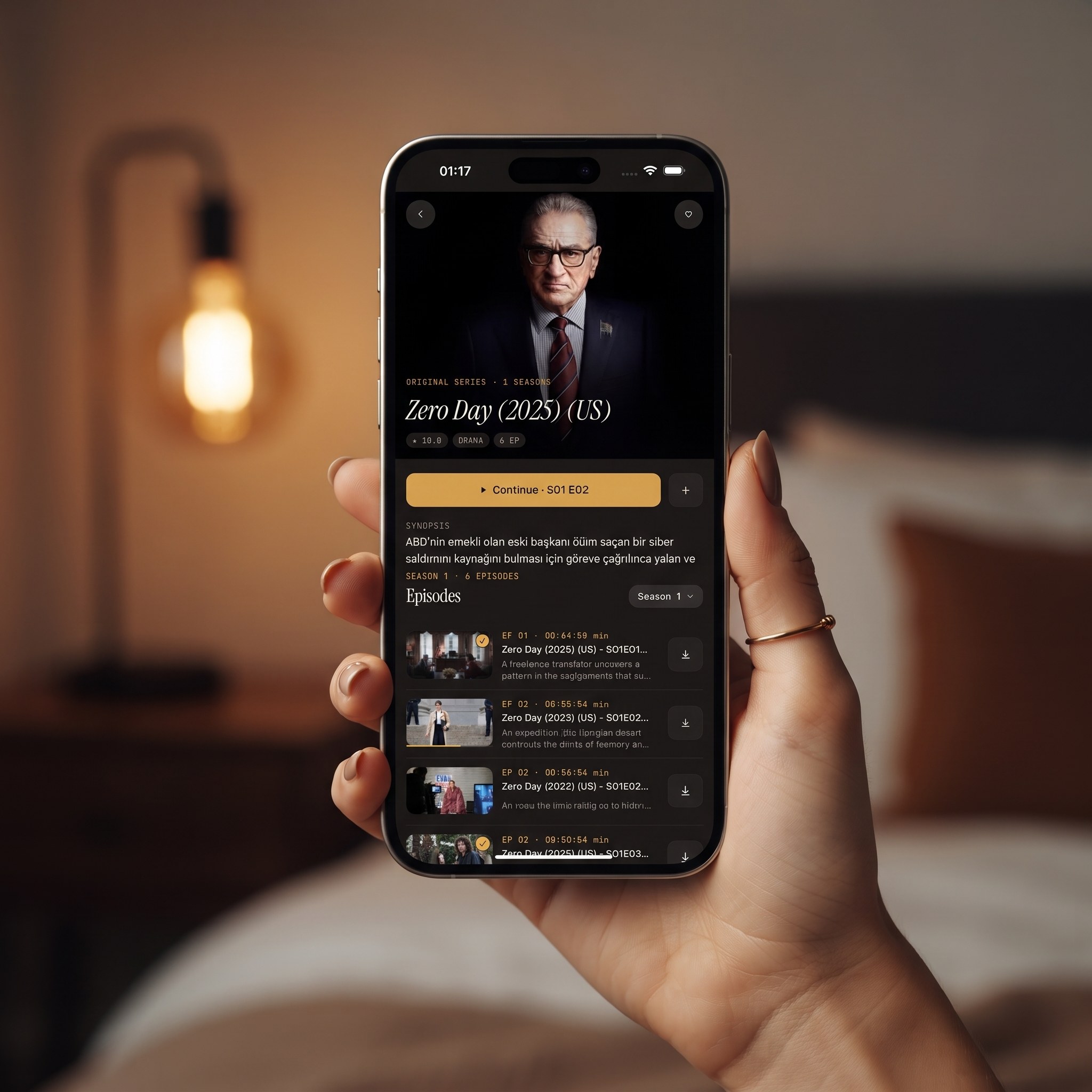
In Maximus IPTV Player this works title by title. For a series, you pick individual episodes rather than being forced to save a whole season, which matters when you're trying to be deliberate about storage.
What Can You Download, and What Can't You?
Downloads cover the on-demand side of your library: the movies and series episodes your provider makes available, the same catalog you browse in the Movies & Series library.
Two things can't be saved, and it helps to know that before a trip:
- Live TV channels. A live channel is a continuous real-time feed, not a fixed file, so there's nothing static to download. Live sports and news genuinely need a connection.
- The EPG. The EPG (Electronic Program Guide) is the timeline grid showing what's airing now and next. It's schedule data that refreshes over time, so it's an online tool by design.
In practice this isn't much of a limitation. Live viewing is about what's happening right now, while downloads solve the other half of IPTV: the movies and series you'd happily watch anywhere.
Why Would You Download Instead of Stream?
Most of the time you won't need to. Streaming is simpler, and the live guide and library are built for the moments you're connected. Downloads exist for the exceptions, and there are more of those than people expect:
- Flights. Long-haul flights run many hours, and in-flight Wi-Fi is often slow, expensive or simply missing on your leg.
- Commutes. Subways, tunnels and some regional trains drop signal again and again. That turns a live stream into a stuttering mess but doesn't affect a file you already have.
- Data caps. If your mobile plan limits data, downloading an episode once on home Wi-Fi is far kinder to your allowance than streaming it over cellular.
- Weak coverage. Cabins, campsites and some rural homes don't have reliable broadband.
- Travel abroad. Downloading on a trusted connection before you leave beats relying on hotel Wi-Fi or roaming data. Our guide to watching IPTV while traveling covers the rest of the trip.
- Kids in the back seat. Save a few kid-friendly episodes before a road trip, and pair it with the parental lock, which hides adult content behind a PIN.
None of these are rare. They're the ordinary friction of watching video away from a strong, unmetered connection.
How Do You Download a Movie or Episode in Maximus IPTV Player?
The workflow stays close to how you already browse:
- Connect to Wi-Fi so the download doesn't eat into your mobile data.
- Find the movie or series in your library, either by browsing or with universal search.
- Open the title's detail page. For a series, scroll to the episode list.
- Tap the download control next to the movie or the episode you want.
- Let the download finish before you lose your connection.
- Later, open the same title and play it, no connection required.
Because downloads are per episode, you can grab exactly what you plan to watch, say the four episodes you're behind on, without filling your device with a back catalog you won't touch this week.
How Much Storage Will Downloads Use?
Exact sizes depend on how long a title is and the quality your provider delivers it in, so treat these as general streaming-video benchmarks rather than figures specific to the app:
- Standard definition (SD): usually under 1 GB per hour.
- Full HD (1080p): roughly 1 to 3 GB per hour.
- 4K: often 7 GB or more per hour.
A phone with 20 to 30 GB free has room for a handful of HD episodes but fills up quickly with 4K. Smaller-storage phones and tablets, where photos and apps already compete for space, run out sooner than you'd think. Check your free space in your device settings before a big download session.
The practical rule is simple: download what you'll actually watch in the next day or two, plus one or two spares in case of delays. Four episodes for a weekend trip take far less room than forty, and you can always download more once you're back on Wi-Fi.
How Do Downloads Fit a Trip, Commute or Data Cap?
Think of downloading as a five-minute habit the night before, not something you try at the gate when it's already too late. Airport Wi-Fi is crowded, and a delayed flight is a bad time to discover a download never finished.
- Before a flight: download the episodes or movie you're likely to watch on that leg, plus a spare.
- Before a daily commute: save one or two episodes on home Wi-Fi the evening before.
- On a capped plan: do all your downloading on Wi-Fi. Our breakdown of how much data IPTV streaming uses shows how quickly streaming over cellular adds up.
None of this changes how you use the app day to day. Downloads sit alongside the live guide and on-demand browsing, not in place of them.
How Do You Keep Downloads From Filling Your Device?
Downloads stay on your device until you remove them, so a little housekeeping goes a long way:
- Delete as you watch. Once you've finished an episode, remove the download rather than letting it sit.
- Skip the "just in case" season. Queue what you'll watch, not everything you might.
- Review before each trip. A quick clear-out before downloading the next batch keeps storage from creeping up over a multi-week journey.
Does It Work the Same on iPhone, iPad and Android?
The idea is the same on both platforms: open a title, tap download, watch later without a connection.
- iPhone and iPad: the iOS app from the App Store supports offline downloads. The iPad's larger screen makes it a comfortable travel companion for a long flight.
- Android phones and tablets: the Google Play app supports downloads too. On Android, offline downloads are part of Premium, and monthly and annual plans include a 7-day free trial.
- Apple TV: there's no Apple TV app. Apple TV is reached by AirPlay from an iPhone or iPad, so plan to watch downloads on the device in your hands.
On iOS, iCloud also keeps your playback progress in sync between iPhone and iPad. There's no sync between iOS and Android.
Is Downloading Different From Casting?
Yes, and they solve opposite problems. Casting sends video to a bigger screen. From an iPhone or iPad, Maximus IPTV Player supports AirPlay (Apple's wireless streaming to Apple TV and compatible TVs) and Chromecast (Google's streaming standard for Chromecast devices and Google TV). The Android app doesn't cast; Android TV and Google TV run the app natively instead. Our AirPlay vs Chromecast guide walks through the setup.
Casting needs a working connection the whole time you watch. Downloading removes the network from the picture for anything you've saved. On a flight with no Wi-Fi, casting isn't an option, but a downloaded episode plays fine on your phone or tablet.
FAQ
Do I need Premium to download?
On Android, yes: Premium unlocks offline downloads, and monthly and annual plans start with a 7-day free trial. The app itself is free to download on both platforms, so check the in-app details on iPhone or iPad for what's included there.
Can I download live TV channels?
No. A live channel is a continuous feed rather than a file, so only on-demand movies and series episodes can be saved.
Will downloaded episodes play in airplane mode?
Yes. That's exactly what downloads are for. Once a title has finished saving, it plays without any connection.
Can I download over cellular data?
If you download away from Wi-Fi, it counts against your mobile data, and HD or 4K titles can use a big chunk of a monthly allowance. Downloading on Wi-Fi before you leave is the predictable choice.
Does the app track what I download or watch?
No. Maximus IPTV Player has no ads and no tracking, your provider credentials stay on your device, and downloaded files live in your device's own storage.
Do I need a VPN to watch downloads?
No. A VPN (Virtual Private Network) routes your internet traffic through another server, which only matters while you're online. A downloaded file plays locally, so a VPN has no effect on it.
Get Ready Before You Need It
Offline downloads aren't flashy, but they're the difference between a flight or commute with your show on tap and one spent staring at a loading spinner. Set them up before you need them, not during: pick a few episodes tonight on home Wi-Fi, and the next dead zone won't cost you your place in a series.
Maximus IPTV Player is free to download on the App Store for iPhone and iPad, and on Google Play for Android phones, tablets and Android TV.
Written by
Maximus IPTV Team