The Best IPTV Setup for Live Sports on iPhone and Android
It's Saturday, kickoff is in ten minutes, the group chat is buzzing, and you're still scrolling a channel list looking for the right feed. Sports is the one kind of TV that won't wait for you. Maximus IPTV Player is built for that moment: a player app for iPhone, iPad and Android (including Android TV) that turns your own legal IPTV subscription into an organized live TV guide, so you get from "what's on?" to "watching" in a few taps. This guide walks through a complete matchday setup, from finding games fast to getting them onto the big screen without buffering.
Key Takeaways
- Maximus is a player, not a provider. You bring your own legal IPTV subscription through an Xtream Codes login or an M3U/M3U8 playlist.
- The TV guide has a Sports filter, so you see sports programming instead of every channel in your lineup.
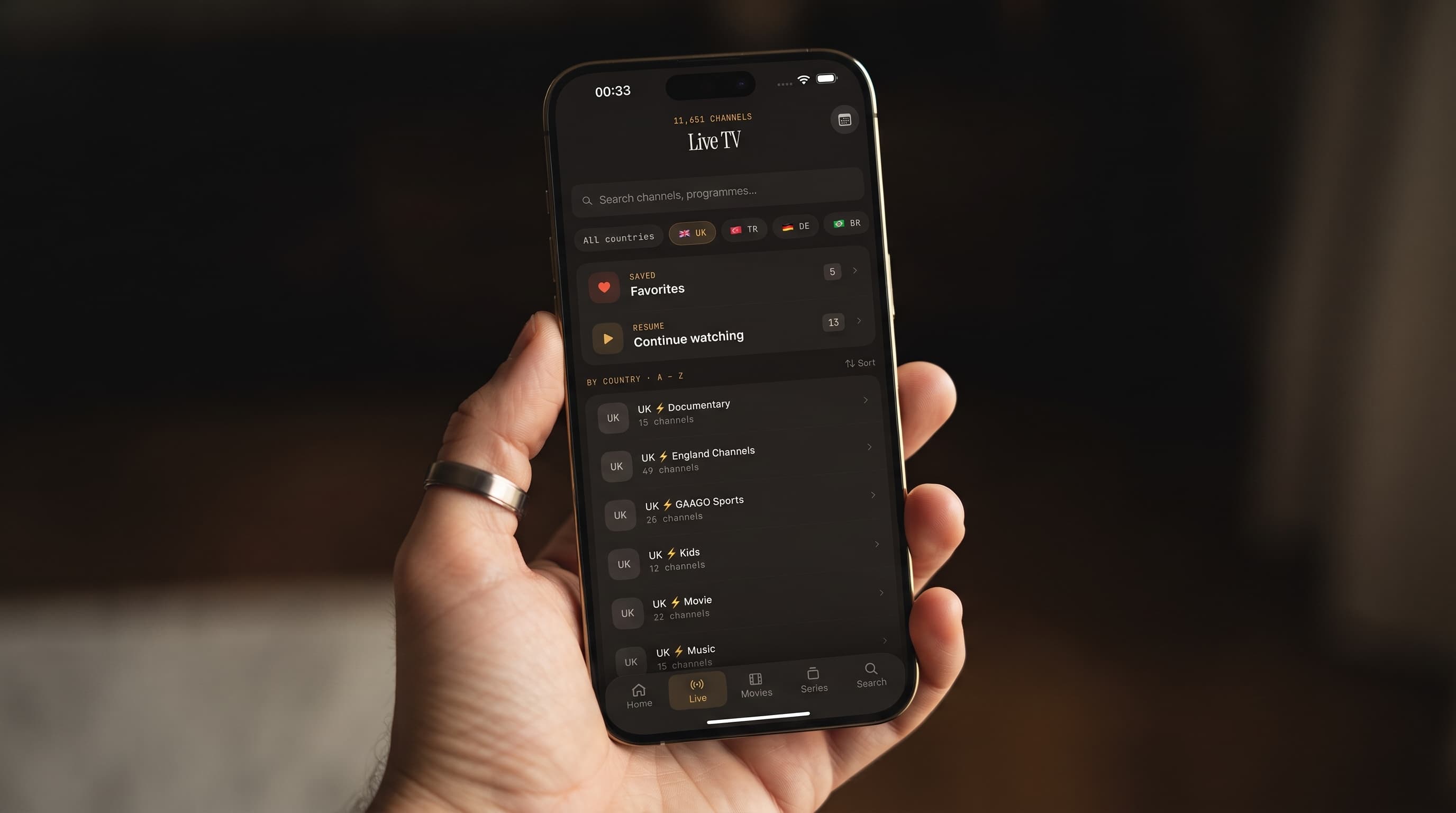
- Country filters and Favorites cut a huge channel list down to the handful of feeds you actually use on matchday.
- Big-screen options differ by platform. iPhone and iPad cast with AirPlay or Chromecast, while the Android app doesn't cast, so Android users install the native Android TV / Google TV app on the TV itself.
- Your connection matters more than any setting. Go wired where you can, and plan for roughly 25 Mbps per 4K stream.
Why do live sports need a better IPTV setup than movie night?
A movie will wait for you. A match won't. Live sports stress a streaming setup in ways on-demand content never does:
- Hard deadlines. Kickoff, tip-off and lights out happen on schedule, whether your stream is ready or not.
- Fast motion. Quick camera pans, a moving ball and a crowd in the background are hard to compress, so a weak stream shows blur and blocky artifacts at exactly the moments that matter.
- No catching up. You can't skip past a buffering pause on a live feed without missing the play.
- Overlapping games. Tournament weekends routinely put two or three matches you care about on at the same time.
So the best sports setup isn't about the longest feature list. It comes down to three things: finding the game fast, keeping the stream stable, and getting it onto the screen everyone in the room wants to watch.
What IPTV terms should sports fans know first?
A quick glossary so the rest of this guide makes sense:
- IPTV (Internet Protocol Television): live channels and on-demand video delivered over the internet instead of cable or satellite.
- M3U and M3U8: playlist files that list your provider's channels and where each stream lives. M3U8 is the UTF-8 version, which handles international channel names cleanly and is common for HLS streams.
- Xtream Codes: a login (server address, username and password) that many providers offer instead of a playlist file. It usually brings in live TV, movies, series and guide data in one go.
- EPG (Electronic Program Guide): the TV guide grid that shows what's on now and next on each channel.
- HLS (HTTP Live Streaming): a streaming method that can shift video quality up or down with your connection, so the picture keeps playing when your bandwidth dips.
- AirPlay: Apple's wireless technology for sending video from an iPhone or iPad to an Apple TV or AirPlay-compatible TV.
- Chromecast: Google's casting technology for sending video to a Chromecast device or a TV with Google Cast built in.
How do I set up Maximus IPTV Player for sports?
Setup takes a few minutes, and you only do it once per device:
- Install the app. Get it from the App Store for iPhone, iPad, Macs with Apple M1 or later, and Apple Vision, or from Google Play for Android phones, tablets and Android TV / Google TV.
- Add your source. Enter your provider's Xtream Codes login or paste your M3U/M3U8 playlist URL. On iPhone and iPad you can also add a source by scanning a QR code or importing a file.
- Let the guide load. If your provider supplies guide data, the EPG fills in with program titles and start times.
- Add your other subscriptions. If one provider covers your football and another covers basketball, add both. Maximus combines multiple sources into one library.
- Favorite your matchday channels. Tap the heart on the sports channels you watch every week so they're always one tap away.
- Set the parental lock if kids share the device. More on that below.
Maximus is free to download with an optional Premium subscription. On Android, Premium unlocks the full TV guide, offline downloads, parental lock, source refresh and multiple sources, and the monthly and annual plans include a 7-day free trial, which is plenty of time to test your setup across a full weekend of games.
How do I find today's matches without scrolling forever?
This is what the EPG is for. Instead of scanning a flat list of channel names, open the TV guide and tap the Sports filter. The timeline narrows to sports programming, so you can see at a glance what's live right now and what starts later in the day. The other filters (Movies, Kids and Favorites) work the same way, and Favorites is handy when you only want your regular channels in view.
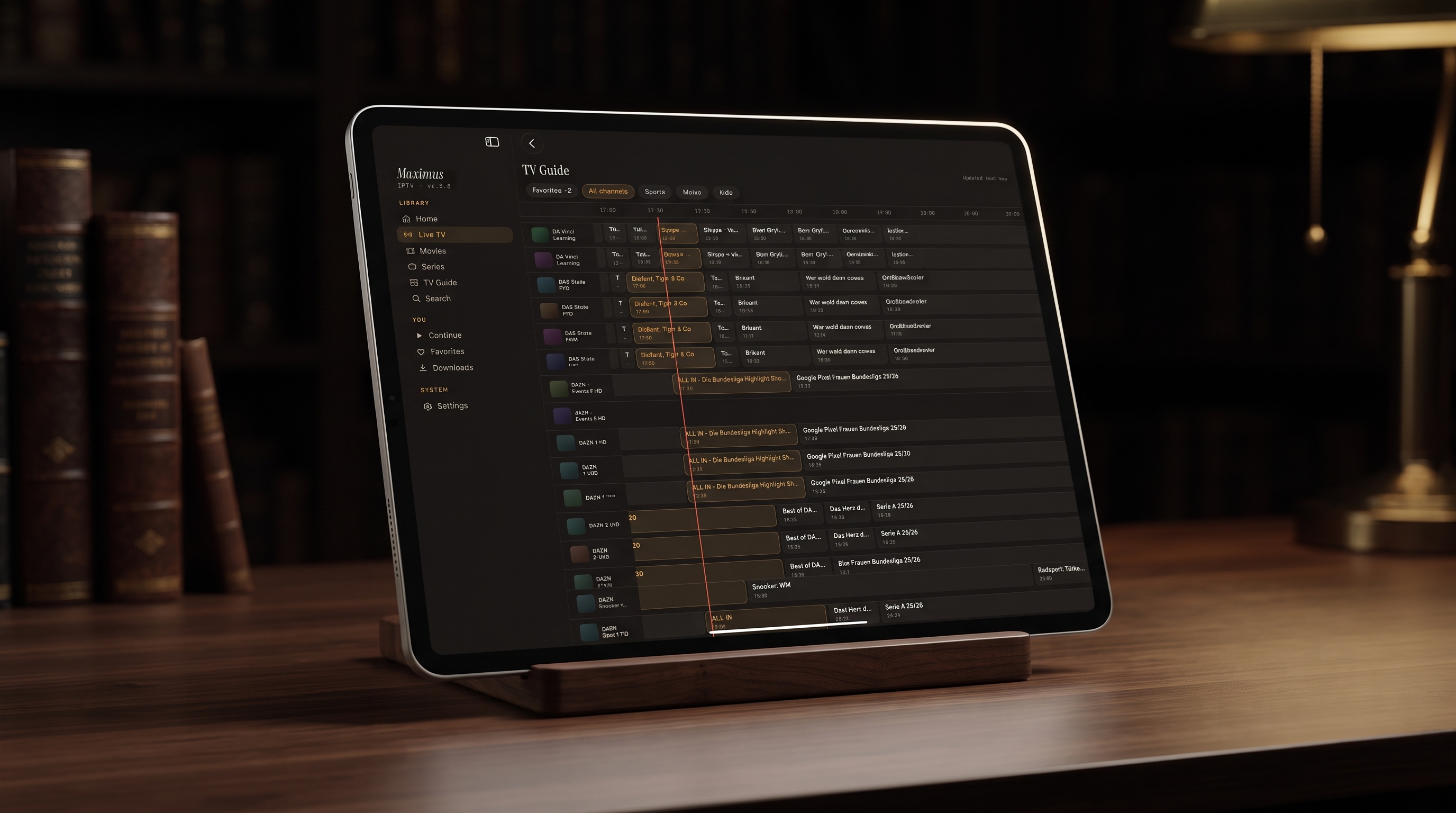
Here's what a well-populated guide does for a sports fan:
- Shows start times at a glance, so you can tell whether it's still the pre-match show or the game itself.
- Takes you straight to the channel. Tap a program and you're watching, with no typing or scrolling.
- Surfaces games you'd otherwise miss. A qualifier, a late-night fixture or a practice session shows up simply because it's sitting in the grid.
- Shows what comes next, so you know whether to stay for the post-match analysis or switch.
If a channel shows no program title, your provider usually isn't sending guide data for it. The stream still plays; there's just nothing to display. If you already know what you want, universal search checks live channels, movies and series at once, so typing a team or competition name is often faster than browsing. For a deeper look at the guide, read IPTV Player with EPG: How the TV Guide Actually Works.
What if my leagues are broadcast in different countries?
International fans know this problem well: the Premier League is on one country's channels, the Bundesliga on another's, and a cricket series somewhere else entirely. Maximus groups live TV by country and adds country filters, so you can jump straight to the right national lineup instead of scrolling past hundreds of unrelated channels.
A simple matchday routine:
- Filter by country to find the broadcaster carrying your league.
- Favorite that channel the first time you find it.
- Start from Favorites next week instead of repeating the search.
Our guide to filtering international channels by country covers this in more detail.
What do I do when two games overlap?
Overlapping kickoffs are normal during tournaments. A few ways to stay on top of both:
- Combine your sources. If your subscriptions are split across providers, add them all. Because Maximus merges multiple sources into one library, both matches are reachable from the same Live TV screen and the same search, with no app-switching.
- Keep a tight Favorites list. Flipping between two favorited channels is much quicker than digging back through country groups.
- Use a second screen. Put the main game on the TV and the other match on an iPad or Android tablet beside you.
- On an Android phone or tablet, use Picture-in-Picture. The match keeps playing in a small floating window while you check scores or answer the group chat, and background playback keeps the audio going when you switch apps. Picture-in-Picture isn't available on iPhone or iPad.
How do I get the match onto the big screen?
This is where iPhone and Android setups differ, so here's the honest breakdown:
- iPhone and iPad: Start the stream, tap the cast icon in the player and pick your device. AirPlay sends it to an Apple TV or AirPlay-compatible TV; Chromecast sends it to a Chromecast or a TV with Google Cast built in. Your phone stays in your hand as the remote.
- Apple TV: There's no Maximus app for Apple TV. You reach it by AirPlay from an iPhone or iPad, which works well for most living rooms.
- Android TV and Google TV: Install Maximus directly on the TV or streaming box from Google Play. It has a native interface designed for a TV remote, not a stretched phone layout, so browsing the guide from the couch feels natural.
- Android phones and tablets: The Android app doesn't include casting, so the best big-screen route for Android households is running the app natively on an Android TV or Google TV device.
For AirPlay, keep your iPhone and TV on the same Wi-Fi network, ideally on the 5 GHz band. Step-by-step instructions are in AirPlay vs Chromecast: How to Cast Maximus IPTV to Your TV.
How do I stop buffering during big games?
Most sports buffering comes from the network or the provider, not the player. Run through this before a big game:
- Check your speed. As a rough guide, an HD stream needs around 5 to 10 Mbps and a 4K stream about 25 Mbps or more, per stream, plus headroom for everyone else in the house.
- Go wired where you can. An Ethernet cable to your Android TV box removes Wi-Fi wobble entirely. On Wi-Fi, use the 5 GHz band and keep the router reasonably close.
- Pause heavy downloads. Game updates, cloud backups and other streams compete for bandwidth right when the match starts.
- Try another feed. Many providers carry the same channel in several qualities. If the 4K feed stutters, the HD version of the same channel is often smoother.
- Remember it's peak time. Big matches put heavy load on provider servers. If everyone in your household is buffering at kickoff, the problem is almost certainly on the provider's side.
HLS helps by briefly lowering quality instead of freezing when your connection dips, but it can't create bandwidth that isn't there. For more fixes, read IPTV Buffering: Why It Happens and How to Make It Stop.
Does picture quality hold up during fast-paced action?
That depends mostly on what your provider sends. Sports is the least forgiving content for compression: grass, crowds and fast camera pans expose a low bitrate quickly. If your subscription offers 4K or high-bitrate HD feeds, and your connection and screen can handle them, fast motion stays sharp. If your provider only sends a low-bitrate stream, no player can add detail that isn't there. What the player can guarantee is that nothing gets in the way: there are no ads, so no banner pops up over a penalty and no pre-roll delays a restart.
How should a family set up a shared sports screen?
When the whole household shares one device, a few small choices keep matchday calm:
- Turn on the parental lock. It hides adult content behind a PIN, so kids can browse without stumbling onto something they shouldn't. On iPhone and iPad you can also unlock with Face ID; on Android, the lock re-arms automatically.
- Keep sports in Favorites, so anyone can find the game without learning the full channel list.
- Use Continue Watching for replays. If your provider offers full-match replays or highlight shows in its on-demand library, anything you start lands in Continue Watching. On iOS, playback progress syncs through iCloud between iPhone and iPad.
- Download for the road. Offline downloads work for movies and series episodes, which is useful if your provider publishes replays as on-demand titles and you're heading somewhere without a signal.
FAQ
Do I need a separate IPTV subscription to use Maximus IPTV Player?
Yes. Maximus is a player only. You bring your own legal IPTV subscription through Xtream Codes or an M3U/M3U8 playlist, and Maximus organizes and plays it. It doesn't sell, supply or recommend channels.
Can I watch Maximus on Apple TV?
Not with a native app, because there isn't one. You can AirPlay any stream from your iPhone or iPad to an Apple TV in a couple of taps.
How do Android users get the game on the TV?
The Android app doesn't include Chromecast; casting with AirPlay or Chromecast only works from iPhone and iPad. For Android households, the best big-screen option is installing Maximus on an Android TV or Google TV device, which uses a native remote-friendly interface.
Can I record live matches?
Offline downloads are for movies and series episodes rather than live channels. For live games, use the Sports filter in the EPG to plan ahead so you're on the right channel at kickoff.
What internet speed do I need for 4K sports?
As a general industry guide, plan for about 25 Mbps per 4K stream, and more if other people share the connection. HD usually plays smoothly at around 5 to 10 Mbps.
Is Maximus IPTV Player free?
It's free to download on the App Store and Google Play, with an optional Premium subscription. There are no ads and no tracking, and your login details stay on your device.
Your matchday setup, sorted
Sports don't wait, so the setup work belongs before kickoff, not during it. Add your legal subscription once, favorite your go-to channels, learn the Sports filter in the guide, and decide how the game reaches your TV: AirPlay or Chromecast from an iPhone or iPad, or, since the Android app doesn't cast, the native app on Android TV. Do that, and your Saturday goes from "which channel is it on?" to simply watching the match.
Get Maximus IPTV Player for iPhone and iPad on the App Store, or for Android phones, tablets and Android TV on Google Play.
Written by
Maximus IPTV Team