Best IPTV Player for Android in 2026: Compared
Open Google Play, type "IPTV player", and you get a wall of icons that all promise the same thing. Picking the best IPTV player for Android is harder than it looks, because the differences that matter (how it handles a broken playlist, whether the guide is usable on a phone, what happens when you switch to a TV) only show up after you have set one up. This guide gives you a practical way to compare Android IPTV players, and shows where Maximus IPTV Player fits against each criterion.
One thing first: an IPTV player is only the viewer. It does not provide channels, and neither does Maximus IPTV Player. You bring your own legal subscription or playlist, and the app plays it.
Key Takeaways
- Judge an Android IPTV player on six things: sources, guide, playback, organization, privacy and the big screen.
- Maximus IPTV Player runs on Android phones, tablets and Android TV / Google TV from one app and one Google Play listing.
- It supports Xtream Codes logins and M3U/M3U8 playlists, with no ads and no tracking.
- The Android app has no Chromecast casting, but it does have Picture-in-Picture on phones and tablets.
- The app is free to download; Premium unlocks the full TV guide, offline downloads, parental lock, source refresh and multiple sources, with a 7-day free trial on monthly and annual plans.
What should you look for in an Android IPTV player?
Most "best of" lists rank apps by star rating. Ratings mostly measure first impressions, not whether the app survives a bad playlist at 9 p.m. on a match day. These six criteria are a better filter, and you can test each one in the first ten minutes.
- Source support. Can it take the login or link your provider gave you?
- The guide. Is there a real timeline, or just a list of channel names?
- Playback features. Subtitles, audio tracks, Picture-in-Picture, background playback.
- Organization. Can you find anything once you have thousands of channels?
- Privacy. Does the app show ads, track you, or send your credentials anywhere?
- The big screen. Does it have a real TV interface, or a stretched phone layout?
Keep these in mind as you read on. Every section below maps to one of them.
Which sources should an Android IPTV player accept?
Providers hand you one of two things. The first is an Xtream Codes login: a server address, username and password. (Xtream Codes is a common API that lets a player download the channel list, guide and movie library from one login.) The second is a playlist link in M3U or M3U8 format. (An M3U file is a plain text list of stream addresses; M3U8 is the same idea in a UTF-8 encoded version, often used with HLS streams.)
Maximus IPTV Player accepts both on Android. If your provider gave you a username, password and server, use the Xtream option. If you got a link ending in .m3u or .m3u8, use the playlist option. Our guide on how the Xtream Codes API works explains which field is which, and if a login keeps failing, the playlist troubleshooting guide walks through the usual causes.
A warning about claims you may read elsewhere: some players advertise support for older portal formats. Maximus does not support Stalker Portal on Android or iOS, so if that is what your provider uses, you need a different route before you install anything.
Does the guide matter on a phone?
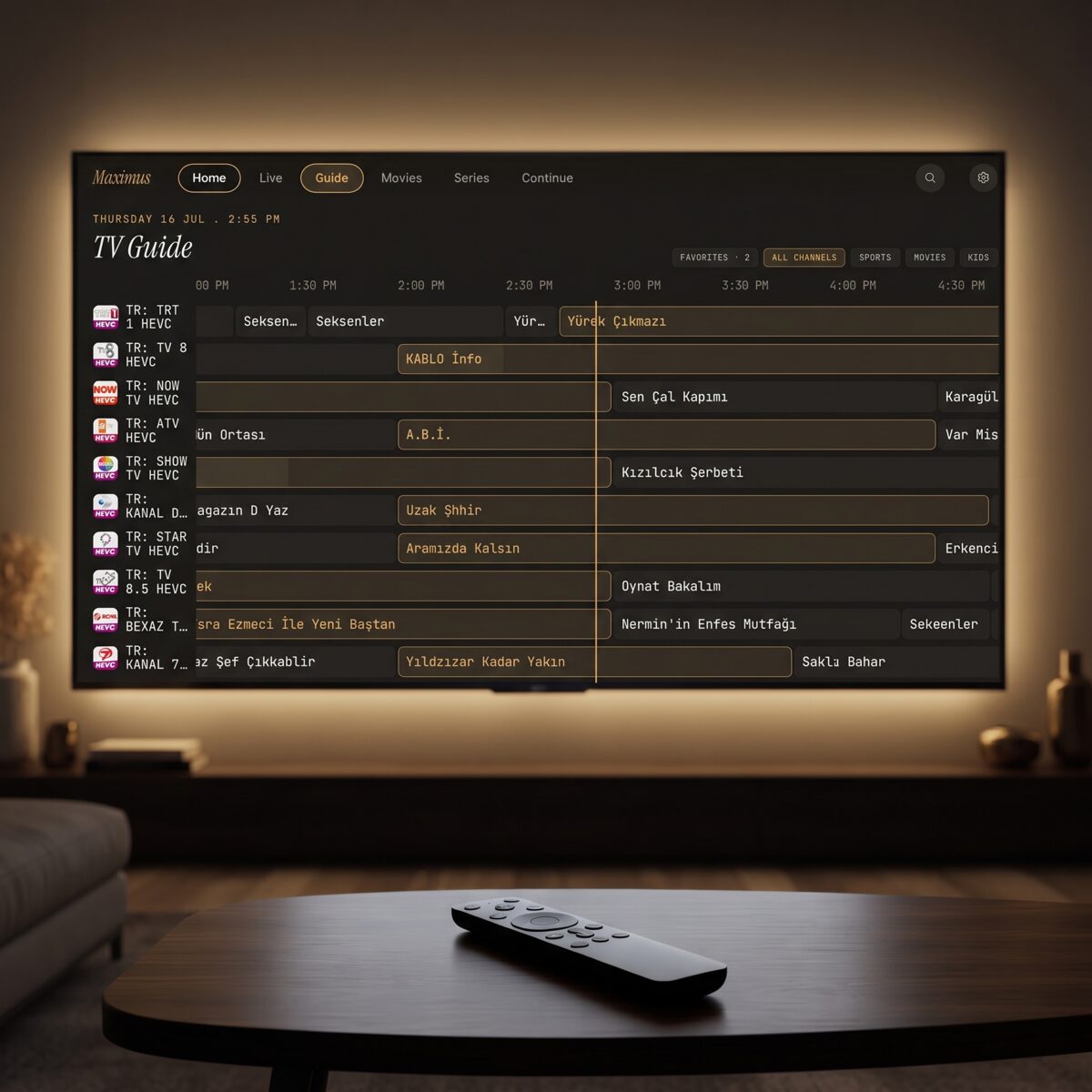
It matters more than you would expect. An EPG (electronic program guide, the schedule of what is on now and next) is what turns a list of 5,000 channels into something you can browse. A good one is a timeline: channels down the side, time across the top, and a marker showing the current moment.
Maximus IPTV Player has a real EPG timeline with Sports, Movies, Kids and Favorites filters. On Android, the full TV guide is part of Premium. If you mainly watch a handful of favorite channels, you may never miss it. If you browse by "what is on in the next hour", it is the feature to try during the free trial.
What playback features separate a good player from an average one?
Four are worth testing on Android specifically.
- Subtitle and audio track selection. Many streams carry two or three audio languages and several subtitle tracks. A player that cannot switch them is a dealbreaker if you watch international content.
- Picture-in-Picture (PiP). On Android phones and tablets, Maximus IPTV Player can shrink the video into a floating window while you check a message or look something up. Note that PiP is an Android feature in Maximus; it is not available on the iPhone or iPad version.
- Background playback. Audio keeps going when the screen is off. Useful for radio channels, news and commentary.
- Quality range. Maximus plays 4K, HD and SD streams, as far as your stream and device allow. A 4K stream typically needs a steady 25 Mbps or more, so the bottleneck is often your connection, not the app.
What Android does not have in Maximus is casting. There is no Chromecast (Google Cast) support in the Android app, so you cannot throw a stream from your phone to a TV stick. AirPlay and Chromecast casting exist only on the iPhone and iPad version. If you want the big screen on Android, the answer is below.
How do you stay organized with thousands of channels?
A typical provider list holds anywhere from 2,000 to 20,000 entries across live TV, movies and series. Three features keep that usable:
- Country grouping. Live TV is grouped by country, so international viewers can jump straight to a language.
- Universal search. One search box covers live channels, movies and series instead of making you hunt in three places.
- Favorites and Continue Watching. Star the channels you actually use, and the app remembers where you stopped in a movie or episode.
If you are moving from another app, the switching guide for Android IPTV apps covers what carries over and what you re-enter by hand. Multiple sources are supported too, so a second provider can live in the same library, a Premium feature on Android.
What about privacy and ads?
This is the criterion most comparison posts skip, and it deserves attention because an IPTV app handles your provider credentials. Maximus IPTV Player shows no ads and does no tracking, and your credentials stay on your device. There is a PIN-based parental lock for adult content, and on Android the lock re-arms automatically, so a child cannot slip back in through a lock you forgot to re-enable.
When you evaluate any player, check the Data safety section on its Google Play listing. It tells you what the developer says the app collects. Compare that with what you are comfortable with, and be wary of any IPTV player that is not clear about it.
Is there a real Android TV experience?
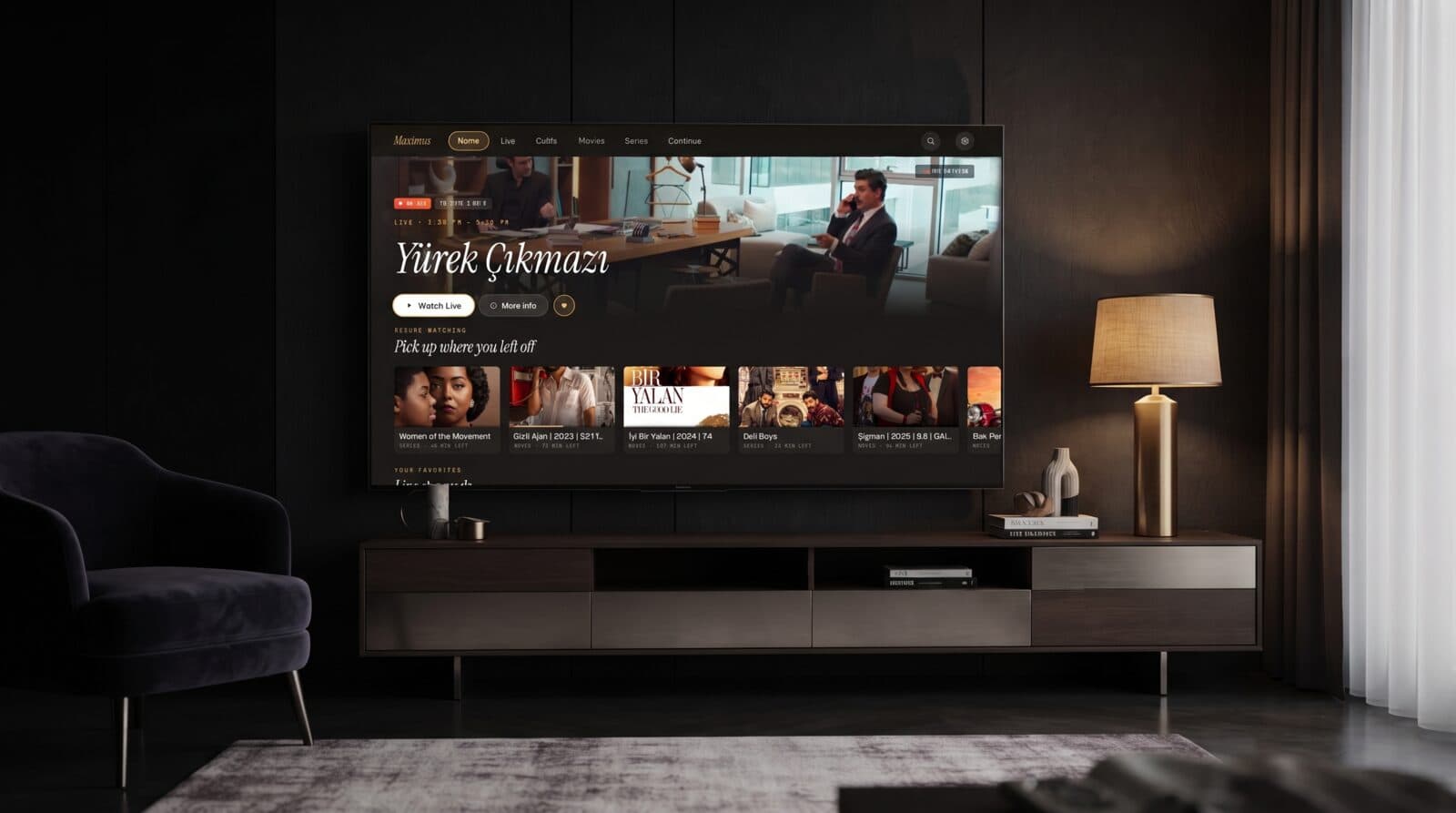
Yes, and it is a different interface from the phone. Maximus IPTV Player ships for Android TV and Google TV from the same application as the phone and tablet version. The Google Play listing describes it as "one app, one subscription" across phone, tablet and Android TV, with a native TV interface designed for your remote rather than a stretched phone layout.
In practice that means big, remote-friendly navigation: Home, Live, Guide, Movies, Series and Continue sit along the top, and you move between them with the D-pad. If the living room is where you watch most, read the Android TV remote-first setup guide before you decide.
Because the TV app runs natively, you do not need to cast from your phone, which neatly sidesteps the missing Chromecast support on the phone version.
How do the free and Premium tiers compare?
Maximus IPTV Player is free to download. Premium on Android unlocks the full TV guide, offline downloads of movies and episodes, the parental lock, source refresh and multiple sources. The monthly and annual plans include a 7-day free trial, so you can run through your own playlist and decide with real data. We do not list prices here because they can differ by region and change over time; the Google Play listing always shows the current ones.
One caution that applies to every player: a free app does not mean free channels. The player is free to try; your channel access still comes from your own legal provider.
A ten-minute test before you commit
Whichever app you try, run the same quick test so the comparison is fair:
- Add your real playlist or Xtream login, and time how long the channel list takes to load.
- Open the guide and check whether the times match your time zone.
- Play one channel for five minutes, then switch audio track and subtitles.
- Search for a movie title you know exists.
- Lock the screen mid-stream and see if audio keeps going.
- Put the app on a TV, or check that a TV version exists.
If an app fails two or more of these, move on. Thirty minutes of testing saves months of frustration.
FAQ
Is Maximus IPTV Player available for Android?
Yes. It is on Google Play for Android phones, tablets and Android TV / Google TV, all from one listing.
Does Maximus IPTV Player include channels?
No. It is a player only. You add your own legal subscription or playlist.
Can I cast from the Android app to a Chromecast?
No. The Android app does not support Chromecast or Google Cast. Casting with AirPlay and Chromecast is available on the iPhone and iPad version only. On Android, use the Android TV app instead.
Does it support M3U playlists and Xtream Codes?
Yes, both. It does not support Stalker Portal.
Does it work in Picture-in-Picture mode?
Yes, on Android phones and tablets.
Do my iPhone and Android subscriptions sync?
No. There is no subscription or playback sync between iOS and Android, so treat each platform separately.
Conclusion
The best IPTV player for Android is the one that handles your sources, shows a usable guide, and respects your privacy, on the screen you actually watch on. Run the ten-minute test above and judge for yourself. If you want to try Maximus IPTV Player on your Android phone, tablet or TV, you can get it on Google Play and start with the free download. Prefer an iPhone or iPad? It is on the Apple App Store too, with AirPlay and Chromecast casting that the Android version does not offer.
Want to read what Reddit users say instead of a feature comparison? See what Reddit recommends for Android.
Written by
Maximus IPTV Team