TiviMate IPTV Player for iPhone: What to Use Instead
You searched for the TiviMate IPTV player on your iPhone and found nothing you could install. That is not a glitch in the App Store. TiviMate is known as an Android and Android TV app, and as far as its public store listings go, there is no iPhone or iPad version. If you have just switched from an Android box to an iPhone, or you are shopping for a player and every recommendation says "TiviMate," this guide is for you. We will cover why the name keeps coming up, what you actually need from a replacement, and how Maximus IPTV Player, which is free to download on the Apple App Store, fits that job.
Maximus IPTV Player is not affiliated with TiviMate or its developer. We are not comparing prices or claiming anything about TiviMate beyond what its own store listing says. This is a practical guide to getting a good player on iOS.
Key Takeaways
- TiviMate is built around Android and Android TV. If you want it, you need an Android device or a Google TV box. It does not come to iPhone or iPad.
- What people like about it is not magic: a clean channel list, a real TV guide, favorites, and fast channel switching. All of that exists on iOS too.
- Maximus IPTV Player runs on iPhone and iPad, and on Macs with Apple silicon, with Xtream Codes login and M3U/M3U8 playlist support.
- Your content stays your own. Maximus is a player; you bring your own legal subscription or playlist.
- Keep away from "cracked" or modified versions of any player. They are a security risk and a licensing problem, and we do not cover them here.
Why Can't I Find TiviMate on My iPhone?
Different players target different platforms, and TiviMate chose Android. It is widely used on Android TV boxes, Google TV devices and phones, which is why it dominates recommendations on forums where most people run an Android-based streaming stick. Those threads rarely mention that Apple users are left out.
If an app does not appear in the App Store when you search for its exact name, it is not available for your device. Be careful with websites that offer a "TiviMate for iOS" download. An iPhone app has to come from the App Store (or TestFlight for official betas), and anything else asking for a profile install or your Apple ID password is a red flag.
So the useful question is not "how do I get TiviMate on iPhone?" It is "which iOS player gives me the same things I liked?"
What Do You Actually Want From a TiviMate Replacement?
Most people who ask for TiviMate want five things. Write down which ones matter to you before you compare anything:
- A proper TV guide. EPG stands for Electronic Program Guide: the grid that shows what is on now and next across channels. It is the single feature that makes IPTV feel like television rather than a long list of links.
- Favorites and quick access. A subscription can contain thousands of channels. You want your 20 to float to the top.
- Easy source setup. Most providers hand you either an Xtream Codes login (a server address, username and password) or an M3U link. M3U is a plain-text playlist format; M3U8 is the same idea with UTF-8 text encoding, often used for HLS streams. HLS (HTTP Live Streaming) is the technology most live streams use to deliver video in small chunks.
- Stable playback. No constant crashes, no random black screens, sensible handling of audio and subtitle tracks.
- Respect for your privacy. Your login details should not be shipped off to a third party.
How Does Maximus IPTV Player Cover Those Needs on iPhone?
Here is what Maximus IPTV Player offers on iOS, based on what the app actually does today:
- Sources: Xtream Codes login and M3U/M3U8 playlists. On iOS you can also add a source with a QR code or a file.
- TV guide: a real EPG timeline with Sports, Movies, Kids and Favorites filters, with a marker for the current time.
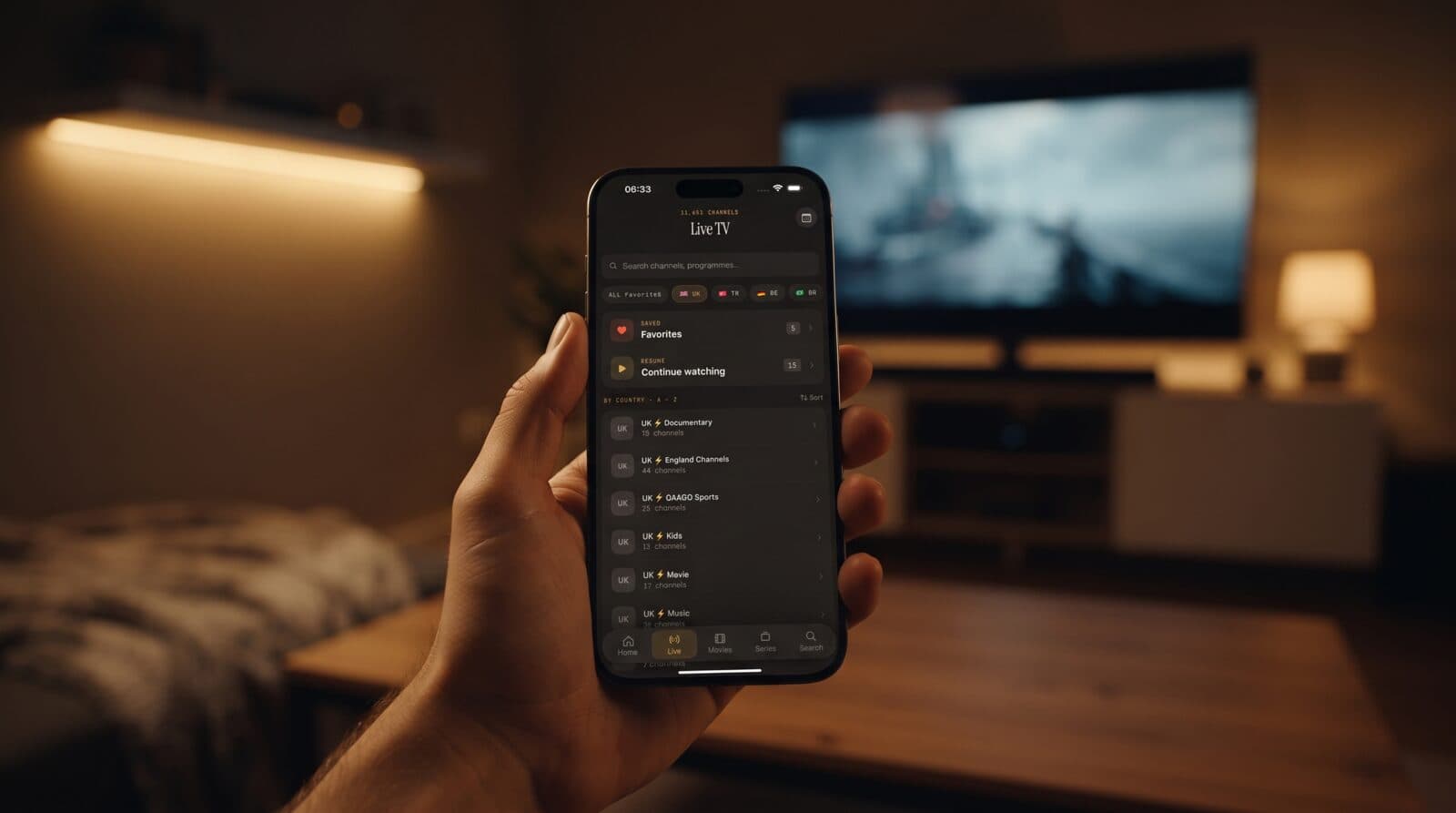
- Live TV by country: channels are grouped by country, so a library with 11,000+ channels stays navigable instead of becoming one endless scroll.
- Favorites and Continue Watching: the two shortcuts that matter most when you open the app.
- Movies and series: a library view with posters, search and episode lists.
- Tracks and quality: subtitle and audio track selection, and 4K, HD or SD playback as your stream and device allow.
- Offline downloads of movies and episodes, and a PIN-based parental lock (with Face ID on iOS).
- No ads, no tracking. Credentials stay on your device.
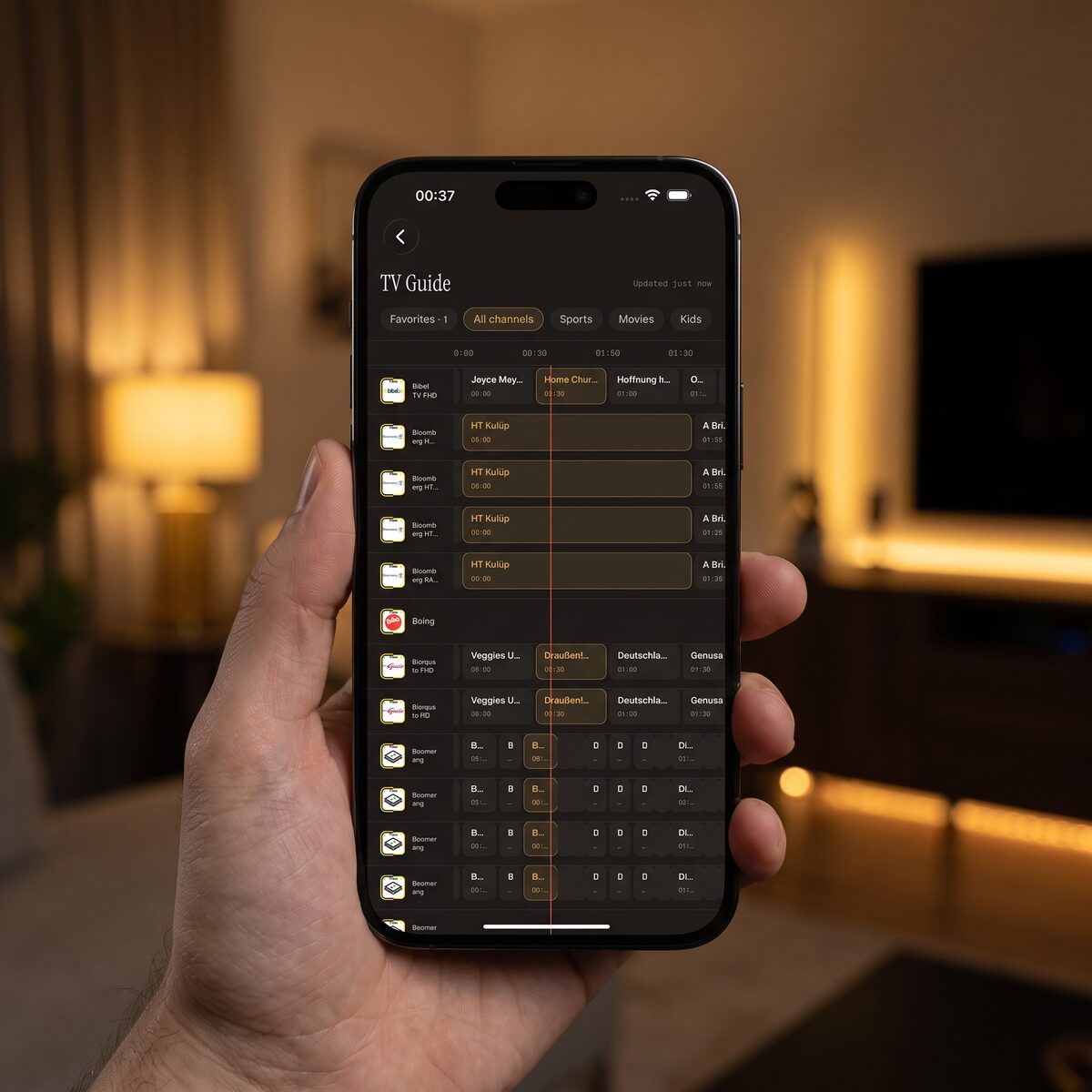
The TV guide above is the part people ask about most. The orange line marks "now," and the tabs at the top filter by Sports, Movies, Kids or Favorites. If a guide is empty or shifted by an hour, the usual cause is a time zone mismatch in the provider's guide data, not the player.
Maximus is free to download, with an optional premium subscription. We will not quote prices here because they change; check the App Store listing for the current plans.
How Do You Move Your Setup From Android to iPhone?
Nothing carries over automatically. TiviMate settings do not export into an iOS app, and Maximus does not sync with Android apps. The good news: your actual content lives with your provider, so moving is a ten-minute job.
- Find your login. Open your provider's welcome email or account page. Copy the server address, username and password if it is an Xtream Codes account, or the full M3U link if it is a playlist.
- Install Maximus IPTV Player from the App Store on your iPhone or iPad.
- Add the source. Choose Xtream Codes or M3U, paste the details, and wait for the library to load. A big playlist can take a minute; there may be tens of thousands of items.
- Re-create your favorites. Star your 15 to 20 most-watched channels once. They are then at the top of Live TV.
- Check the guide. Open the TV guide and confirm the "now" line matches what is on. If not, see our guide to fixing EPG time zone mismatches.
If login fails, the problem is almost always a typo, an expired subscription or a blocked connection rather than the app. Our guide to Xtream username and password errors walks through it step by step.
What About Several Sources and Several Devices?
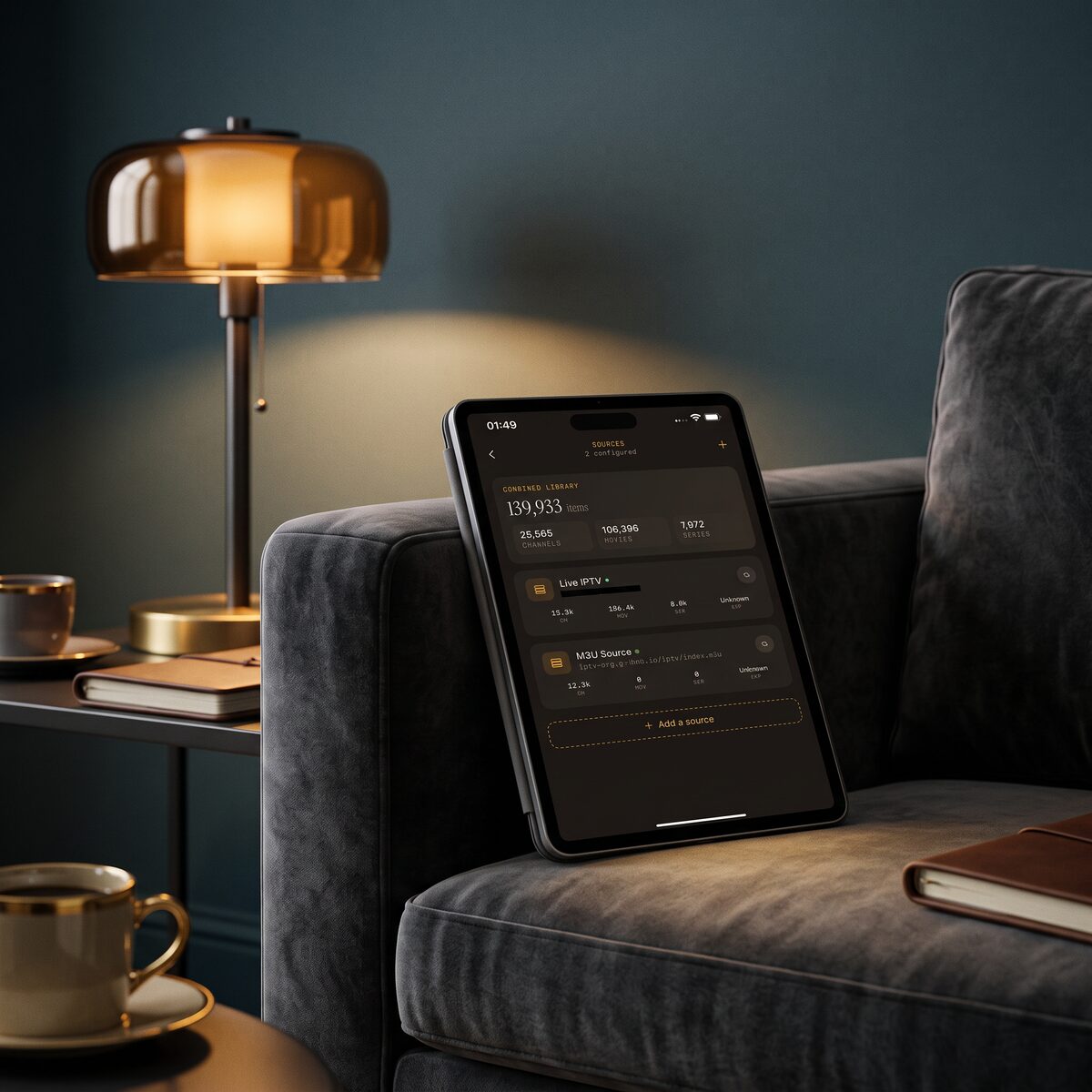
Many households have more than one subscription: one for sports, one for international channels. Maximus can hold multiple sources in one combined library, so you search once instead of switching apps. In one test screenshot the combined library showed over 139,000 items from two sources, with channels, movies and series counted separately.
For the big screen, the iPhone and iPad app can send video with AirPlay (Apple's wireless streaming) to an Apple TV or AirPlay-capable TV, and with Chromecast (Google's casting protocol, also called Google Cast) to a Chromecast device. There is no Apple TV app, so on that box AirPlay is the route. If you also own an Android TV or Google TV device, Maximus runs there natively from Google Play, but that is a separate install, and your iOS settings do not sync to it. Playback progress syncs between iPhone and iPad through iCloud.
Is It Safe to Install Whatever an Alternative List Recommends?
No, and this is where many forum lists go wrong. Be skeptical of any "free premium" version of a paid player, any APK-style file for an iPhone, and any site that wants you to install a configuration profile. A legitimate IPTV player is a viewer for content you are entitled to watch. It should never need to bundle channels, and you should never need to pay for a "cracked" copy of anything.
Stick to the App Store, read the privacy label, and prefer apps that state plainly that they do not track you. Also keep your provider credentials out of screenshots you share on forums.
FAQ
Is there an official TiviMate app for iPhone? Not that we are aware of. It is distributed for Android and Android TV. Check the App Store yourself by searching its exact name.
Will my TiviMate favorites and groups import into Maximus? No. There is no cross-app import, so plan on re-starring your favorites. It takes a few minutes.
Does Maximus IPTV Player supply channels? No. It is a player. You use your own legal subscription, Xtream Codes account or M3U playlist.
Can I use the same subscription on iPhone and Android? Your provider decides how many devices can stream at once. Maximus does not share a subscription between iOS and Android, and there is no iOS-to-Android sync.
Does it work on iPad and Mac? Yes. The same app runs on iPad and on Macs with Apple silicon.
Is it free? It is free to download, with an optional premium subscription.
Which Player Should You Pick?
If you live on Android and Google TV, TiviMate is a reasonable answer and Maximus is also available on Android phones, tablets and Android TV. If you live on iPhone and iPad, the question is simply which iOS player gives you a clean guide, quick favorites and no tracking. Try Maximus with your own source for a few days and judge it by the things you actually use: how fast you reach your favorites, whether the guide is accurate, and whether playback holds up in the evening.
Download Maximus IPTV Player on the Apple App Store for iPhone and iPad, or get it on Google Play for Android phones, tablets and Android TV.
Written by
Maximus IPTV Team