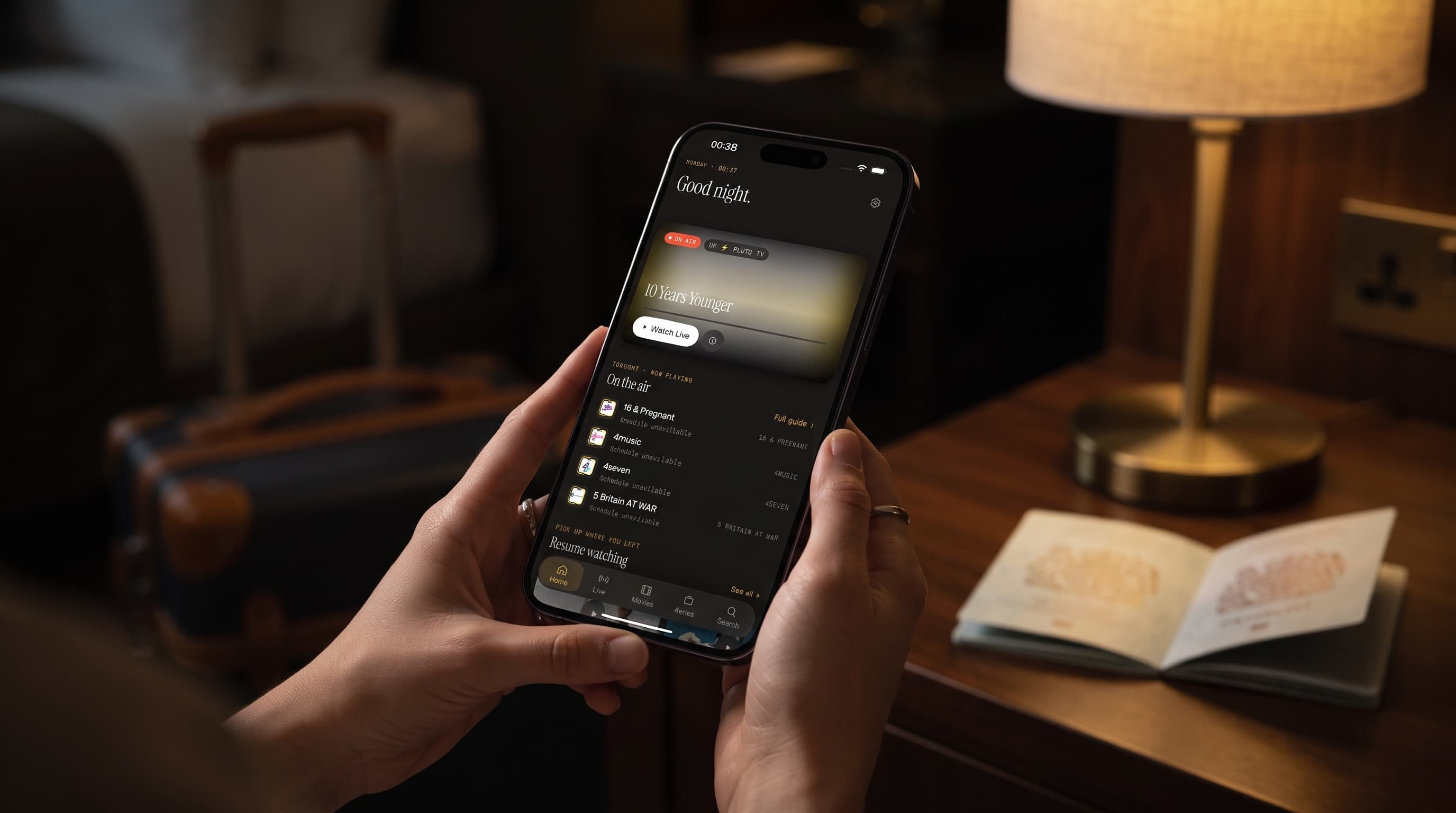
Traveling with IPTV: How Maximus IPTV Player Keeps Your Shows Working Abroad
Your flight lands, you check into the hotel, and the first thing you want after a long day of travel is to unwind with a show from home. But the hotel Wi-Fi is unpredictable, your playlist worked perfectly at home, and now half your channels won't load. This is one of the most common frustrations cord-cutters run into abroad — and it's completely avoidable with a bit of prep. Maximus IPTV Player, the free IPTV player app for iPhone, iPad, and Apple TV, is built to handle exactly this kind of unpredictable network environment, and knowing how to configure it before you leave home makes the difference between a smooth trip and a frustrating one.
This guide walks through what actually breaks when you travel with IPTV, how Maximus IPTV Player's design helps you adapt on the fly, and the practical steps to take before you board your flight.
Key Takeaways
- Hotel and airport Wi-Fi networks often deliver only 30-50 Mbps shared across dozens of devices, which is well below the roughly 25 Mbps of sustained bandwidth that stable 4K playback typically needs.
- Maximus IPTV Player supports M3U and M3U8 playlist formats, letting you keep multiple sources (home connection, backup provider, mobile hotspot) organized in one place instead of juggling separate apps.
- HLS (HTTP Live Streaming), the protocol most IPTV playlists use, breaks video into small chunks — usually 6-10 seconds — which is why a spotty hotel network causes stutter rather than a hard crash.
- AirPlay lets you cast directly from an iPhone or iPad to compatible displays, while Chromecast support covers non-Apple TVs you'll often find in rental apartments and hotel rooms.
- Testing your setup on cellular data before you leave home confirms your playlist works outside your home Wi-Fi, which catches router-specific quirks in advance.
Why does IPTV behave differently when you travel?
At home, your IPTV setup runs on a network you control: consistent bandwidth, no shared load, and a router configuration you already know works. The moment you leave that environment, every one of those variables changes. Hotel networks are shared across potentially hundreds of guest devices, airport Wi-Fi is often rate-limited per user, and international mobile networks may throttle or deprioritize video traffic entirely.
Since most IPTV playlists — the M3U or M3U8 files that list your channels and their stream addresses — rely on HLS to deliver video, network instability shows up as buffering and quality drops rather than an outright failure. HLS breaks a stream into short segments so a player can smoothly switch quality levels as bandwidth shifts, which is part of why Maximus IPTV Player generally recovers gracefully from a rough Wi-Fi patch instead of stopping altogether. But no player can invent bandwidth that isn't there, so a few precautions before you travel go a long way.
What should you set up before you leave home?
The single most useful thing you can do is test your playlist away from your home network before you travel. Switch your iPhone or iPad to cellular data, open Maximus IPTV Player, and confirm your channels and shows still load. This step catches two very different problems: a playlist URL that's accidentally tied to your home IP address, and a source that's simply too demanding for a mobile connection.
If you rely on more than one playlist provider or maintain a backup subscription, Maximus IPTV Player's multi-source management is worth setting up in advance. Instead of switching between separate apps for a primary and backup subscription, you can add multiple M3U or M3U8 sources into a single combined library and switch between them from one interface. That matters most abroad, where your primary source might be rate-limited by an unfamiliar network while a secondary source performs fine.
It's also worth downloading a handful of episodes for offline viewing if you know you'll be on a plane or somewhere with no signal at all — flights, long train rides, and remote areas are exactly where a live connection isn't an option regardless of how well-configured your app is.

How do you handle unreliable hotel and airport Wi-Fi?
When you do have a connection, the trick is managing expectations around quality rather than fighting the network. If a live channel is stuttering, dropping down from a 4K or HD stream to a lower-bitrate version of the same channel (when your provider offers one) often produces a far more watchable result than forcing full resolution over a strained connection. Live TV apps generally handle this kind of quality-stepping automatically, but knowing it's happening helps you understand why a channel that looked pristine at home looks softer in a hotel room.
Time of day matters too. Hotel networks see the heaviest load in the evening, when every guest is streaming something at once — checking a channel or downloading an episode earlier in the day, before the network gets congested, is a simple habit that avoids most buffering altogether.
If a specific channel or source consistently fails on a hotel network but works fine on your phone's cellular hotspot, that's usually a sign the hotel's firewall is blocking a specific port or protocol rather than a problem with your subscription. Switching your device to a personal mobile hotspot temporarily is the fastest way to confirm this and get back to watching.
What about casting to the room's TV?
Watching sports or a show on a 6-inch screen after a long travel day isn't anyone's first choice, and this is where Maximus IPTV Player's casting support earns its keep. If the room has an Apple TV or an AirPlay-compatible display — increasingly common in newer hotels and most short-term rentals — you can send video directly from your iPhone or iPad using AirPlay, Apple's built-in screen-casting protocol. For TVs without native AirPlay, Chromecast support covers a much wider range of hardware, including many smart TVs found in international rentals and budget hotel chains.
Before assuming casting won't work, it's worth checking the TV's input source and confirming it's on the same Wi-Fi network as your phone — the most common cause of a failed cast isn't the app or the TV, it's a device connected to a different guest network than expected.

Is it legal to use your IPTV subscription while traveling internationally?
Yes, with an important distinction. Maximus IPTV Player is a player app — it displays whatever legal playlist or subscription you provide, the same way a web browser displays whatever site you type in. Traveling with your own paid, legitimate subscription and watching it abroad is no different from checking your email or streaming a service you already pay for. What's never appropriate, at home or traveling, is sourcing pirated or unauthorized streams; this guide assumes you're using content you're legally entitled to access, and that's the only way we'd recommend using any IPTV player.
Some countries do restrict or monitor VPN use, and a VPN (a Virtual Private Network, which routes your connection through a server elsewhere to mask your location or protect your traffic) is sometimes used by travelers to maintain a consistent connection experience. If you plan to use one, check the legal status of VPNs in your destination country beforehand — regulations vary widely and change over time.
FAQ
Does Maximus IPTV Player work on international Wi-Fi networks? Yes. It doesn't require a specific network or region — it works over any internet connection that reaches your playlist's stream addresses, whether that's home Wi-Fi, a hotel network, or cellular data.
Will my playlist stop working if I change countries? Not because of the app itself. If a playlist stops loading abroad, it's typically because the provider restricts access by region or IP address — worth confirming with your provider before you travel.
Can I download shows to watch without an internet connection at all? Yes, for sources and episodes that support offline download. This is the most reliable option for flights or areas with no connectivity whatsoever.
Does using Maximus IPTV Player abroad use a lot of mobile data? Streaming video, especially at 4K, uses meaningfully more data than browsing or messaging. If you're relying on cellular data internationally, consider watching at a lower quality setting or downloading content over Wi-Fi in advance to avoid a large data bill.
Can I keep my parental controls active while traveling? Yes — parental lock settings are tied to your device and app configuration, not your network, so they carry over automatically no matter where you're connecting from.
Traveling doesn't have to mean losing access to the channels and shows you already pay for. With multi-source management for backup playlists, offline downloads for connectivity dead zones, and AirPlay and Chromecast support for whatever TV your room happens to have, Maximus IPTV Player is built to adapt to the same unpredictable networks that trip up less flexible apps. Test your setup before you go, keep a backup source handy, and you'll spend a lot less of your trip staring at a loading spinner. Maximus IPTV Player is free on the App Store for iPhone, iPad, and Apple TV.
Written by
Maximus IPTV Team