Maximus IPTV Player Source Errors, Explained: Fixing M3U, M3U8, and Stalker Portal Connection Problems
You added a playlist, waited, and got nothing — a spinning circle, a red "Invalid URL" banner, or a channel list that's just empty. If that's how your afternoon is going, you're not alone: source-connection errors are the single most common reason a new IPTV setup feels broken on day one. Maximus IPTV Player is a free-to-download, cross-platform player app — available on the Apple App Store for iPhone, iPad, and Apple TV, and on Google Play for Android phones, tablets, and Android TV — built to organize and play your own legal IPTV subscription or playlist, with an optional premium tier on top of the free app. It doesn't sell content or streams; it's the player that sits between your source and your screen. This guide walks through exactly why sources fail to load in Maximus IPTV Player, how the three source types actually work under the hood, and what to check before you give up and assume the app is broken.
Key Takeaways
- Maximus IPTV Player supports three source types — M3U, M3U8, and Stalker Portal — and most "won't load" errors trace back to a formatting or authentication mismatch in one of those three, not a bug in the app.
- The app runs across six device types on two platforms: iPhone, iPad, and Apple TV on iOS; phone, tablet, and Android TV on Android — all reading the same source correctly once it's added right.
- Multi-source management means one bad source doesn't have to sink your whole setup — you can add, test, and remove sources independently inside a single Combined Library.
- EPG (Electronic Program Guide) data depends entirely on your source providing it — a source that loads channels but shows no schedule usually just doesn't publish EPG data, which isn't something Maximus IPTV Player can invent.
- Maximus IPTV Player is free to download with no ads and no tracking; an optional premium subscription is available, but source troubleshooting itself doesn't require it.
Why Won't My IPTV Source Load in Maximus IPTV Player?
Before assuming something is wrong with the app, it helps to understand what "adding a source" actually does. Maximus IPTV Player doesn't generate channels — it reads a file or connects to a server that someone else (your IPTV provider) controls, and renders whatever that source returns. So when a source "won't load," the failure almost always happens in one of three places: the source URL itself is malformed or expired, the source server is temporarily unreachable, or the credentials (a username/password pair or a device MAC address) don't match what the provider has on file.
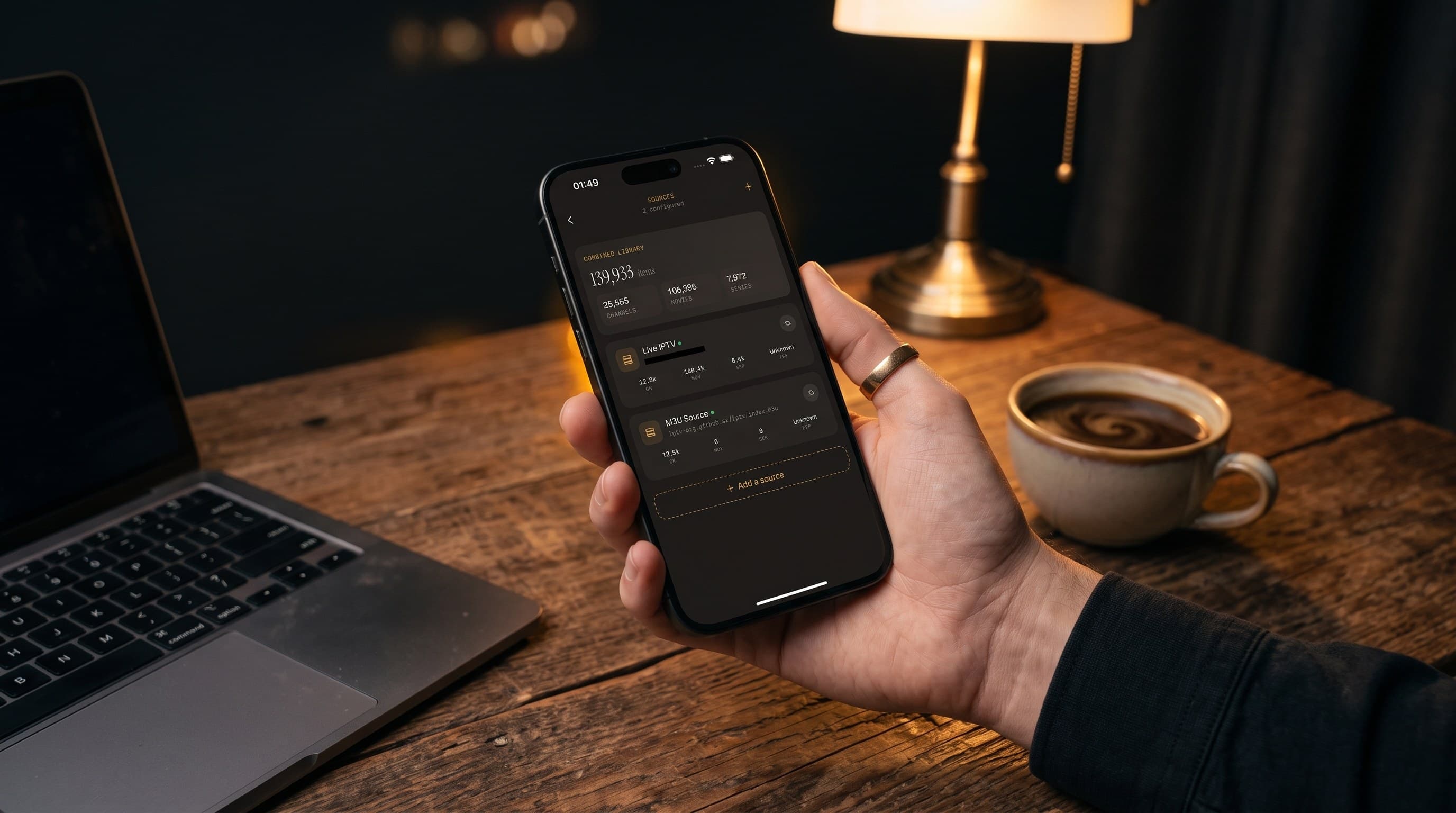
Open the Sources screen in Maximus IPTV Player and look at the entry you just added. If it shows a channel count of zero or an error state next to it, that's your first diagnostic clue — it means the app successfully reached the source but got back nothing usable, which points to the source side rather than a network problem on your device.

What's the Difference Between an M3U Link, an M3U8 Link, and a Stalker Portal?
These three terms cover essentially every IPTV source you'll ever add, and mixing them up is the number-one cause of "invalid source" errors.
- M3U — a plain-text playlist file (a list of stream URLs with labels) that most providers generate for you. It's the oldest and simplest format, and the one most commonly typed in wrong because the URL is long and case-sensitive.
- M3U8 — technically an extension of M3U built for HLS (HTTP Live Streaming, the segmented streaming protocol Apple TV and iOS devices favor). Functionally, most modern IPTV providers hand out M3U8 links, and Maximus IPTV Player treats them the same way it treats M3U — the "8" just signals the underlying stream format, not a different setup process.
- Stalker Portal — a different connection method entirely. Instead of one static playlist link, a Stalker Portal source authenticates your device against the provider's server using a portal URL plus a device MAC address, and streams are looked up live rather than read from a fixed file.
Pasting an M3U link into a field expecting a Stalker Portal URL (or vice versa) is one of the most common setup mistakes, and it produces exactly the kind of error message people mistake for an app bug.
How Do I Fix a Source That Says "Invalid URL" or Times Out?
Start with the boring stuff, because it catches the majority of real cases:
- Check for trailing spaces or line breaks. Copy-pasting a playlist link from an email or a provider's dashboard frequently drags along an extra space or newline character that breaks the URL silently.
- Confirm the link hasn't expired. Many IPTV providers rotate or expire M3U/M3U8 links on a schedule; a link that worked last month may simply be dead now, and no player app can fix an expired source.
- Try the source on Wi-Fi and cellular/mobile data separately. If it loads on one network and not the other, the problem is a network- or firewall-level block, not Maximus IPTV Player or the source itself.
- Test the same source at a different time of day. Some providers throttle or overload their servers during peak viewing hours (evenings, big sports fixtures), which shows up as an intermittent timeout rather than a consistent failure.
If none of that resolves it, contact your IPTV provider directly — since Maximus IPTV Player only plays back what a source returns, a source-side outage or an account issue on the provider's end has to be fixed on the provider's end.
What if My Stalker Portal MAC Address Won't Authenticate?
Stalker Portal setups fail differently than M3U links, because the failure is about identity rather than a broken file. A few things worth checking specifically:
- Double-check the MAC address format. Stalker Portal MAC addresses use colon-separated hex pairs (like
00:1A:79:XX:XX:XX), and a single mistyped character will get you an authentication rejection that looks identical to a server-down error. - Confirm the portal URL itself, not just the MAC. Some providers issue a base portal URL and expect you to append a specific path; using the wrong variant can connect to the server but fail authentication.
- Ask your provider whether that MAC is already registered to a different device. Many Stalker Portal accounts are locked to one device at a time, so adding the same MAC in two places can silently break both.
How Does Multi-Source Management Help When One Source Breaks?
This is where Maximus IPTV Player's approach pays off. Rather than tying your whole library to a single playlist, the app's Sources screen treats every M3U, M3U8, or Stalker Portal connection as an independent entry inside one Combined Library — so a dead source doesn't take your other channels down with it. If you subscribe to more than one IPTV provider (common among cord-cutters who mix a general entertainment package with a sports-focused one), you can add each as its own source, watch the Combined Library stats to see which one is contributing channels, and pull a broken source without touching the others. That's also the fastest troubleshooting move available: if you suspect a specific source is the culprit, disable it and confirm the rest of your library still plays normally.
What About EPG Data Not Showing Up After Adding a Source?
A channel list that loads and plays fine, but with a blank or missing programming guide, is a different problem from a source that won't connect at all. EPG (Electronic Program Guide) data — the schedule information that tells you what's airing now and next — has to be published by the source provider alongside the stream URLs. If your provider's M3U or M3U8 playlist doesn't include an EPG feed reference (or the Stalker Portal doesn't expose one), Maximus IPTV Player has nothing to display, no matter how the app itself is configured. Check with your provider whether they publish an EPG feed, and if they offer a separate EPG URL, make sure it's entered alongside the main source rather than assumed to be automatic.
Does This Affect iOS and Android Differently?
Source troubleshooting is essentially identical across platforms, because the Sources screen and the underlying M3U/M3U8/Stalker Portal logic are the same app experience on iPhone, iPad, Apple TV, Android phones, Android tablets, and Android TV. The one platform-specific wrinkle worth knowing: casting a working source out to a TV uses different tech depending on your device. AirPlay (Apple's built-in wireless casting protocol) is available from iOS, while Chromecast (Google Cast) works from both iOS and Android — so if a stream plays fine locally but won't cast, that's worth isolating as a separate, casting-specific issue rather than reopening your source configuration.
Frequently Asked Questions
Does Maximus IPTV Player provide its own channels or streams? No. Maximus IPTV Player is a player app for your own legal IPTV subscription or playlist — it doesn't sell, bundle, or endorse any specific content source.
Why does my source work in another app but not in Maximus IPTV Player? This usually points to a formatting difference in how the source URL or MAC address was entered, or a device-lock on a Stalker Portal account restricting it to one active device at a time. Compare the exact URL or portal credentials character-for-character.
Can I add more than one source at once? Yes — that's what multi-source management and the Combined Library are for. Add each M3U, M3U8, or Stalker Portal connection as a separate entry and manage them independently.
Do I need premium to fix a broken source? No. Source troubleshooting works the same on the free tier; Maximus IPTV Player's optional premium subscription doesn't gate the Sources screen or source-connection tools.
Is a VPN required for IPTV sources to work? Not inherently — whether a VPN (Virtual Private Network, which routes your connection through another server for privacy or access reasons) is necessary depends entirely on your provider's requirements and your own network, not on anything Maximus IPTV Player does.
Getting Your Source Working for Good
Most "Maximus IPTV Player isn't working" reports trace back to one of a handful of source-side issues: an expired link, a copy-paste error, a mismatched MAC address, or a provider that simply doesn't publish EPG data. Once you know to check the source URL for stray characters, confirm Stalker Portal credentials are exact, and use multi-source management to isolate a bad connection from a good one, most setups go from broken to working in a few minutes rather than a few hours.
Maximus IPTV Player is free to download, with no ads and no tracking, and an optional premium subscription for anyone who wants more. Grab it on the Apple App Store for iPhone, iPad, and Apple TV, or on Google Play for Android phones, tablets, and Android TV — same app, same Combined Library, same source troubleshooting steps, wherever you watch.
Written by
Maximus IPTV Team