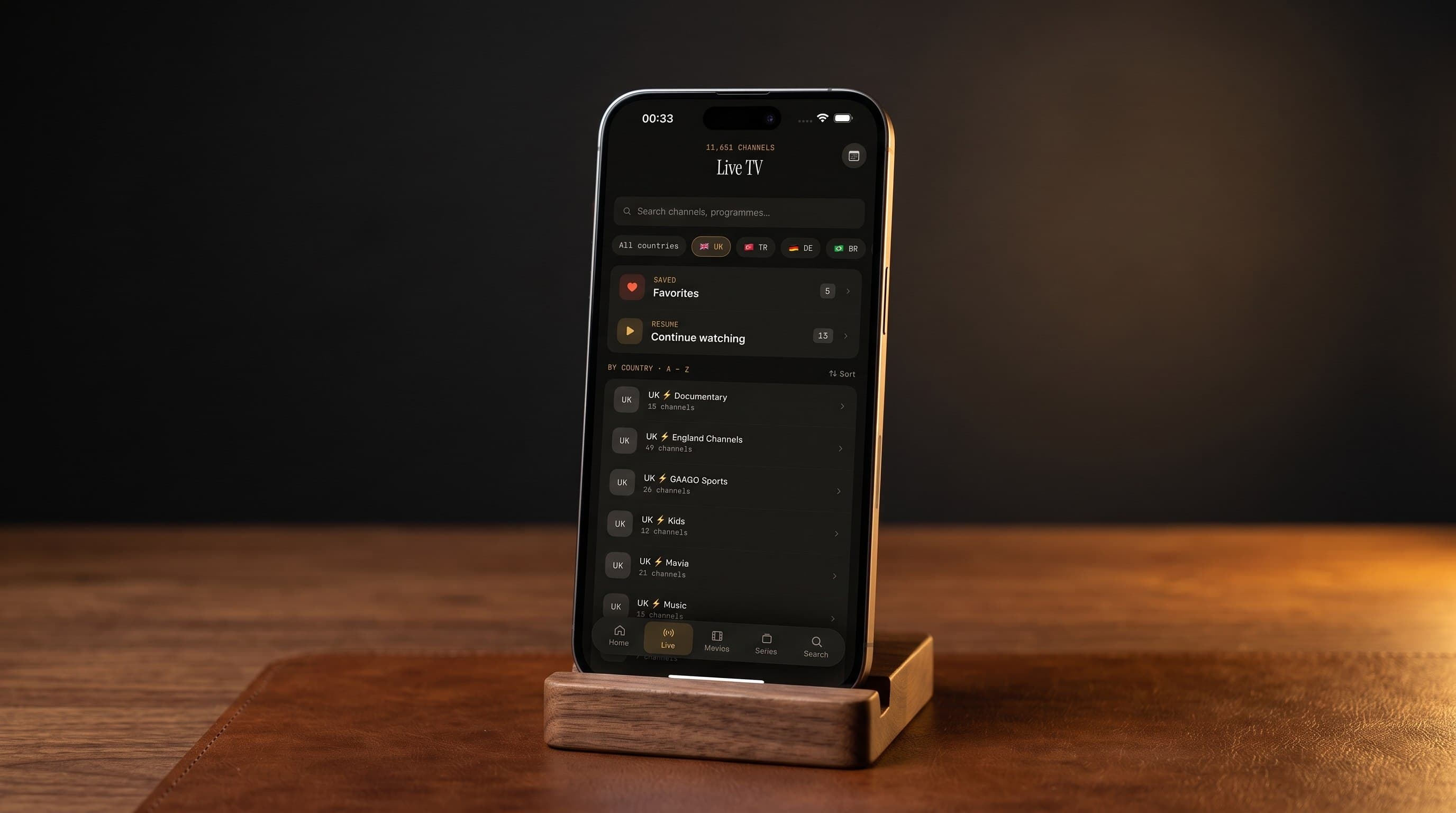
iPhone vs. Android: How the Maximus IPTV Player Experience Compares
If you've been comparing notes with a friend on a different phone, you've probably noticed something: Maximus IPTV Player looks and feels almost identical whether you're on an iPhone or an Android device, but a few real differences do show up depending on which ecosystem you're in. Maximus IPTV Player is a free-to-download, cross-platform IPTV player available on both the Apple App Store (iPhone, iPad, and Apple TV) and Google Play (Android phones, tablets, and Android TV / Google TV, package com.aegontech.maximus), with an optional premium subscription for extra features. This guide lays out exactly what's the same, what's different, and how to decide which screen is the right one for tonight's game or tomorrow's binge.
Key Takeaways
- Core features match on both platforms: M3U/M3U8 playlist support, Stalker Portal connections, EPG (Electronic Program Guide), 4K playback, parental controls, and no ads or tracking are identical whether you're on iOS or Android.
- Casting is not identical: iPhone and iPad support both AirPlay and Chromecast (Google Cast); Android supports Chromecast only, since AirPlay is an Apple-exclusive protocol.
- Android now covers three screens from one app: phones, tablets, and Android TV / Google TV all run from the same install, one subscription, since the Android TV rollout completed in late July 2026.
- Screen size changes how you browse, not what you can watch: iPad and Android tablet users get more channels and more of the EPG grid visible at once, which matters most for sports fans juggling several matches.
- Setup steps are nearly identical: add an M3U/M3U8 playlist or Stalker Portal source, let the app build your library, and you're watching within minutes on either platform.
What Stays Exactly the Same Across iPhone and Android?
The heart of Maximus IPTV Player, your actual viewing experience, doesn't change based on which app store you downloaded it from. Add a source using an M3U or M3U8 playlist (the standard playlist file formats that IPTV providers use to list channels and streams) or a Stalker Portal connection (a login-based IPTV middleware format common with some providers), and Maximus builds out Live TV, Movies, and Series sections identically on both platforms.
The EPG works the same way too: a scrollable timeline grid showing what's airing now and later across every channel in your lineup, with a live orange "now" indicator so you never have to guess what's currently on. 4K playback, buffer-free streaming built on HLS (HTTP Live Streaming, the adaptive-bitrate technology that adjusts video quality to your connection in real time), parental controls with a PIN lock for adult content, subtitle and multi-audio track support, universal search across your whole library, and favorites with resume-watching are all built the same way regardless of device. So is the no-ads, no-tracking approach, Maximus doesn't sell your viewing data or interrupt your stream with ads on either platform.

How Does Setup Actually Differ Between the Two?
Honestly, it barely does. On iPhone or iPad, you download from the Apple App Store, open the app, and add your source under Sources. On Android, you download from Google Play, and the flow is the same screen for screen. The one meaningful difference is where you're downloading from and which store handles your optional premium subscription, everything after that first launch looks and behaves the same.
Where it gets more interesting is Android TV and Google TV. Since Android shipped in two stages, phones and tablets first around July 25, 2026, then Android TV and Google TV about four days later, Android now genuinely covers three form factors from a single app: phone, tablet, and TV, all under one subscription. The TV build uses a native, remote-driven interface built for a couch and a clicker, not a stretched-out phone screen, which is a meaningfully different experience from tapping through menus on a 6-inch display.
Does Screen Size Actually Change How You Watch?
It changes how much you see at once, not what you can watch. On an iPhone or Android phone, the EPG grid shows a handful of channels and a couple of hours of programming before you have to scroll. Move to an iPad, Android tablet, or Android TV, and that same grid opens up considerably, useful if you're the type of household juggling four different football matches on a Saturday afternoon and need to glance across channels without constantly swiping.
Bigger screens also make browsing your Movies and Series library feel less like a phone app and more like a proper home theater interface, wider poster grids, more of the synopsis visible without tapping in, and enough room to see season and episode lists without scrolling through everything one row at a time.
How Does Casting Work on Each Platform?
This is the one area where iPhone and Android genuinely part ways, and it's worth getting right because it trips people up constantly. On iOS, Maximus IPTV Player supports both AirPlay (Apple's proprietary casting protocol, which only works between Apple devices) and Chromecast (Google Cast's casting standard, which works across a much wider range of TVs and streaming boxes). On Android, only Chromecast is available, since AirPlay simply isn't licensed for non-Apple devices.
The practical upshot: if you're an iPhone user with an Apple TV, AirPlay is usually your smoothest option. If you've got a Chromecast-enabled TV, a Google TV, or a Roku with Chromecast built in, that route works from either an iPhone or an Android phone, Chromecast is not an Android-only feature, despite what a lot of people assume.

What About Android TV and Apple TV?
Both platforms now offer a genuine living-room option. Apple TV has supported Maximus IPTV Player since the app's original App Store launch, running the same tvOS interface pattern Apple TV users already know. Android TV and Google TV joined in late July 2026, giving Android households a native, remote-first interface instead of forcing them to mirror a phone screen or use a workaround.
One thing worth being upfront about: Maximus IPTV Player does not currently support cross-platform subscription syncing between an iOS purchase and an Android install, or vice versa. Each platform's app store handles its own subscription, so if you use Maximus on both an iPhone and an Android tablet, check what each store's listing says about your specific plan before assuming it carries over.
Which Platform Should You Actually Choose?
For most people, the honest answer is: whichever phone or tablet you already own, since the core experience is genuinely equivalent. A few scenarios where the platform itself matters more:
- You're an Apple TV household: iOS gives you AirPlay, which is typically the most reliable way to get Maximus onto your living-room screen from an iPhone or iPad.
- You've got a Chromecast-only setup: Both platforms work equally well here, so pick based on your phone, not your TV.
- You want a dedicated living-room app: Android TV or Google TV now gives Android users a native remote-driven interface; Apple TV has offered this from day one.
- You're comparing a tablet for the living room: iPad and Android tablets both get the same expanded EPG and library views, so this one really does come down to which ecosystem you're already in.
FAQ
Is Maximus IPTV Player free? Yes, it's free to download on both the Apple App Store and Google Play, with an optional premium subscription for additional features.
Does Maximus IPTV Player work on Android tablets, not just phones? Yes. The same Google Play listing and the same Android app (package com.aegontech.maximus) cover Android phones, tablets, and Android TV / Google TV.
Can I use AirPlay from an Android phone? No. AirPlay is an Apple-only protocol and isn't available on Android. Android users cast via Chromecast instead.
Is Chromecast only for Android users? No, this is a common misconception. Chromecast works from the iOS version of Maximus IPTV Player too, alongside AirPlay.
Will my premium subscription carry over if I switch from iPhone to Android? Not automatically. Subscriptions are managed separately by each app store, so check your specific plan before switching devices.
Does Maximus IPTV Player provide the actual TV channels or streams? No. Maximus is a player app, you connect your own legal M3U/M3U8 playlist or Stalker Portal source; Maximus organizes and plays it.
The Bottom Line
Whichever screen you're holding, Maximus IPTV Player delivers the same EPG, the same 4K, buffer-free playback, and the same no-ads approach to your channels and library. The differences that do exist, AirPlay versus Chromecast-only, phone-sized versus tablet-sized browsing, separate subscriptions per store, are small enough that most households can simply pick the device they already trust and get the full experience. Download Maximus IPTV Player free on the Apple App Store for iPhone, iPad, and Apple TV, or get it on Google Play for Android phones, tablets, and Android TV / Google TV.
Written by
Maximus IPTV Team