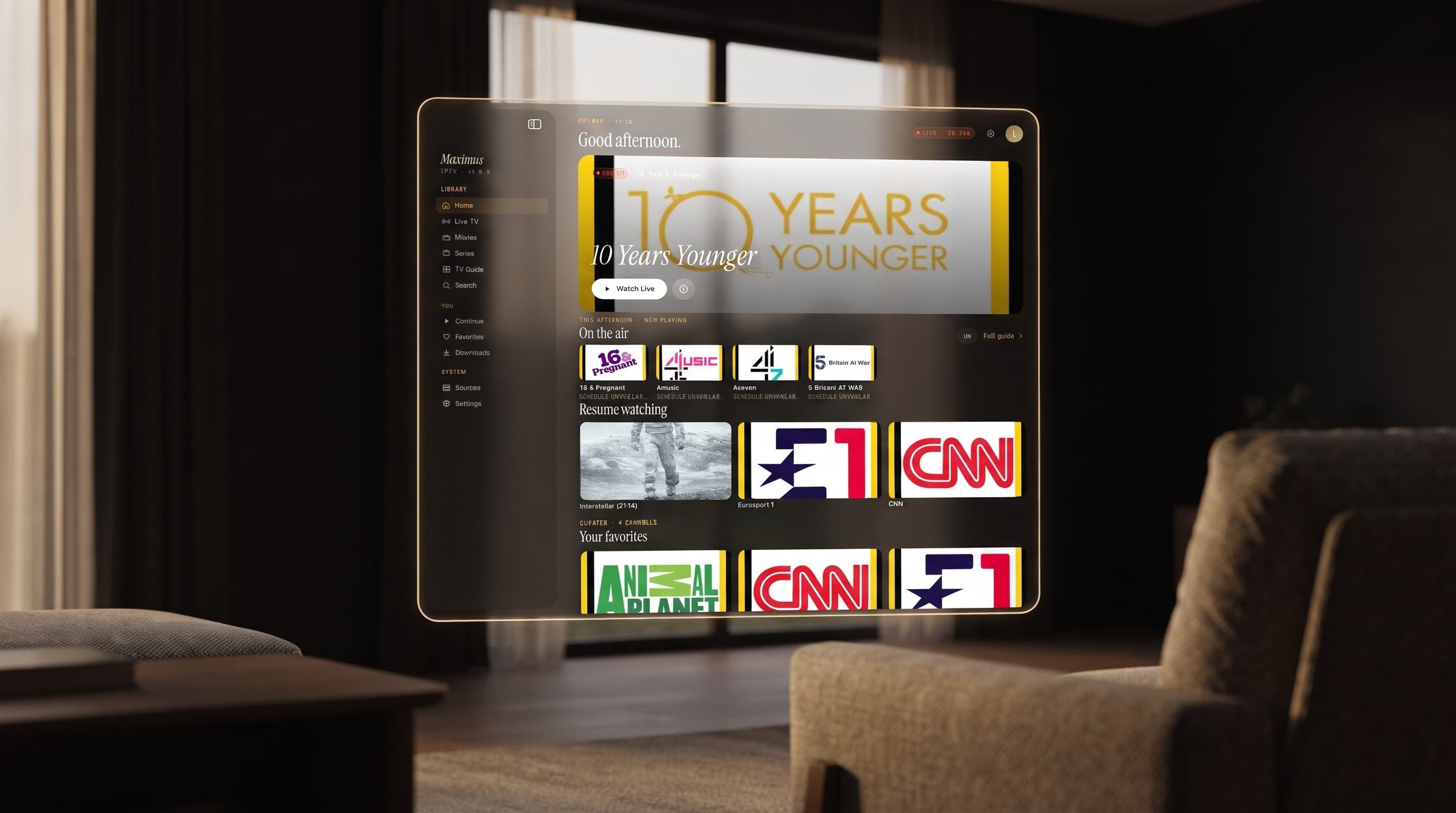
Maximus IPTV Player on Apple Vision: What Actually Works
Most people who buy Apple's headset are not thinking about live television. They are thinking about giant virtual monitors, immersive video, and floating browser windows. But if you already use Maximus IPTV Player to watch your own legal IPTV subscription on an iPhone or iPad, there is a good chance the same app is sitting in your visionOS App Library right now, waiting to be opened. This guide explains exactly what "Maximus runs on Apple Vision" means in practice, what carries over from the iPad experience, and what does not — with no guessing and no invented features.
Key Takeaways
- Maximus IPTV Player is a single cross-platform app: the same iPadOS build that runs on iPhone and iPad also runs on Apple Vision, alongside a separate Android build for phones, tablets, and Android TV / Google TV.
- On Apple Vision, Maximus opens as a resizable window you place anywhere in your room — it is the same app and the same account, not a stripped-down version.
- Every core feature that works on iPad works the same way on Apple Vision: EPG (electronic program guide), Favorites, Continue Watching, multiple sources in one library, subtitle and audio-track selection, PIN parental lock, and offline downloads.
- Sources still come from your own subscription: an Xtream Codes login or an M3U / M3U8 playlist. Maximus does not sell or supply channels.
- Some iPad-specific behavior (like iCloud-synced playback progress between iPhone and iPad) has not been confirmed to extend to Apple Vision, so this guide does not claim it does.
What Is Apple Vision, and Why Does an IPTV App Care?
Apple Vision is Apple's spatial computing platform — a headset (running visionOS) that shows apps as floating windows in the room around you instead of on a single flat screen. For most existing iPad apps, developers do not have to build a separate visionOS app from scratch. Apple lets compatible iPadOS apps run on visionOS automatically, displayed as a window you can resize, move, and pin wherever you like. That is the mechanism that puts Maximus IPTV Player on Apple Vision in 2026: the same iPadOS app that already runs on iPhone and iPad, opened inside a headset instead of on a slab of glass.
That distinction matters for anyone trying to decide if this is worth trying. You are not downloading a stripped-out "Vision edition" with half the menu missing. You are running the real Maximus IPTV Player, with the same login, the same sources, and the same settings you already use on iPad.
Does Maximus IPTV Player Actually Run on Apple Vision?
Yes. As of the 2026-09-13 platform check behind this post, Maximus IPTV Player's iOS build (currently version 4.5) runs on iPhone, iPad, Mac computers with Apple silicon, and Apple Vision — four Apple environments from one App Store download. There is no separate Apple TV app; if you want Maximus on a television screen through Apple's ecosystem, you AirPlay or Chromecast it over from an iPhone or iPad, the same way you would cast any other app. Apple Vision is different from that: it runs Maximus natively as a window, not as a cast destination.
On the Android side, the picture is separate and worth keeping straight so you don't mix the two up: Android phones, tablets, and Android TV / Google TV run their own native Android build of Maximus, with its own feature set (more on that below). Apple Vision only applies to the iOS/iPadOS side of the product.
What Do You See When Maximus Opens on Vision?
Practically, opening Maximus on Apple Vision gives you the identical iPad interface, sized to whatever window you choose. That means:
- The same Home screen: a greeting, an on-air hero card for whatever is airing right now, a horizontal "On the air" row, and Continue Watching.
- The same Live TV screen: channels grouped by country, with Favorites and search built in.
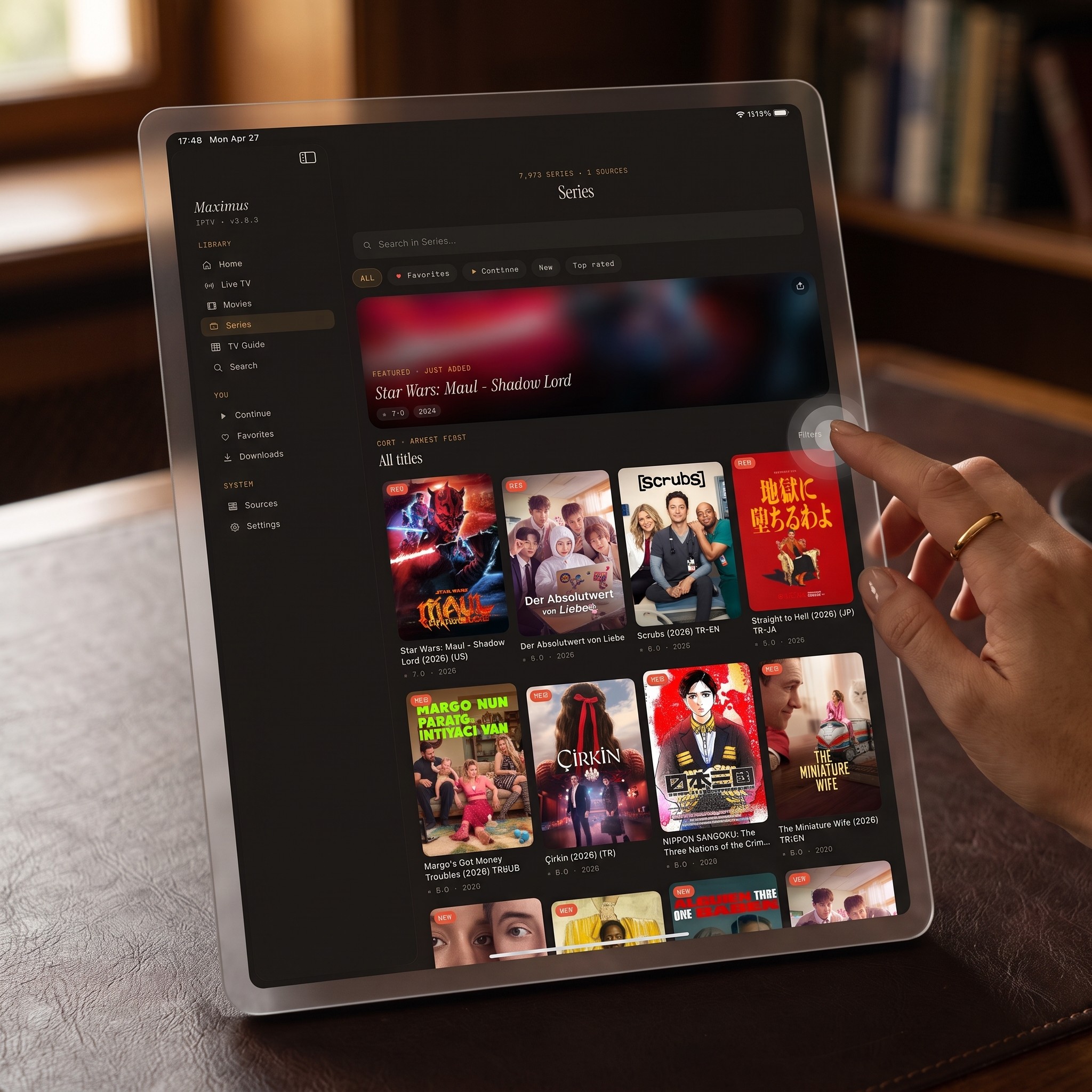
- The same Movies & Series library: a search bar, filters, a featured banner, and a poster grid, exactly like the iPad layout.
- The same EPG (a program guide showing what is airing now and next in a scrolling timeline) with four preset filters — Favorites, Sports, Movies, and Kids — so you are not scrolling through a wall of unrelated channels to find something.
Nothing about the underlying app changes. What changes is the environment around it: instead of holding a tablet, you place that same interface as a floating panel in your living room, office, or wherever you're using the headset, at whatever size is comfortable.
What Works the Same as iPad — and What Doesn't
It helps to separate confirmed facts from guesses, so here is the honest breakdown for Apple Vision specifically, based on what the iPadOS app is verified to do:
- Sources — Xtream Codes logins and M3U / M3U8 playlists both work, exactly as on iPad. (M3U and M3U8 are just playlist file formats that tell a player where your channels live; Xtream Codes is a common login format IPTV providers issue instead of a playlist file.) iPad also supports adding a source by QR code or file, and there is no reason that mechanism would change inside a resized iPad window on Vision.
- Casting — AirPlay and Chromecast are both confirmed on iPhone and iPad. Whether you'd cast from a Vision window to a television is not something this guide claims one way or the other — it is not a documented, verified behavior, so it is left out rather than guessed at.
- Picture-in-Picture — this one is worth being precise about, because it is easy to get backwards: Picture-in-Picture on Maximus is an Android phone and tablet feature, not an iPhone or iPad one. Since Apple Vision runs the iPad build, don't expect Picture-in-Picture there either.
- Parental Lock — the PIN-based Parental Lock that protects adult content works the same way, with Face ID support on the iOS side.
- Offline downloads, subtitles and audio-track selection, multiple sources in one library, no ads, no tracking — all iPad features, all present in the same app that opens on Vision.
- iCloud-synced playback progress between iPhone and iPad is a confirmed iOS feature — but this guide does not extend that claim to Apple Vision, because it hasn't been independently verified for the headset specifically. If you rely on it, test it yourself before assuming it behaves identically.
Can You Use Xtream Codes or M3U Playlists on Vision?
Yes, and it's the same process as on iPad: open Sources, choose Xtream Codes or M3U/M3U8, and enter the same credentials or playlist URL you already use elsewhere. Maximus is a player, not a content provider — it never supplies or sells channels itself, so whatever you connect on Vision needs to be a subscription or playlist you already legally own. If you're new to the terminology: HLS (HTTP Live Streaming) is the underlying video-delivery technology most of these playlists point to, and it's what lets Maximus adapt playback quality — up to 4K where the stream and your connection support it — as your connection changes.
What About EPG, Favorites, and Parental Controls on Vision?
All three behave exactly as described above under "What Works the Same as iPad." The EPG's four filters make a big window even more useful: on a floating panel sized larger than an iPad screen, a full day's Sports guide is genuinely easier to scan than it is on a 6-inch phone. Favorites and Continue Watching carry over per-device, and the Parental Lock PIN gate applies identically, so a shared household headset does not expose adult content by default.
Should You Actually Watch IPTV on Apple Vision?
That depends entirely on why you're using the headset in the first place. If Apple Vision is already part of your setup for work, video, or immersive content, having your existing Maximus IPTV Player library and Xtream Codes or M3U/M3U8 sources available as one more window — full library, full EPG, full Favorites — costs you nothing extra: it's a free download, and it's the same account you already use on iPhone or iPad. If you don't already own a Vision headset, this is not a reason by itself to buy one — Maximus is built primarily for iPhone, iPad, Mac, and Android, and the Vision experience today is the iPad app inside a window, not a redesigned spatial interface.
FAQ
Is there a separate "Maximus for Vision" app to download? No. It's the same iPadOS app you'd install on an iPhone or iPad, made available on Apple Vision through Apple's iPad-app compatibility on visionOS.
Do I need a new subscription to use Maximus on Apple Vision? No — Maximus is free to download, and it uses whatever Xtream Codes login or M3U/M3U8 playlist you already have. Maximus doesn't sell content or channels.
Does Picture-in-Picture work on Apple Vision? No. Picture-in-Picture on Maximus is currently an Android phone/tablet feature only, and Apple Vision runs the iPad build, which doesn't have it.
Can I cast from Apple Vision to my TV with AirPlay? AirPlay is confirmed on iPhone and iPad. This guide doesn't claim that behavior for Apple Vision specifically, since it hasn't been verified — if you need a television screen today, AirPlay or Chromecast from an iPhone or iPad is the documented path.
Will my Favorites and PIN settings match across my iPhone, iPad, and Vision? Favorites and the Parental Lock PIN work per the same account, but this guide only confirms iCloud-synced playback progress between iPhone and iPad specifically — treat anything beyond that as untested rather than assumed.
Bottom Line
Apple Vision isn't a separate Maximus product — it's the same iPadOS app you already trust for EPG, Favorites, multiple Xtream Codes and M3U/M3U8 sources, 4K playback, and PIN-protected parental controls, now available as a window in your headset instead of confined to a tablet's glass. If you're already living in Apple Vision for other apps, there's no real downside to adding your existing IPTV library to the mix. Grab Maximus IPTV Player from the Apple App Store, sign in with the source you already use on iPhone or iPad, and it's the same library, just bigger.
Get Maximus IPTV Player: Apple App Store
Written by
Maximus IPTV Team