IPTV Players for Firestick: What Actually Installs in 2026
If you typed "iptv players for firestick" into Google, you're probably staring at a Fire TV Stick right now, wondering which app will actually let you watch your IPTV subscription on the big screen. Before you download anything, here's the honest answer: Maximus IPTV Player isn't one of the apps that installs on a Firestick — and we'd rather tell you that up front than waste your time. This guide explains why, what actually does install on Fire TV devices, and where Maximus fits instead if you also own an iPhone, iPad, or Android device.
Key Takeaways
- Fire TV Stick and Fire TV Cube run Fire OS, Amazon's own operating system, which uses the Amazon Appstore — not Google Play and not the Apple App Store.
- Maximus IPTV Player is published on the Apple App Store (iPhone, iPad, Mac with Apple silicon, Apple Vision) and on Google Play (Android phones, tablets, and Android TV / Google TV) — it does not have an Amazon Appstore listing, so it does not install on Firestick.
- Amazon Appstore app availability for IPTV players changes often; check the Appstore directly on your device rather than trusting a random list online, including this one.
- If you own an Android TV or Google TV box or built-in TV (a different platform from Fire TV), Maximus installs the same way it does on your phone, from the same Google Play listing.
- If you're an iPhone, iPad, or Android phone/tablet owner who also has a Firestick, you can still run Maximus on your handheld device and use it for everything except playback directly on that Fire TV.
Why "IPTV Player for Firestick" Is a Confusing Search
"Fire TV" and "Android TV" both plug into your television and both play video, so it's easy to assume every IPTV app works on both. It doesn't. Amazon's Fire OS is built on an old, heavily modified branch of Android, but it doesn't ship with Google Play — it ships with the Amazon Appstore, a separate catalog that developers have to submit to and maintain independently. An app being on Google Play, even a genuinely cross-platform one, tells you nothing about whether it's also on the Amazon Appstore. Those are two different submissions, two different review processes, and two different sets of app store rules.
That's exactly the situation with Maximus IPTV Player. It's a real, actively maintained app on both the Apple App Store and Google Play, covering iPhone, iPad, Mac (Apple silicon), Apple Vision, Android phones, Android tablets, and Android TV / Google TV — all from the same Android build on the Play side, so one Play Store listing covers every Android form factor. But Fire OS was never one of those targets, so there's no Maximus listing in the Amazon Appstore for a Fire TV Stick to find.
Does Maximus IPTV Player Work on Firestick?
No — not today. If you search for "Maximus" in the Amazon Appstore on your Fire TV Stick or Fire TV Cube, you won't find it, and there's no sideloaded APK we distribute either. We'd rather say that plainly than let a search result imply otherwise and have you waste an evening on a dead end.

What Apps Actually Install on a Fire TV Stick
Fire TV devices install apps two ways: directly from the Amazon Appstore (the normal, supported path), or by sideloading an APK file through a tool like Downloader — a method Amazon itself allows for apps outside its catalog, though it comes with the usual sideloading caveats (no automatic updates, no Appstore vetting, and you're trusting whatever file you load).
Several general-purpose IPTV player apps have historically maintained Amazon Appstore listings, and new ones appear or disappear on a regular basis — app catalogs like this shift often enough that any specific list published today can be stale by the time you read it. Rather than hand you a list that might already be wrong, the reliable move is to open the Amazon Appstore search on your own Fire TV Stick and check what's currently listed before you commit to a setup. If nothing there fits, sideloading is the fallback, with the tradeoffs above.
The Android TV Difference: Where Maximus Actually Shines
Here's the part that surprises a lot of people who own both a Firestick and a phone: Android TV and Google TV are not Fire TV, even though all three sit under your television. Android TV / Google TV devices — a Chromecast with Google TV, an NVIDIA Shield, most 2024-and-newer smart TVs from Sony, TCL, and Hisense — run actual Android with Google Play built in. Maximus IPTV Player installs on those exactly the way it installs on an Android phone, because it's the same Android app package (AAB) either way.

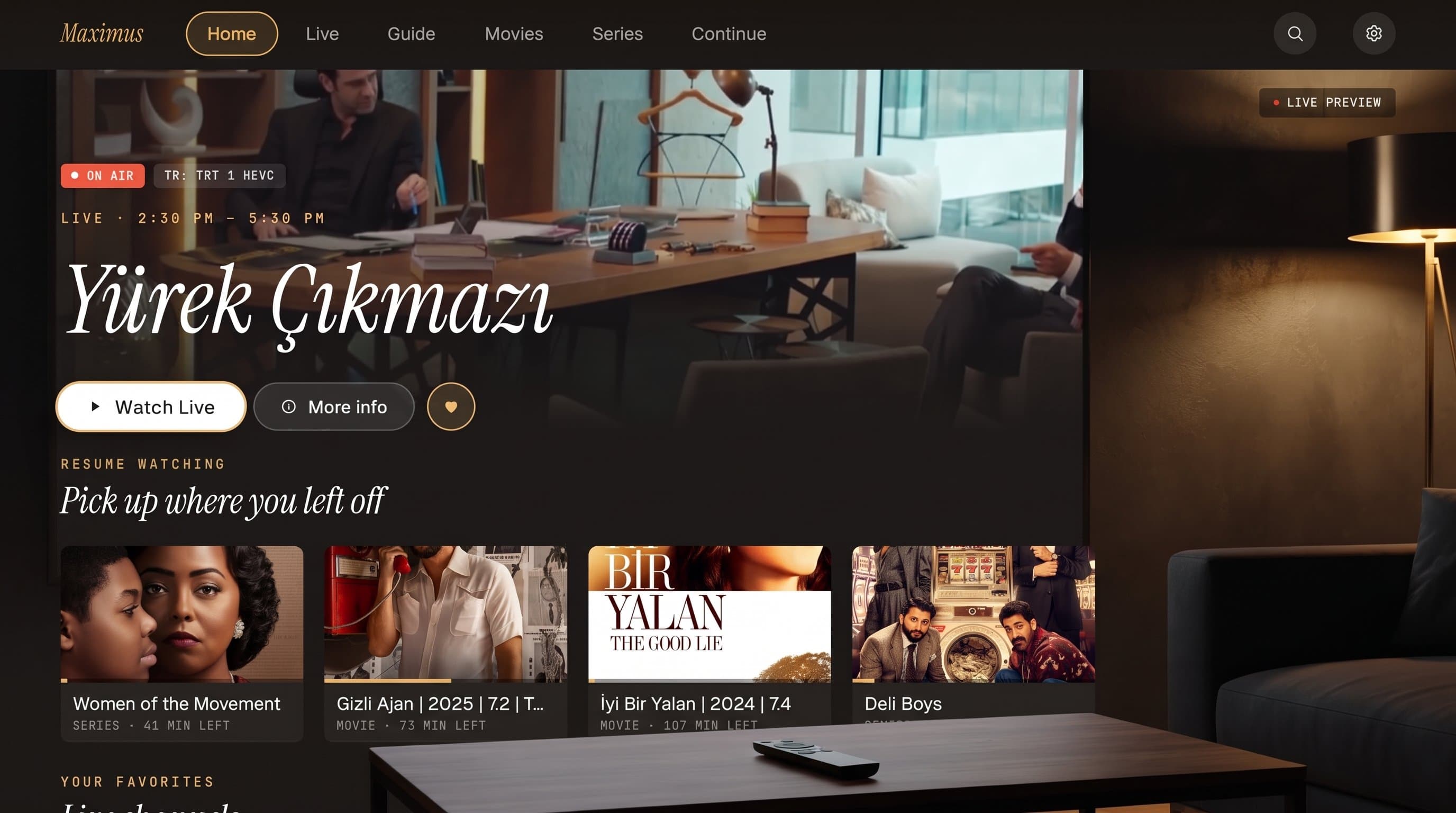
On a real Android TV or Google TV screen, Maximus gives you a native, remote-first interface: a full-screen EPG timeline with Favorites, All, Sports, Movies, and Kids filters, live channels grouped by country, a movies-and-series library with search, and Favorites plus Continue Watching so you can pick up a show from where you left off on your phone. None of that is a stretched-out phone layout — it's built for a 10-foot living-room experience. So if the goal behind your Firestick search was really just "an IPTV app for my TV," and you're open to it, an Android TV or Google TV device gets you there with Maximus already installed and waiting.
What About iPhone, iPad, and Android Phones?
If replacing your Fire TV Stick isn't on the table today, Maximus is still useful on the devices you already carry. On iPhone and iPad, Maximus supports Xtream Codes logins and M3U / M3U8 playlists — three total ways to add a source, with iOS additionally letting you scan a QR code or import a file. From there you get the same EPG guide, movies and series library, universal search, subtitle and audio-track selection, and offline downloads of episodes and movies that Android users get. iPhone and iPad also sync playback progress via iCloud, so pausing a series on your phone and resuming on your iPad just works.
On Android phones and tablets, Maximus adds Picture-in-Picture and background playback — features iOS doesn't have — plus the same M3U/Xtream source support, EPG, and library tools. One limitation worth knowing up front: the Android app has no casting, so there's no Chromecast button to send video from an Android phone to a TV. AirPlay and Chromecast casting are an iPhone/iPad-only feature in Maximus, and even there, AirPlay only reaches an Apple TV — not a Fire TV Stick or a Chromecast-branded device.
Maximus is free to download on both platforms. On Android, a premium subscription (with a 7-day free trial) unlocks the full TV guide, offline downloads, parental lock, source refresh, and multiple simultaneous sources — and every plan keeps your playlist credentials on your own device, with no ads and no tracking layered on top.
How to Add Your IPTV Source Once You're on the Right Device
Whichever device ends up running Maximus — iPhone, iPad, Android phone, tablet, or an Android TV / Google TV box — adding your own IPTV subscription works the same way. Open Sources, choose Xtream Codes if your provider gave you a server URL plus username and password, or M3U / M3U8 if you have a playlist link or file instead. Maximus supports multiple sources in one library, so you can combine more than one subscription without switching apps. A PIN lock (with Face ID on iOS) is available separately if you want to keep adult-content channels behind a code, and the parental lock re-arms automatically on Android so it doesn't stay open after you close the app.
FAQ
Does Maximus IPTV Player have an Amazon Appstore version for Fire TV? No. Maximus is published on the Apple App Store and Google Play only. There's no Amazon Appstore listing, so it won't show up when you search Fire TV's built-in app store.
Can I sideload Maximus onto a Firestick? We don't distribute an APK outside Google Play, so there isn't an official file to sideload. Sideloading apps in general is a real Fire TV feature, but it only works with a file the developer has actually released, and Maximus hasn't released one for Fire OS.
Is Android TV the same thing as Fire TV? No, and this is the most common mix-up in this whole topic. Both plug into a television, but Fire TV runs Amazon's Fire OS with the Amazon Appstore, while Android TV and Google TV run Google's platform with Google Play. Maximus is on the Google Play side, not the Amazon side.
If I have a Firestick, is there any way to use Maximus with my TV? Not directly on the Firestick itself. If your TV also happens to be an Android TV / Google TV model, or you add a Chromecast with Google TV or similar Android TV box, Maximus installs there normally. Otherwise, Maximus stays on your phone, tablet, iPad, or Mac for now.
Does Maximus work on Android tablets and iPads the same way it does on phones? Yes, with layout adjustments for the bigger screen — a persistent sidebar and wider grids — but the same sources, EPG, and library features carry over from the phone version.
Bottom Line
If "IPTV players for Firestick" brought you here, the honest answer is that Maximus IPTV Player isn't one of them today — Fire OS and the Amazon Appstore are a separate ecosystem from where Maximus lives. But if you're weighing options across your whole household, not just the Fire TV Stick, Maximus is a genuinely strong, ad-free, no-tracking player on the devices it does support: iPhone, iPad, Mac, Apple Vision, Android phones and tablets, and — closest to what a Firestick search is usually really after — Android TV and Google TV boxes and TVs. Download Maximus IPTV Player free from the Apple App Store for iOS, or from Google Play for Android phones, tablets, and Android TV / Google TV, and add your own Xtream Codes or M3U source to get started.
Written by
Maximus IPTV Team