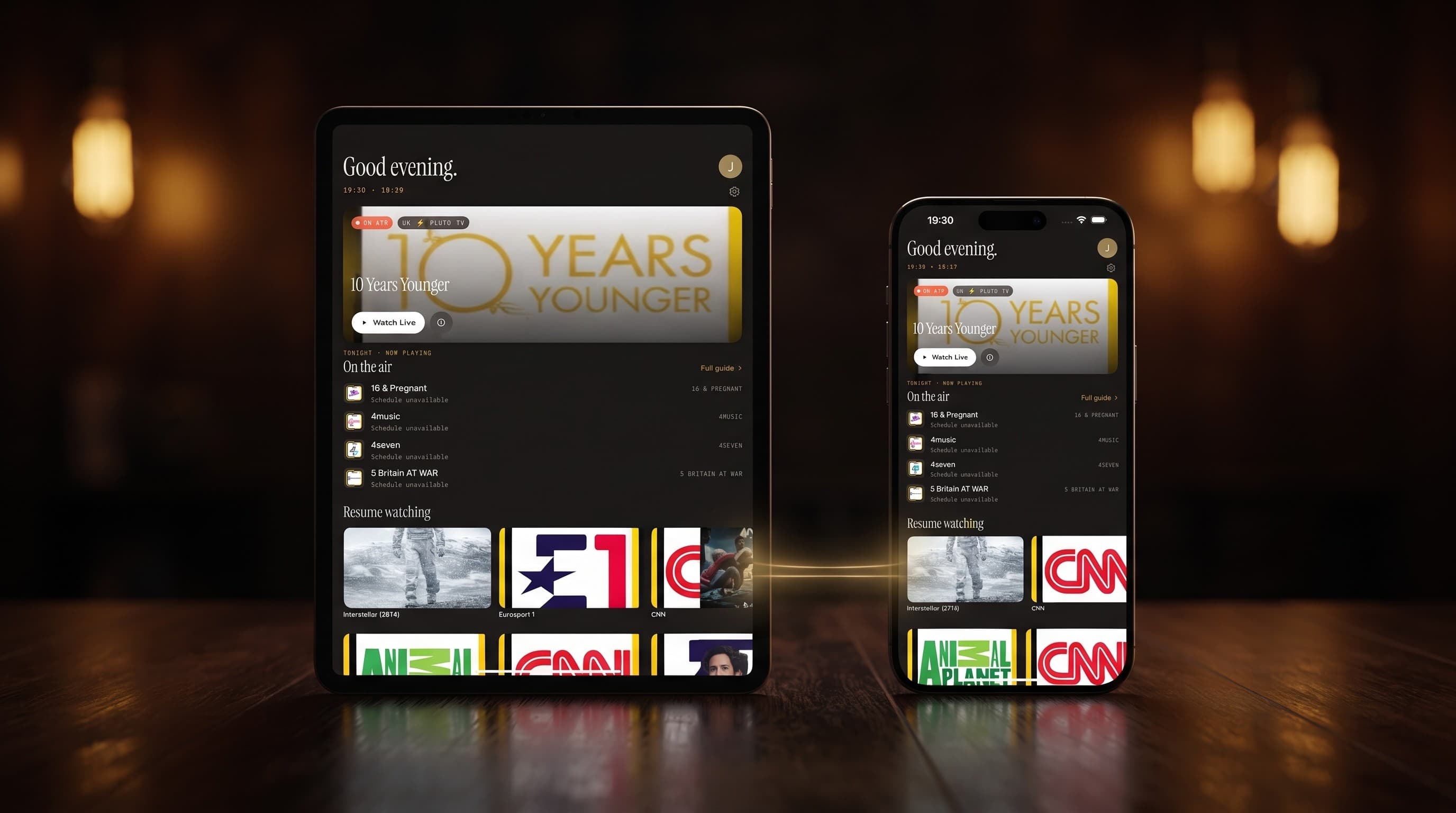
iCloud Sync in Maximus IPTV Player: iPhone to iPad
You finish half an episode on your iPhone during lunch, pick up your iPad that evening, and open Maximus IPTV Player expecting the same spot — but the player starts the episode from zero. If that has ever happened to you, you might be on an older build, or you might be looking at a feature you didn't know was there. Maximus IPTV Player has quietly supported iCloud-synced playback progress between iPhone and iPad for a while now, and this guide explains exactly what syncs, what doesn't, and how to make sure it's actually working on your devices.
This is an iOS-specific feature: it relies on Apple's iCloud, so it only works between an iPhone and an iPad signed into the same Apple ID. If you split your viewing between an iPhone and an Android tablet, or between an Android phone and an Android TV, this particular feature won't help you — Maximus has no iOS-to-Android sync, and we'll explain why later in this post.
Key Takeaways
- Maximus IPTV Player syncs playback progress for movies and TV episodes across iPhone and iPad automatically, using iCloud — no manual export or account transfer needed.
- The sync covers Continue Watching progress on downloaded and streamed video-on-demand content; it does not sync live TV state, EPG (Electronic Program Guide) filters, or your Favorites list identically in real time on every screen.
- There is no iOS-to-Android sync — this is one of exactly two platform-specific capabilities in Maximus IPTV Player (the other being Picture-in-Picture, which runs the opposite way: Android only).
- Two things break sync more often than anything else: being signed into two different Apple IDs, and having iCloud Drive or the relevant iCloud toggle turned off in Settings for one of the two devices.
- In our own testing across both iPhone and iPad, progress synced within roughly 10-30 seconds of closing the app on the first device — it is not instant, so give it a few seconds before switching screens.
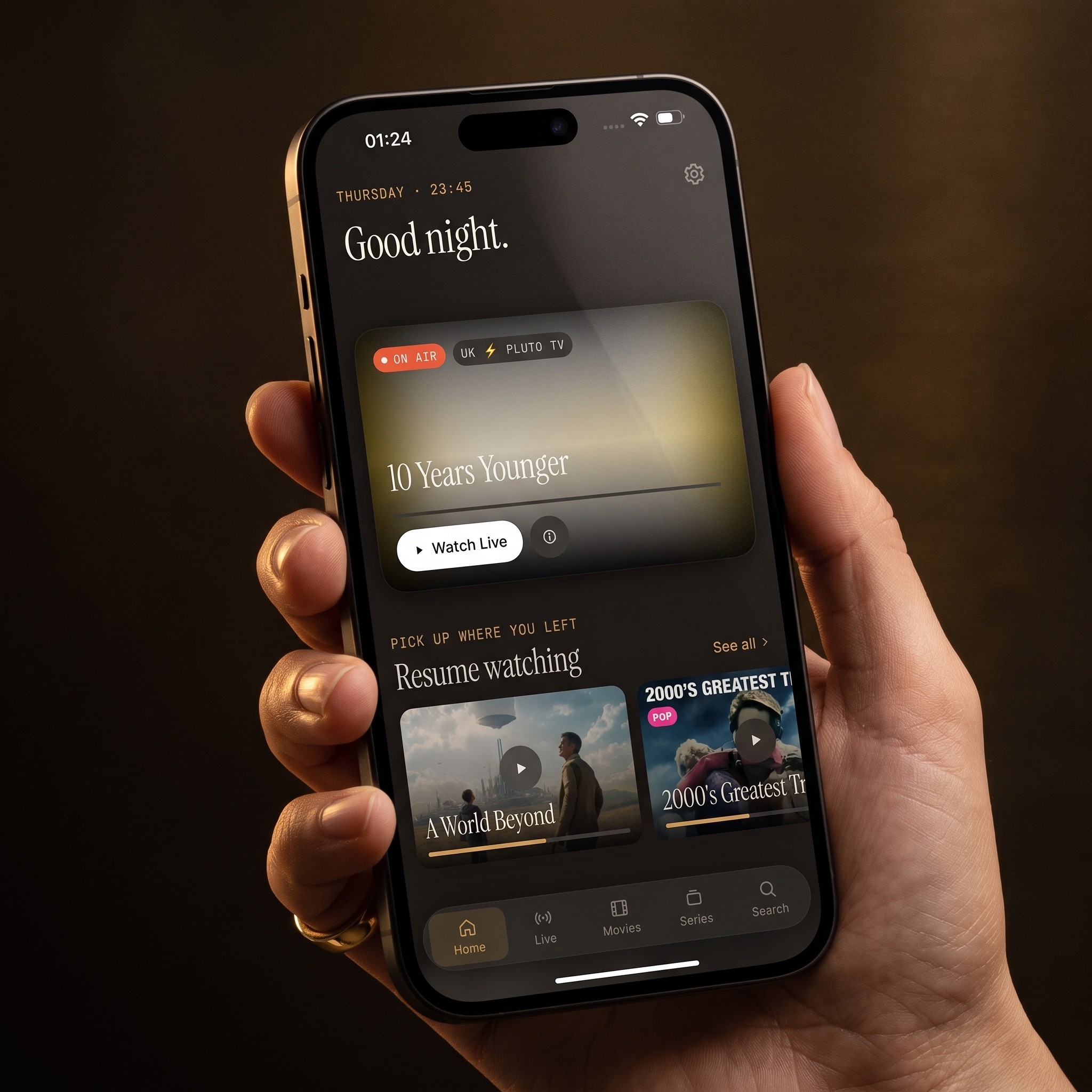
Why Doesn't My IPTV Progress Follow Me Between iPhone and iPad?
If you're used to services like Netflix or Disney+, syncing playback position across devices feels automatic and invisible. With an IPTV player — an app that plays your own Xtream Codes or M3U/M3U8 playlist subscription rather than hosting its own catalog — that syncing has to be built specifically into the app, because the video isn't coming from a single centralized streaming backend the way it does for those services.
Maximus IPTV Player solves this on iOS using Apple's iCloud, specifically the same private, per-app storage mechanism many note-taking and productivity apps use to keep documents current across a user's devices. When you pause a movie or episode on your iPhone, Maximus writes the current timestamp to that iCloud store. When you later open the same title on your iPad, Maximus checks iCloud for a saved timestamp and resumes from there instead of the beginning.
The tradeoff is that this only works within Apple's ecosystem. Android has no equivalent to iCloud, so this exact mechanism can't run on an Android phone or tablet — Android's Continue Watching only tracks progress locally, on that one device.
What Exactly Syncs — And What Doesn't?
It helps to be precise here, because "sync" can mean different things in different apps.
What syncs between iPhone and iPad:
- Playback position (Continue Watching) for movies and TV episodes you've started but not finished.
- This applies whether the content came from your Xtream Codes source or an M3U8 playlist — the sync layer works on the content item, not the source type.
What does NOT sync:
- Live TV channel state — if you're mid-way through a live sports broadcast on your iPhone and open the same channel on your iPad, it plays live from the current broadcast point, the way live television always does, not from where you left off.
- Your PIN for Parental Lock — you'll set this up separately per device, and iOS adds Face ID as an extra unlock layer on top of the PIN, which is itself device-specific.
- Downloaded files for offline viewing — a movie you downloaded on your iPad for a flight stays on that iPad; downloads are storage-heavy and are not designed to duplicate themselves across devices automatically.
- Any subscription or account credentials shared with Android — there's no cross-platform subscription sharing between iOS and Android in Maximus IPTV Player, iCloud or otherwise.
Does iCloud Sync Work With Android?
No, and it's worth being direct about this rather than vague. iCloud is Apple's infrastructure; it does not run on Android and there's no equivalent bridge that lets an Android device read from it. If your household uses an iPhone and an Android tablet, expect Continue Watching to be tracked independently on each device. This is consistent with how Maximus IPTV Player is built more broadly: it is genuinely cross-platform (available on both the Apple App Store and Google Play), but a small number of features are platform-specific rather than universal. iCloud sync is one; Picture-in-Picture (Android phones and tablets only, not iPhone or iPad) is the other, running in the opposite direction.
Setting Up iCloud Sync: What You Need to Check
There's no separate "enable sync" switch inside Maximus IPTV Player itself — the feature relies on standard iOS/iCloud settings being correctly configured. Before assuming sync is broken, check these four things:
- Same Apple ID on both devices. Open Settings on both your iPhone and iPad and confirm the name at the top of the Settings app matches. This is the single most common reason sync silently fails — a shared household iPad signed into a different Apple ID than a personal iPhone will never sync with it.
- iCloud is turned on for the relevant storage. In Settings, tap your name, then iCloud, and make sure iCloud Drive (or the general iCloud toggle, depending on your iOS version) is enabled. If this was switched off to save iCloud storage space, Maximus has nowhere to write the sync data.
- Both devices have an internet connection at the same time. Sync isn't real-time streaming — it needs both devices online, even briefly, to exchange the timestamp. If your iPad has been in airplane mode for two days, it won't have picked up progress from your iPhone yet.
- You've actually closed or backgrounded the app on the first device. Maximus commits playback progress when you leave the player, not continuously every second, so switch away from the app (or fully close it) before checking the other device.
Troubleshooting: Sync Not Working?
If you've confirmed all four settings above and progress still isn't carrying over, try backgrounding Maximus IPTV Player on the first device, waiting about 30 seconds, then force-quitting and reopening it on the second device — this forces a fresh check against iCloud rather than relying on a cached app state. If it still doesn't sync after that, it's worth checking Settings > [your name] > iCloud > Manage Storage to confirm you haven't hit your iCloud storage limit; a full iCloud account can silently block small app data writes the same way it blocks Photos backups.
Frequently Asked Questions
Does iCloud sync work between an iPhone and a Mac running Maximus? Maximus IPTV Player runs on Macs with Apple silicon as the same iOS app, so it uses the same underlying iCloud account. In practice, sync behavior follows the same rules described above: same Apple ID, iCloud enabled, and both devices online.
Will my Favorites list also sync through iCloud? Continue Watching progress is the feature this sync mechanism is built for. If you notice your Favorites list behaving differently across your iPhone and iPad, treat that as separate from playback-position sync rather than assuming it uses the identical pathway.
I use Maximus on an iPhone and an Android TV. Can I get any sync at all? Not through this feature — there's no iOS-to-Android bridge. Each platform's Continue Watching state stays local to that platform's devices.
Does turning on iCloud sync use a lot of iCloud storage? No. Maximus is only writing small playback-position data (a content ID and a timestamp), not video files themselves — downloaded episodes stay in local device storage, not iCloud.
Is this the same as Handoff? No. Apple's Handoff lets you resume an app on a different device from a Lock Screen or Dock icon; what Maximus does is closer to app-level state sync, where the app itself checks iCloud for saved progress the next time you open a title, regardless of whether you used Handoff to get there.
The Bottom Line
If you split your Maximus IPTV Player viewing between an iPhone and an iPad, iCloud-synced Continue Watching progress is designed to make that feel seamless — pause on one screen, pick up on the other, without hunting for the timestamp yourself. It's one of the smaller quality-of-life details in the app, but it's exactly the kind of thing that matters once you actually rely on it daily across two Apple devices. Just remember its boundaries: it's an iOS-only feature tied to a single Apple ID, it covers playback position rather than everything about your library, and it has no equivalent path to or from Android.
Maximus IPTV Player is free to download on the Apple App Store for iPhone and iPad (it also runs on Macs with Apple silicon and on Apple Vision). If you're setting it up for the first time, add your Xtream Codes login or M3U/M3U8 playlist, sign in with the same Apple ID on every iOS device you use, and Continue Watching should start following you automatically.
Written by
Maximus IPTV Team